> ## Documentation Index
> Fetch the complete documentation index at: https://www.pickfu.com/docs/llms.txt
> Use this file to discover all available pages before exploring further.
# Logo test
> Compare logo design options head-to-head with real consumers and choose the mark that best fits your business, audience, and brand positioning.
See which logo users think is better for your business.
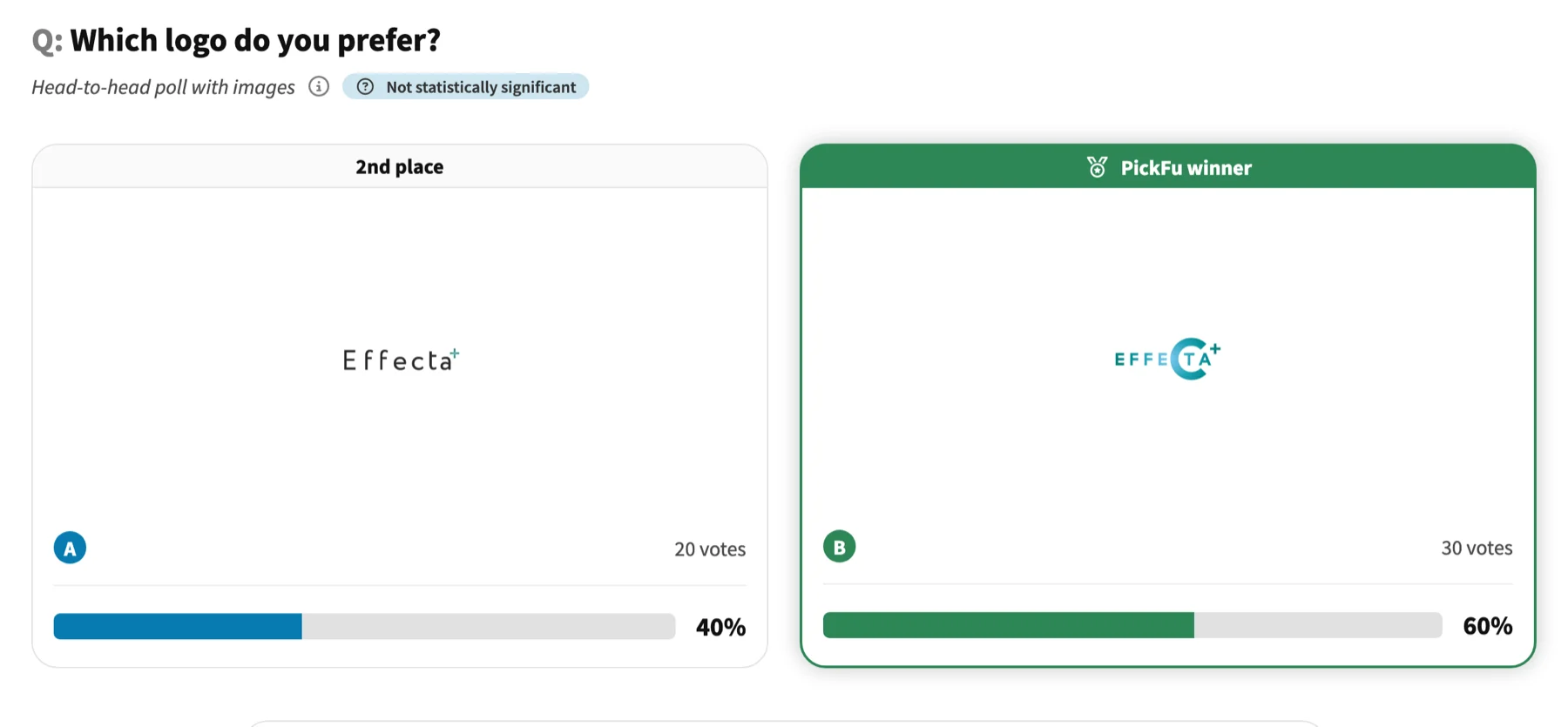 [See the full interactive result →](https://www.pickfu.com/results/XFSSe1Ae2t-logo-test)
## When to use
Built for entrepreneurs and marketers. Reach for it when your options are ready and you want a fast, real-audience read before you commit.
## The test at a glance
| Setting | Value |
| --------- | ------------------------------------------------------------------------------------------------------------------------------------------------ |
| Poll type | Head-to-head |
| Question | "Which logo do you prefer for a company that does \[brief description] ?" |
| Options | 2 logos |
| Audience | 50 targeted respondents |
| Reporting | Gender identity, Age range, Crowdfunding participant, Cryptocurrency investments, Hobbies and interests, Online shopping marketplaces, Pet owner |
## Run it
[Use this template →](https://app.pickfu.com/ask/template/logo-test?regular=true)
```text theme={null}
Create a PickFu head-to-head poll titled "Logo test".
Question: "Which logo do you prefer for a company that does [brief description] ?"
Setup: Head-To-Head poll. Respondents will see both logos in a random order, choose which they prefer, and tell you why they made that choice.
Audience: 50 respondents, targeting Custom trait; report by Gender identity, Age range, Crowdfunding participant.
Publish it, then summarize the result when responses arrive.
Tools: save_survey, publish_survey, get_survey_responses.
```
```bash theme={null}
# Create + publish with the PickFu CLI — see /integrations/cli
pickfu survey create --type head_to_head --question "Which logo do you prefer for a company that does [brief description] ?" --sample-size 50
```
```bash theme={null}
# POST /v1/surveys — see /api-reference/surveys
curl -X POST https://api.pickfu.com/v1/surveys \
-H "Authorization: Bearer $PICKFU_API_KEY" -H "Content-Type: application/json" \
-d '{"questions":[{"type":"head_to_head","prompt":"Which logo do you prefer for a company that does [brief description] ?"}],"sampleSize":50}'
```
```
https://app.pickfu.com/ask/survey?q1-type=head_to_head&q1-prompt=Which+logo+do+you+prefer+for+a+company+that+does+%5Bbrief+description%5D+%3F&sample_size=50
```
## Customize
* **Audience** — swap or add [targeting traits](/docs/guides/url-parameters#targeting-and-settings) (e.g. `amznpr` for Amazon Prime shoppers).
* **Sample size** — `15` for a fast read, `50` (default), `100`+ for higher confidence.
* **Country** — add `country=US` (or CA, GB, DE, …) to target a locale.
* **Fill-ins** — replace the `[bracketed]` placeholders in the question with your own values per run.
[See the full interactive result →](https://www.pickfu.com/results/XFSSe1Ae2t-logo-test)
## When to use
Built for entrepreneurs and marketers. Reach for it when your options are ready and you want a fast, real-audience read before you commit.
## The test at a glance
| Setting | Value |
| --------- | ------------------------------------------------------------------------------------------------------------------------------------------------ |
| Poll type | Head-to-head |
| Question | "Which logo do you prefer for a company that does \[brief description] ?" |
| Options | 2 logos |
| Audience | 50 targeted respondents |
| Reporting | Gender identity, Age range, Crowdfunding participant, Cryptocurrency investments, Hobbies and interests, Online shopping marketplaces, Pet owner |
## Run it
[Use this template →](https://app.pickfu.com/ask/template/logo-test?regular=true)
```text theme={null}
Create a PickFu head-to-head poll titled "Logo test".
Question: "Which logo do you prefer for a company that does [brief description] ?"
Setup: Head-To-Head poll. Respondents will see both logos in a random order, choose which they prefer, and tell you why they made that choice.
Audience: 50 respondents, targeting Custom trait; report by Gender identity, Age range, Crowdfunding participant.
Publish it, then summarize the result when responses arrive.
Tools: save_survey, publish_survey, get_survey_responses.
```
```bash theme={null}
# Create + publish with the PickFu CLI — see /integrations/cli
pickfu survey create --type head_to_head --question "Which logo do you prefer for a company that does [brief description] ?" --sample-size 50
```
```bash theme={null}
# POST /v1/surveys — see /api-reference/surveys
curl -X POST https://api.pickfu.com/v1/surveys \
-H "Authorization: Bearer $PICKFU_API_KEY" -H "Content-Type: application/json" \
-d '{"questions":[{"type":"head_to_head","prompt":"Which logo do you prefer for a company that does [brief description] ?"}],"sampleSize":50}'
```
```
https://app.pickfu.com/ask/survey?q1-type=head_to_head&q1-prompt=Which+logo+do+you+prefer+for+a+company+that+does+%5Bbrief+description%5D+%3F&sample_size=50
```
## Customize
* **Audience** — swap or add [targeting traits](/docs/guides/url-parameters#targeting-and-settings) (e.g. `amznpr` for Amazon Prime shoppers).
* **Sample size** — `15` for a fast read, `50` (default), `100`+ for higher confidence.
* **Country** — add `country=US` (or CA, GB, DE, …) to target a locale.
* **Fill-ins** — replace the `[bracketed]` placeholders in the question with your own values per run.