> ## Documentation Index
> Fetch the complete documentation index at: https://www.pickfu.com/llms.txt
> Use this file to discover all available pages before exploring further.
# 如何连接 Amazon Seller Central
> 分步介绍如何将 Amazon Seller Central 账户连接到 PickFu:在设置中进入集成页面、连接商城并授权访问后,即可将 listing 数据直接同步到平台,使用实时商品信息快速发起测试。本文涵盖从连接到导入商品的全部步骤,帮助亚马逊卖家节省时间并提升调研效率。
在 PickFu,我们一直在寻找帮助你提升市场调研效率、节省时间(和预算)的方法。随着 Seller Central 集成的发布,你现在可以将所有 listing 数据直接同步到 PickFu 平台,并使用实时 listing 信息发起测试(不用再裁剪图片、下载和上传、截屏等)。
请按照以下步骤,将你的 Amazon Seller Central 账户无缝连接到我们的平台。按这些简单步骤即可开始:
# 步骤 1:访问集成
* 你可以在 PickFu 平台中依次进入设置和集成,直接进行连接。
[ ](../../images/help/en/how-to-connect-to-amazon-seller-central/eb8f0a558aeceab2ae321e3a90674b43.png)
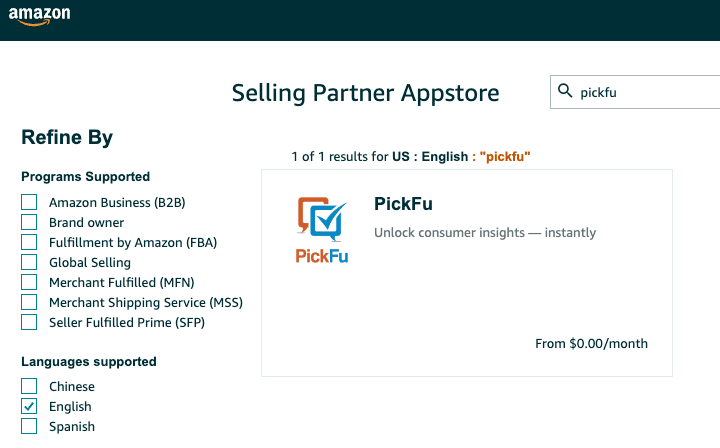
* 如果你希望从 Amazon 端连接,我们的 Seller Central 应用也已在 Amazon Seller Central 应用商店上线。
[
](../../images/help/en/how-to-connect-to-amazon-seller-central/eb8f0a558aeceab2ae321e3a90674b43.png)
* 如果你希望从 Amazon 端连接,我们的 Seller Central 应用也已在 Amazon Seller Central 应用商店上线。
[ ](../../images/help/en/how-to-connect-to-amazon-seller-central/c6ef040666b0bce751da3994460cfa4c.png)
# 步骤 2:连接你的商城
**选择商城**:
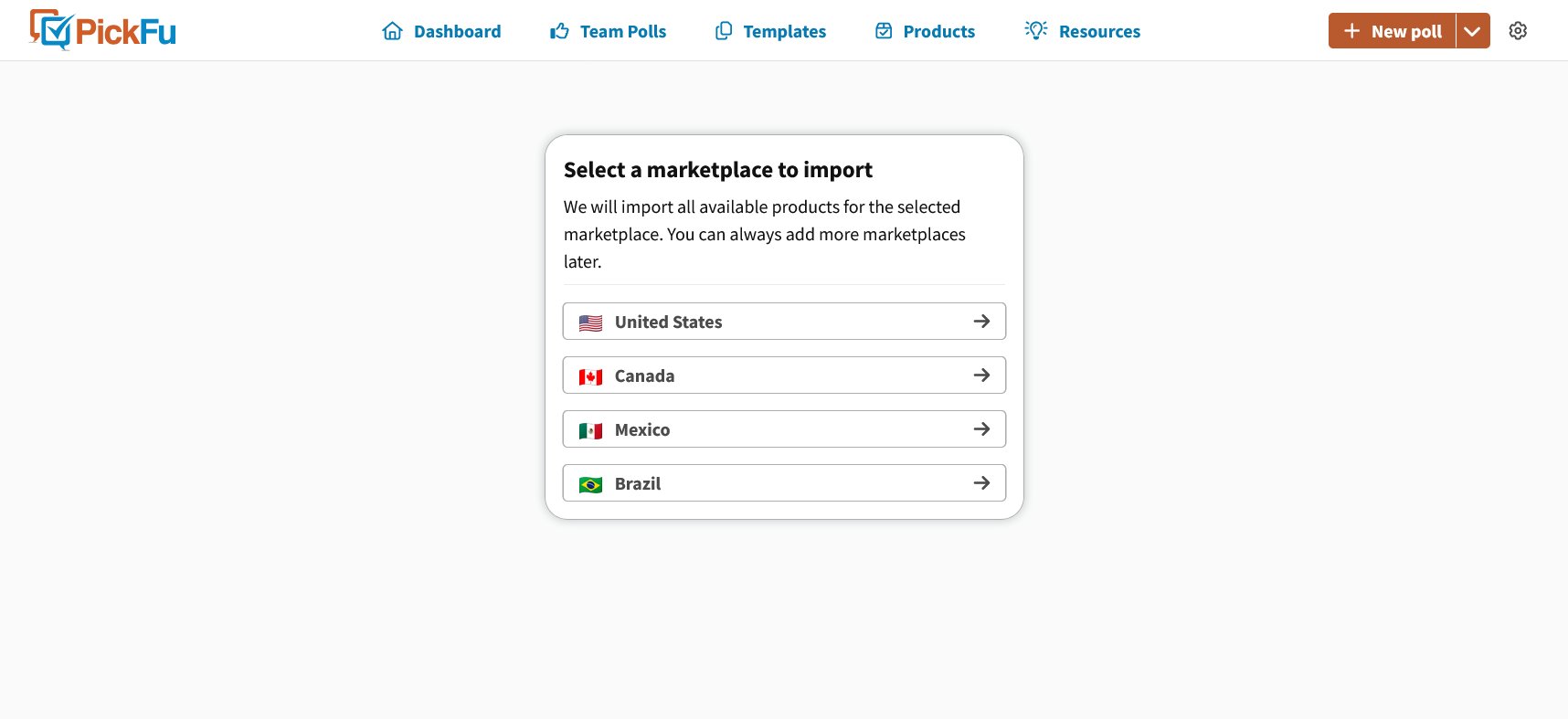
* 登录 PickFu 账户并按照步骤 1 进入 Amazon 集成后,你需要从下拉菜单中选择与你业务相关的 Amazon 商城。\*你可以一次连接多个商城,并根据需要轻松切换。
[
](../../images/help/en/how-to-connect-to-amazon-seller-central/c6ef040666b0bce751da3994460cfa4c.png)
# 步骤 2:连接你的商城
**选择商城**:
* 登录 PickFu 账户并按照步骤 1 进入 Amazon 集成后,你需要从下拉菜单中选择与你业务相关的 Amazon 商城。\*你可以一次连接多个商城,并根据需要轻松切换。
[ ](../../images/help/en/how-to-connect-to-amazon-seller-central/0ffe6416547c071a282cd39ec0479878.png)
**身份验证**:
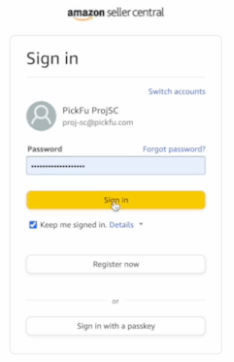
* 按照身份验证流程操作,其中可能包括一次性密码 (OTP) 进行安全验证。
[
](../../images/help/en/how-to-connect-to-amazon-seller-central/0ffe6416547c071a282cd39ec0479878.png)
**身份验证**:
* 按照身份验证流程操作,其中可能包括一次性密码 (OTP) 进行安全验证。
[ ](../../images/help/en/how-to-connect-to-amazon-seller-central/ff0f767a925a7293f6dcbd70989bc194.png)
# 步骤 3:授权访问
1. **开始授权**:
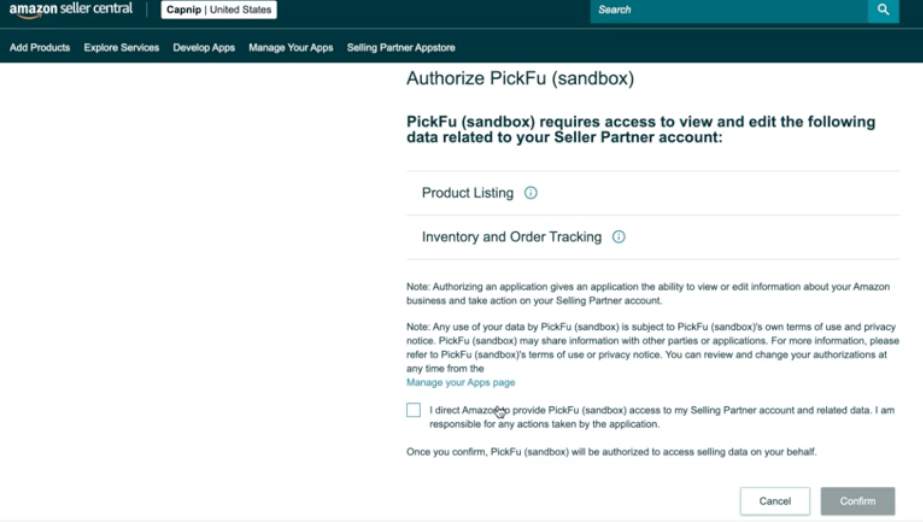
* 点击应用并选择“Authorize”,授予访问你的 Amazon 账户的权限。
* 系统可能会提示你登录 Amazon 账户并确认访问权限。
[
](../../images/help/en/how-to-connect-to-amazon-seller-central/ff0f767a925a7293f6dcbd70989bc194.png)
# 步骤 3:授权访问
1. **开始授权**:
* 点击应用并选择“Authorize”,授予访问你的 Amazon 账户的权限。
* 系统可能会提示你登录 Amazon 账户并确认访问权限。
[ ](../../images/help/en/how-to-connect-to-amazon-seller-central/87d2b3d4709cf1407654f4d6ede1d842.png)
# 步骤 4:导入你的商品
**开始导入**:
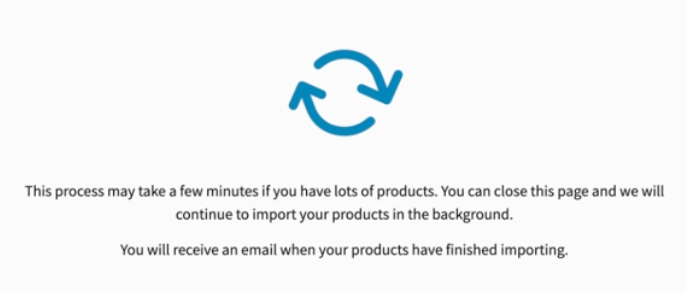
* 身份验证完成后,应用会开始导入你的 Amazon 商品。
* 根据库存规模不同,此过程可能需要几分钟。导入完成后,我们会通过电子邮件通知你。
[
](../../images/help/en/how-to-connect-to-amazon-seller-central/87d2b3d4709cf1407654f4d6ede1d842.png)
# 步骤 4:导入你的商品
**开始导入**:
* 身份验证完成后,应用会开始导入你的 Amazon 商品。
* 根据库存规模不同,此过程可能需要几分钟。导入完成后,我们会通过电子邮件通知你。
[ ](../../images/help/en/how-to-connect-to-amazon-seller-central/45e162d5007a18a1869380bb01be5ba5.png)
# 步骤 5:使用集成
**优化 listing**:
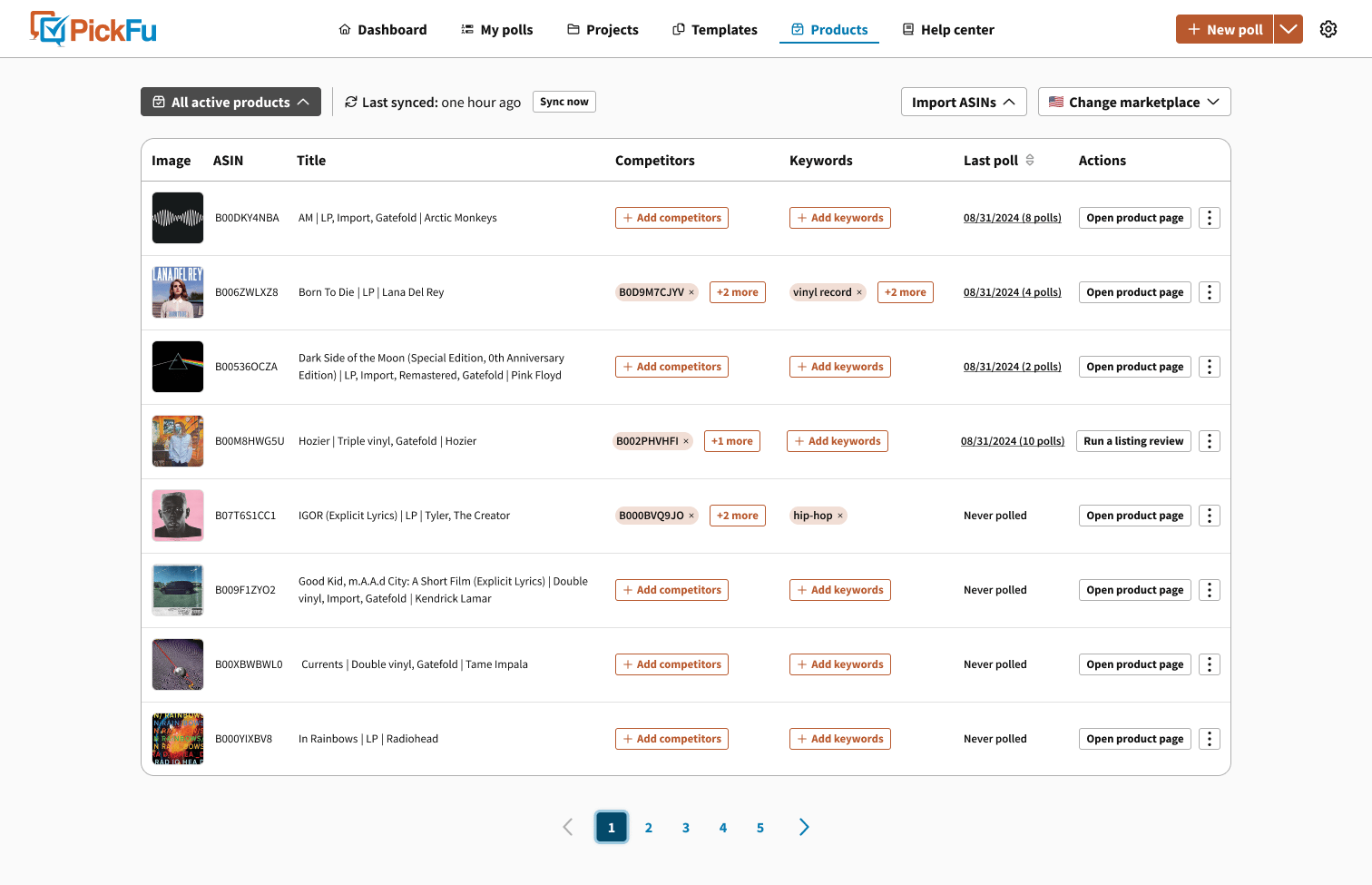
* 导入完成后,你可以直接通过我们的平台查看你的 Amazon 商品 listing。
* 使用“Run a Listing Review”等功能,或添加竞争对手,快速高效地优化你的 listing。
[
](../../images/help/en/how-to-connect-to-amazon-seller-central/45e162d5007a18a1869380bb01be5ba5.png)
# 步骤 5:使用集成
**优化 listing**:
* 导入完成后,你可以直接通过我们的平台查看你的 Amazon 商品 listing。
* 使用“Run a Listing Review”等功能,或添加竞争对手,快速高效地优化你的 listing。
[ ](../../images/help/en/how-to-connect-to-amazon-seller-central/e4b623597a8df32d7ab740aa01bed664.png)
**后续改进**:
* 我们会持续改进此应用,提供更多功能,例如扩展投票能力和更多集成。如果你有想法、反馈或建议,请通过 [support@pickfu.com](mailto:support@pickfu.com) 分享给我们的客户成功团队。
感谢你选择我们的 Seller Central 集成。我们期待帮助你在 Amazon 上最大化销售潜力!
***
相关文章
* [我可以用 PickFu 测试哪些类型的内容?](/zh/help/what-types-of-content-can-i-test-with-pickfu)
* [最佳资源指南](/zh/help/best-of-the-best-resource-guide)
* [使用 PickFu 提升 Amazon 商品页转化率(CVR):入门指南与常见问题](/zh/help/improving-your-amazon-listing-conversion-cvr-with-pickfu-getting-started-faqs)
* [Helium10 Audience 与 PickFu:完整对比指南](/zh/help/helium10-audience-vs-pickfu-complete-comparison-guide)
* [PickFu 与 Amazon Manage Your Experiments 对比:什么时候使用哪种测试工具](/zh/help/pickfu-vs-amazon-manage-your-experiments-when-to-use-each-testing-tool)
](../../images/help/en/how-to-connect-to-amazon-seller-central/e4b623597a8df32d7ab740aa01bed664.png)
**后续改进**:
* 我们会持续改进此应用,提供更多功能,例如扩展投票能力和更多集成。如果你有想法、反馈或建议,请通过 [support@pickfu.com](mailto:support@pickfu.com) 分享给我们的客户成功团队。
感谢你选择我们的 Seller Central 集成。我们期待帮助你在 Amazon 上最大化销售潜力!
***
相关文章
* [我可以用 PickFu 测试哪些类型的内容?](/zh/help/what-types-of-content-can-i-test-with-pickfu)
* [最佳资源指南](/zh/help/best-of-the-best-resource-guide)
* [使用 PickFu 提升 Amazon 商品页转化率(CVR):入门指南与常见问题](/zh/help/improving-your-amazon-listing-conversion-cvr-with-pickfu-getting-started-faqs)
* [Helium10 Audience 与 PickFu:完整对比指南](/zh/help/helium10-audience-vs-pickfu-complete-comparison-guide)
* [PickFu 与 Amazon Manage Your Experiments 对比:什么时候使用哪种测试工具](/zh/help/pickfu-vs-amazon-manage-your-experiments-when-to-use-each-testing-tool)