
Пока эта статья доступна только на английском.
2026-10-15
Best Maze alternatives for prototype testing, UX research, and user feedback
The best Maze alternative depends on which part of Maze you're trying to replace. A use-case comparison of PickFu, Useberry, UXtweak, Lookback, UserTesting, Userlytics, PlaybookUX, Optimal, Ballpark, Dscout, and Contentsquare.
The best Maze alternatives depend on which part of Maze you're trying to replace. For rapid design validation and concept testing, start with PickFu. For interactive prototype testing, compare Useberry, UXtweak, and Ballpark. For moderated interviews, look at Lookback, UserTesting, Userlytics, PlaybookUX, or Dscout. For information architecture work like card sorting and tree testing, Optimal is the specialist. If your real problem is participant recruitment, a recruiting platform such as Respondent or User Interviews may help more than switching testing tools at all.
Many design questions come before usability testing. If you need to know which screen, concept, product image, package, app icon, or message people prefer before you build anything interactive, PickFu is built for that. It's a consumer insights platform that gets you feedback from real people in your target audience, usually within hours.
So the better question isn't "What looks most like Maze?" It's "What do we need to learn next, and which research method answers it?"
What Maze does today
Maze is a user research platform built around fast product feedback. Its current platform covers Figma prototype testing, moderated interviews, surveys, live website testing, mobile testing, card sorting, tree testing, AI-assisted study building and moderation, automated reporting, and a participant panel of more than 6 million people.
That breadth is why the strongest alternative is rarely the one with the closest feature checklist. It's the one built around the method you use most.
Best Maze alternatives at a glance
Why teams look for a Maze alternative
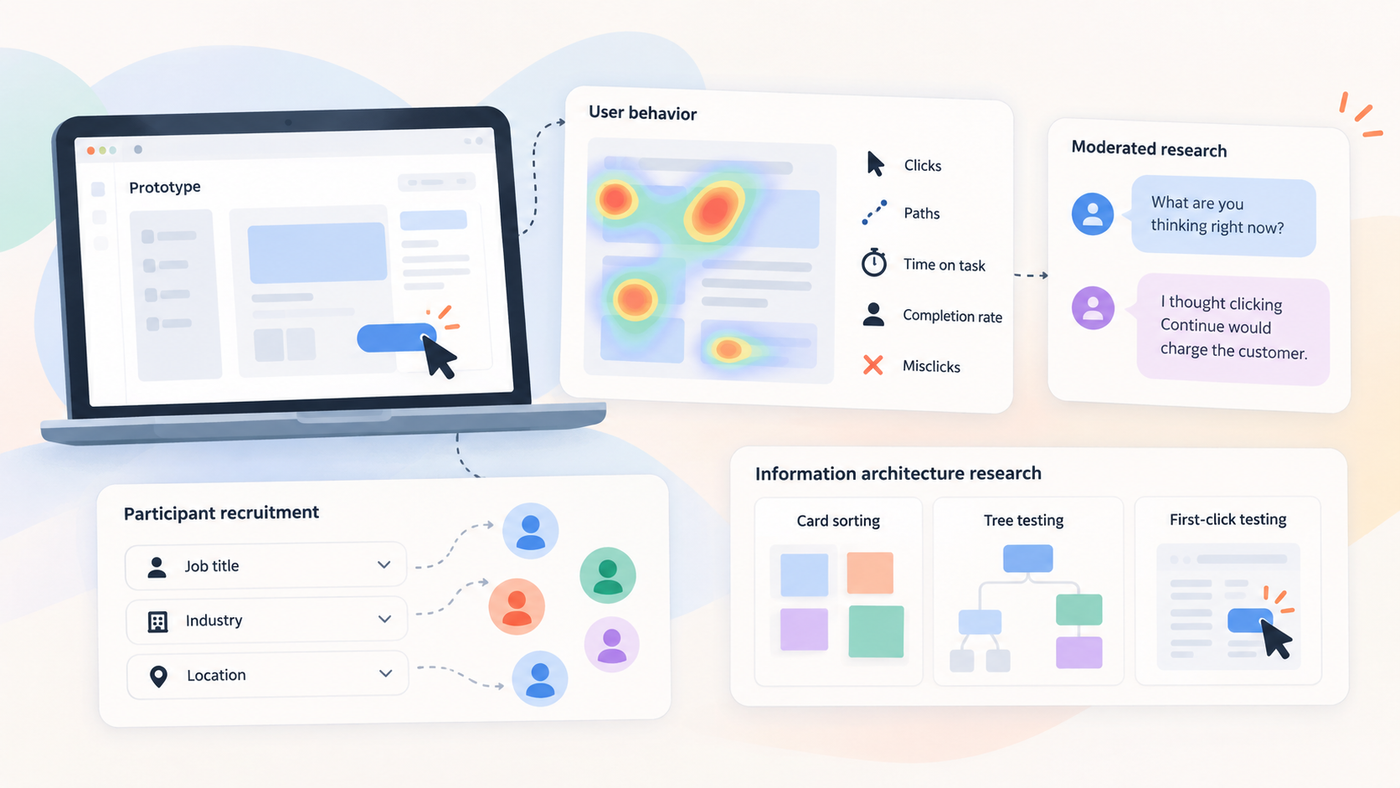
Maze's original appeal was simple: designers could put a prototype in front of users without turning every test into a formal research project. It connects directly to Figma and reports paths, heatmaps, usability scores, and misclicks.
That still works. But research programs grow up. A team that started by asking "Can users finish this flow?" eventually asks "Why do enterprise buyers distrust this step?" or "How do customers group this information?" The question changes before the software does. Here are the most common reasons teams start comparing tools.
You need deeper moderated research
Unmoderated testing is efficient. Give 30 people a task, let them finish on their own, then compare completion rates, paths, misclicks, and time-on-task. That works well when you already understand the task.
It works less well when the interesting finding is unexpected. Say a participant stops halfway through a payment setup flow. The recording shows the hesitation, click-tracking shows what they tried next, and a heatmap shows other people clicked the same spot. None of that tells you why.
In moderated testing, a researcher can ask, "What are you thinking right now?" The participant says, "I thought clicking Continue would charge the customer." Now you know the problem is the label, not the layout.
Lookback, UserTesting, Userlytics, PlaybookUX, and Dscout all support live conversations with participants.
You need better participant recruitment
A well-designed study still produces weak evidence when the wrong people take it. If your product is built for controllers at mid-size construction firms, "business professionals" isn't a tight enough screener. You need people in finance, at the right seniority, in the right industry, who use or evaluate accounting software.
Maze does offer recruitment. Its unmoderated panel runs on credits ($5 each in standard bundles), with a core B2C response costing three credits and its extended B2C and B2B audiences costing more. Moderated recruitment runs through Respondent and is an Enterprise feature.
If finding niche professionals is the hardest part of every study, look at a dedicated recruiter instead of another full UX platform:
- User Interviews handles recruitment, screening, scheduling, and incentives, from its own panel or yours. Lookback integrates with it for participant recruitment.
- Respondent separates consumer and professional recruiting. Pay-as-you-go pricing is $40 per completed B2C session and $80 per B2B session, before incentives.
- Great Question combines a research CRM, study methods, and a repository. Self-serve pricing is $129 per seat per month, and Enterprise is priced by module with SSO, SCIM, and data-retention controls.
An expensive participant can still make for the cheaper study when qualification is what makes the evidence useful. Keep in mind that a recruiter isn't a Maze replacement on its own. Participants still need somewhere to take the study.
You need stronger information architecture research
A navigation problem doesn't always need another usability video. Picture a university redesigning its student portal. The site is organized by department: Admissions, Registrar, Financial Services, Student Affairs. Students think in tasks: apply, pay tuition, pick classes, get help.
Card sorting shows how people naturally group those tasks. Tree testing then checks whether they can find things in the proposed structure. First-click tests show whether the visual design points people to the right starting place. That sequence tells you more than watching people struggle through the old navigation.
Optimal, UXtweak, and PlaybookUX all support dedicated IA methods.
PickFu doesn't run card sorts or tree tests, but its Click Test works as a quick first-click check on a static screen, and every click comes with a written reason.
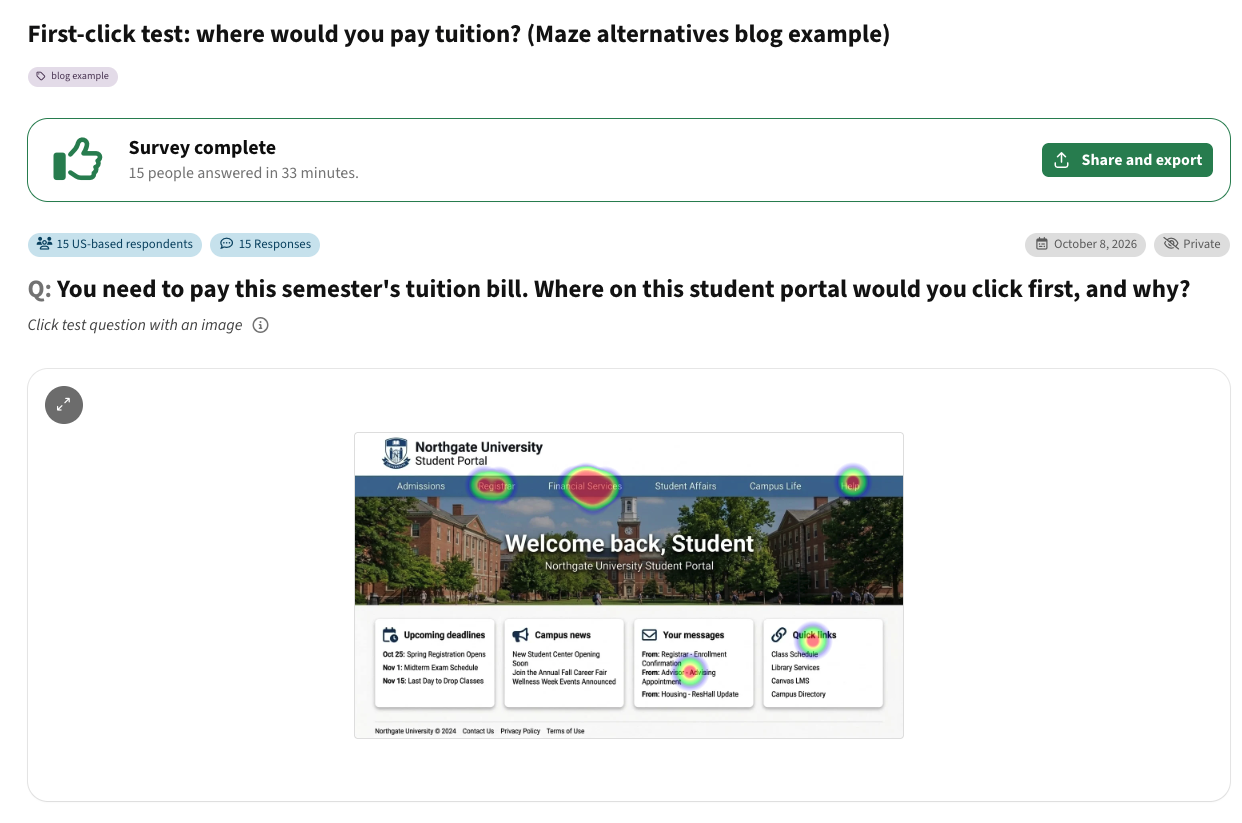
📊 Survey example: First-click test: where would you pay tuition?
What the results showed:
- 10 of 15 US adults clicked Financial Services first. That looks like a pass, but many weren't sure. One said Financial Services "very well could be more linked to financial aid and not payment."
- The other five went elsewhere. Two picked the Registrar ("From memory when I was in college you go to the Registrar office to pay your tuition bill"), and one each tried Quick Links, Your messages, and Help.
- Several people wanted a task, not a department: "I would have expected a 'pay' option directly in the navigation."
- A third of people started in the wrong place, and the most popular label still left people guessing. The next step is testing task-based labels like "Pay tuition" or "Billing & payments," which is exactly where card sorting and tree testing come in.
You need live behavior rather than recruited testing
Once a product has real traffic, passive analytics can answer questions a recruited test can't answer at the same scale. That used to be Hotjar's job. Hotjar is now part of Contentsquare, and new users can't open standalone Hotjar accounts anymore.
Contentsquare's free plan includes heatmaps, session replay, surveys, funnels, and error monitoring for up to 200,000 monthly sessions, though replay captures only a sample of them.
Here's how the two approaches work together. Recordings show visitors bouncing between your pricing and features pages, then leaving. That's a hypothesis: maybe the tiers are confusing. A usability test can then find out why. Analytics tell you what's happening. UX research explains it. Later on, NPS surveys and other feedback metrics can track whether the fix changed how customers feel.
Your enterprise requirements changed
Small teams can live with workarounds that large companies can't. An enterprise research platform may need SSO, role-based permissions, data retention policies, security reviews, and predictable procurement. Maze, UserTesting, Ballpark, Optimal, and others reserve some of these controls for enterprise tiers. A cheaper tool that can't pass security review isn't actually cheaper.
How we evaluated the Maze alternatives
We compared each platform using its own current product pages, pricing pages, and help documentation, checked in October 2026. We looked at prototype testing and Figma workflows, moderated and unmoderated usability testing, website and mobile testing, recruitment, task metrics, recordings, IA methods, reporting, security, and pricing. UX tools change often, so confirm current details before you buy.
We also kept methods separate on purpose. A great tool for user interviews isn't automatically better for fast Figma validation. A recruiter isn't a Maze replacement. Passive analytics aren't the same as remote usability testing.
Best Maze alternatives by use case
PickFu: best for rapid design validation and concept testing
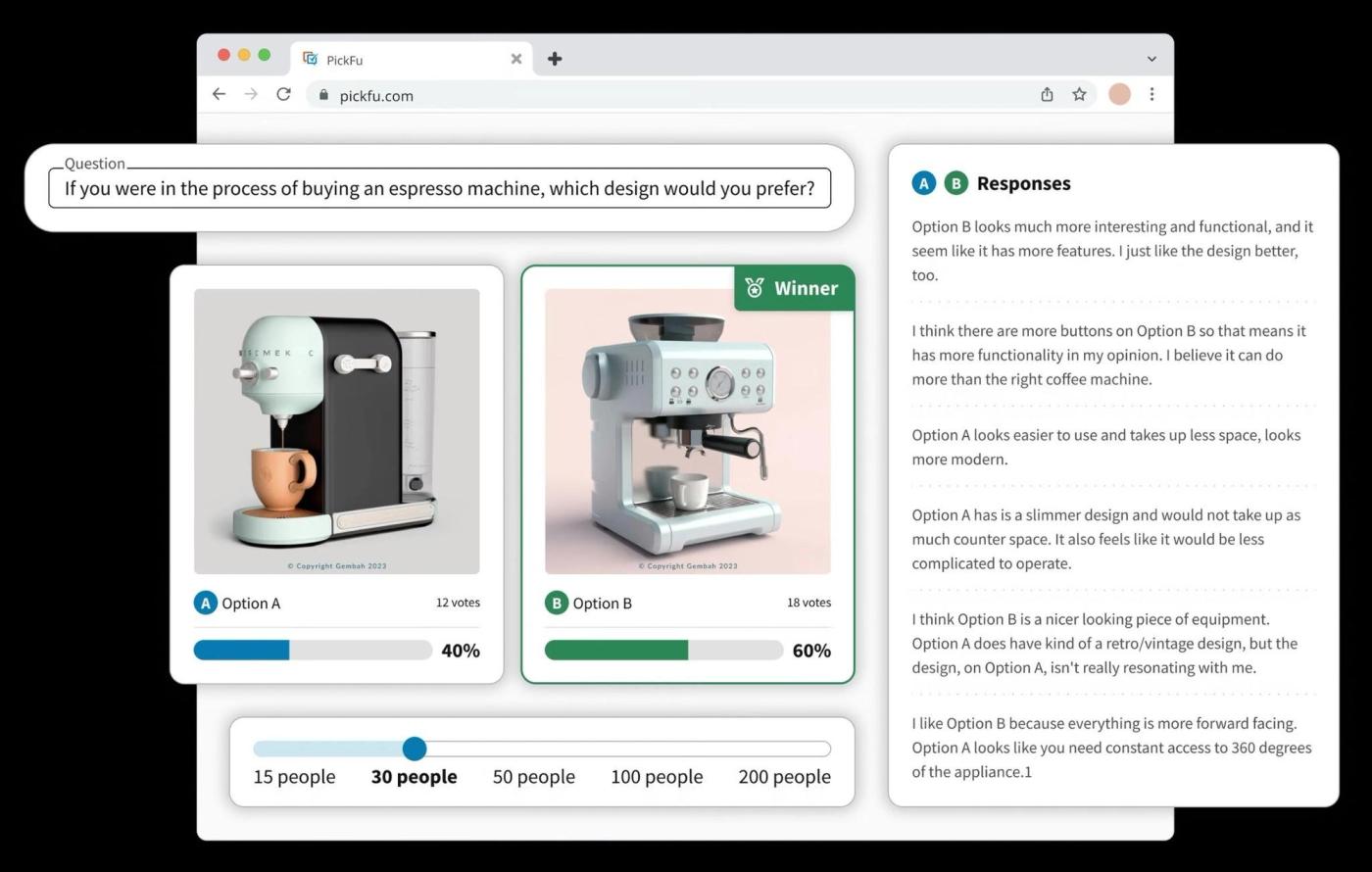
PickFu is a consumer insights platform for the design calls teams make before a full prototype study. You upload your options (screens, mockups, concepts, product images, packaging, icons, or copy), choose who you want to hear from, and get answers from real people in your target audience, with a written explanation behind every response. Results come back in hours, not weeks.
Its question types cover the core design-validation methods: head-to-head and ranked comparisons for preference testing, Click Tests for first-click tests with a heatmap, and 5-second tests for first impressions. There are also ratings, open-ended questions, and screen recordings of people reacting to a live page.
That matches how design questions actually come up. A SaaS team redesigning onboarding might rank three visual directions, run a 5-second test on the winning first screen to check that the product promise lands, then a click test to see whether people find the permissions step. Each round comes back the same day, so the team can adjust and test again before anything gets built in Figma. And because you pick the audience by demographics and traits, the feedback comes from people who resemble your actual customers.
PickFu doesn't run card sorts, tree tests, or task-based tests inside a Figma prototype, and respondents can't download your app or create an account. When you need to measure whether people can complete a multi-step flow, pair it with one of the prototype tools below. Signing up is free, and pricing starts at $1 per response, or $15 per survey.
Useberry: best for lightweight prototype and website testing
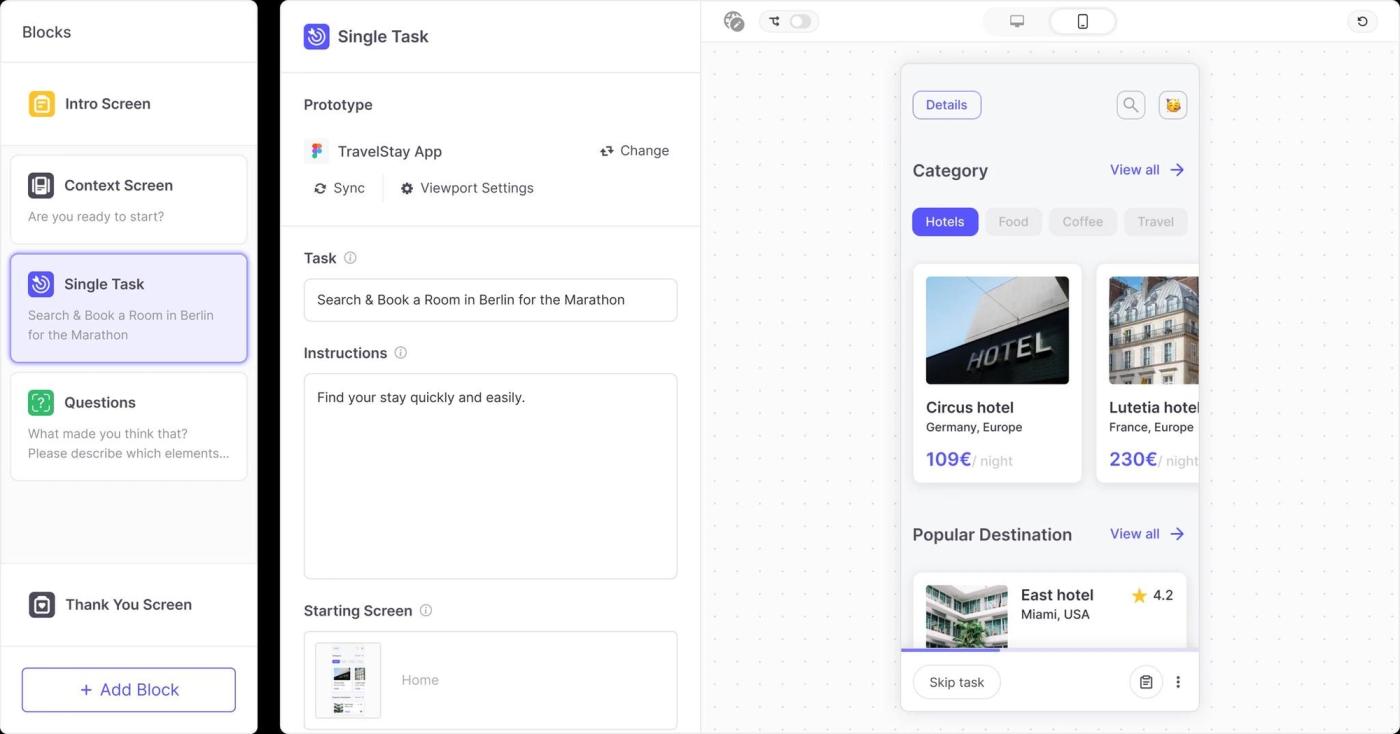
Useberry suits teams that want to test designs without building a research operation around it. It imports prototypes from Figma, ProtoPie, and Sketch, tests live or staging websites, and reports success rates, task times, clicks, drop-offs, and recordings.
Picture a startup changing its signup flow every week. It doesn't need a repository of 500 past projects. It needs to know whether people can create an account and where they hesitate, then test again after the next change.
Useberry's free plan gives you 10 responses a month. Growth costs €83 a month billed annually and includes 300 monthly responses, interviews, transcription, and recording storage. Larger research teams will hit those limits fast.
UXtweak: best broad self-service toolkit
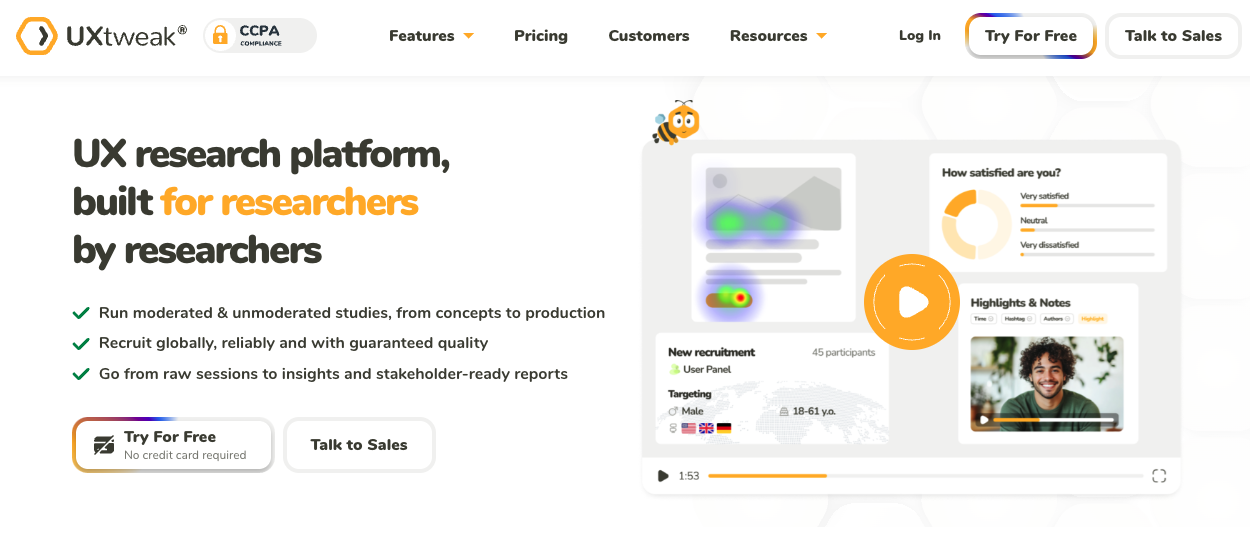
UXtweak covers more methods than teams often expect: prototype testing, website testing, mobile app testing, card sorting, tree testing, preference and five-second tests, surveys, session recording, and interviews. It imports Figma prototypes and recruits from its own panel, an on-site widget, or your own participant database.
That continuity helps when research follows a product through several stages: card sorting for a new navigation, tree testing to validate it, a Figma prototype test on the workflow, then session recording after launch. The risk is paying for breadth when your team uses one method over and over.
UXtweak has a free Starter plan with one user, 30 self-sourced responses a month, and one active study. Paid plans start at $59 a month billed annually.
Lookback: best for moderated qualitative research
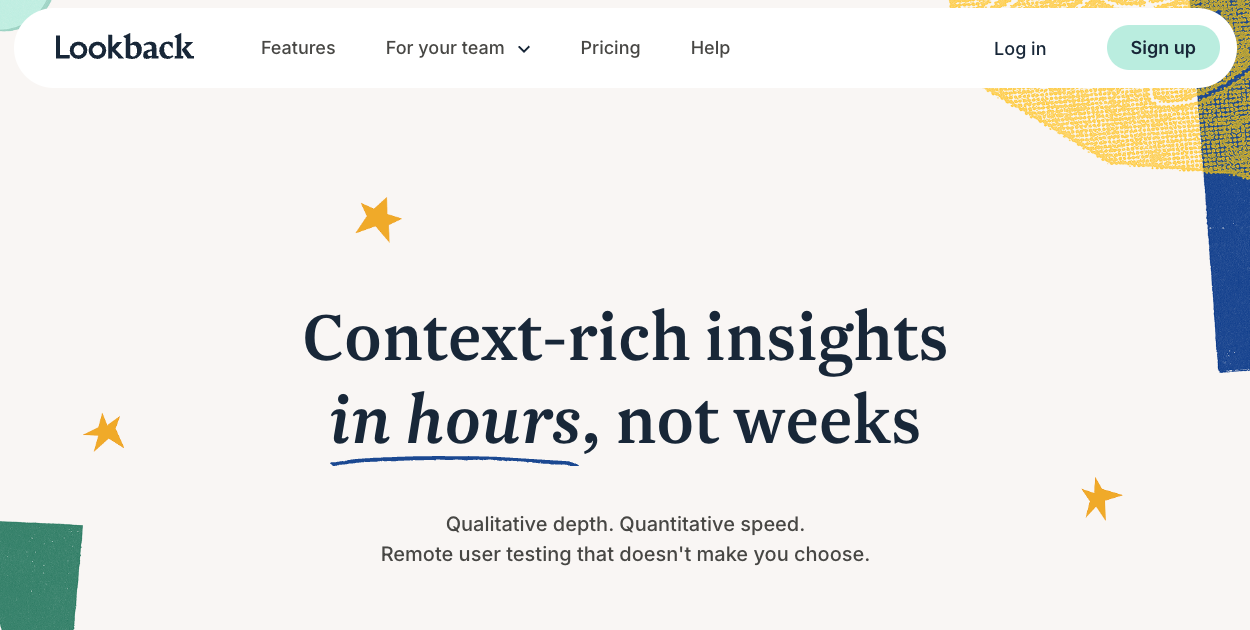
Lookback is strongest when the value comes from seeing, hearing, and talking with participants. It supports moderated and unmoderated sessions across apps, websites, and prototypes, and stakeholders can watch live.
Picture an e-commerce company researching returns. Participants can technically finish the return flow, but several pause right before submitting. In a live session, the researcher asks what they're waiting for. They can't tell whether the refund includes their original shipping cost. The interface was usable. The policy was unclear. That's the kind of distinction a live conversation surfaces.
Lookback's Freelance plan costs $299 a year for 10 sessions. Team is $1,782 a year, Insights Hub is $4,122 a year, and Enterprise is custom. Recruited participants start at $49 each on Freelance, before incentives, with lower rates on bigger plans.
UserTesting: best for broad enterprise UX research
UserTesting is a much larger research environment than a simple Maze swap. Its platform includes Live Conversation interviews, unmoderated tests, a Figma plugin, and sentiment analysis, and its homepage cites more than 7 million authenticated participants across 34 countries. Card sorting and tree testing sit on its higher Ultimate edition.
That scale helps when research serves many teams at once: designers want Figma tests, researchers want interviews, marketing wants message feedback, and executives want standardized benchmarking. The trade-off is complexity and cost. UserTesting doesn't publish prices; its plans are either test-based consumption or team-based unlimited, quoted per organization.
One note on older comparison lists: UserZoom is no longer a separate competitor. UserTesting and UserZoom merged in 2023 and have been consolidating onto one platform, so don't count them as two options.
Userlytics: best traditional remote usability alternative
Userlytics fits teams that want a conventional remote user testing workflow. It supports moderated, unmoderated, and quantitative studies across websites, mobile apps, desktop apps, and prototypes, with picture-in-picture video recordings, transcripts, card sorting, tree testing, and AI-assisted analysis.
The video matters. Maze's quantitative paths can tell you a participant failed. A think-aloud recording shows what that person believed they were doing.
Userlytics' Premium plan is listed at $699 a month billed annually. Pricing for its Advanced, project-based, and enterprise options isn't publicly listed. That makes it a better fit for established research programs than for founders running an occasional five-person test.
PlaybookUX: best for mixed methods in one place
PlaybookUX tries to keep the whole research workflow under one roof. Its platform covers moderated interviews, unmoderated testing, surveys, card sorting, tree testing, first-click, five-second, and preference tests, plus a participant panel.
Picture an agency running research for six clients. Interviews live in one tool, card sorts in another, recruitment somewhere else, and clips in a shared drive. The cost isn't only the subscriptions. It's the hours spent moving evidence between systems.
PlaybookUX sells a self-serve tier with optional Scale ($5,400 a year) and Pro ($8,800 a year) upgrades, and several methods, including card sorting, tree testing, and surveys, require one of those. Panel participants are priced separately: $65 per unmoderated and $115 per moderated participant. That's worth it when you need the breadth. A team running three prototype studies a year probably doesn't.
Optimal: best for information architecture research
Optimal Workshop, which now brands itself as Optimal, built its reputation on information architecture. That's still its strength, but the current platform goes well beyond card sorting and tree testing. It adds prototype, live-site, and first-click testing, surveys, interviews, session replay, recordings, heatmaps, user paths, sentiment analysis, and a Figma integration.
That makes it a strong pick when structure is the biggest risk in a redesign. A marketplace could use card sorting to learn how shoppers group products, tree testing to check the proposed categories, and prototype testing to see how the structure holds up once it's designed.
Optimal's Starter plan is $199 a month billed annually and includes five launched studies a year, unlimited seats, unlimited responses per study, and every study type. Recruitment is sold separately.
Ballpark: best for lightweight product discovery
Ballpark combines surveys, Figma prototype testing, website testing, live interviews, an AI interviewer, and recruitment. It suits teams that want research to feel like everyday product work rather than a specialist function: a quick survey Monday, a pricing-page prototype test Wednesday, a few customer conversations Friday.
Ballpark offers a 14-day trial with unlimited users and responses. Platform pricing is sales-led, and recruitment starts at $1 per credit or minute. SSO and SAML are on the Enterprise plan.
Dscout: best for diary and contextual research
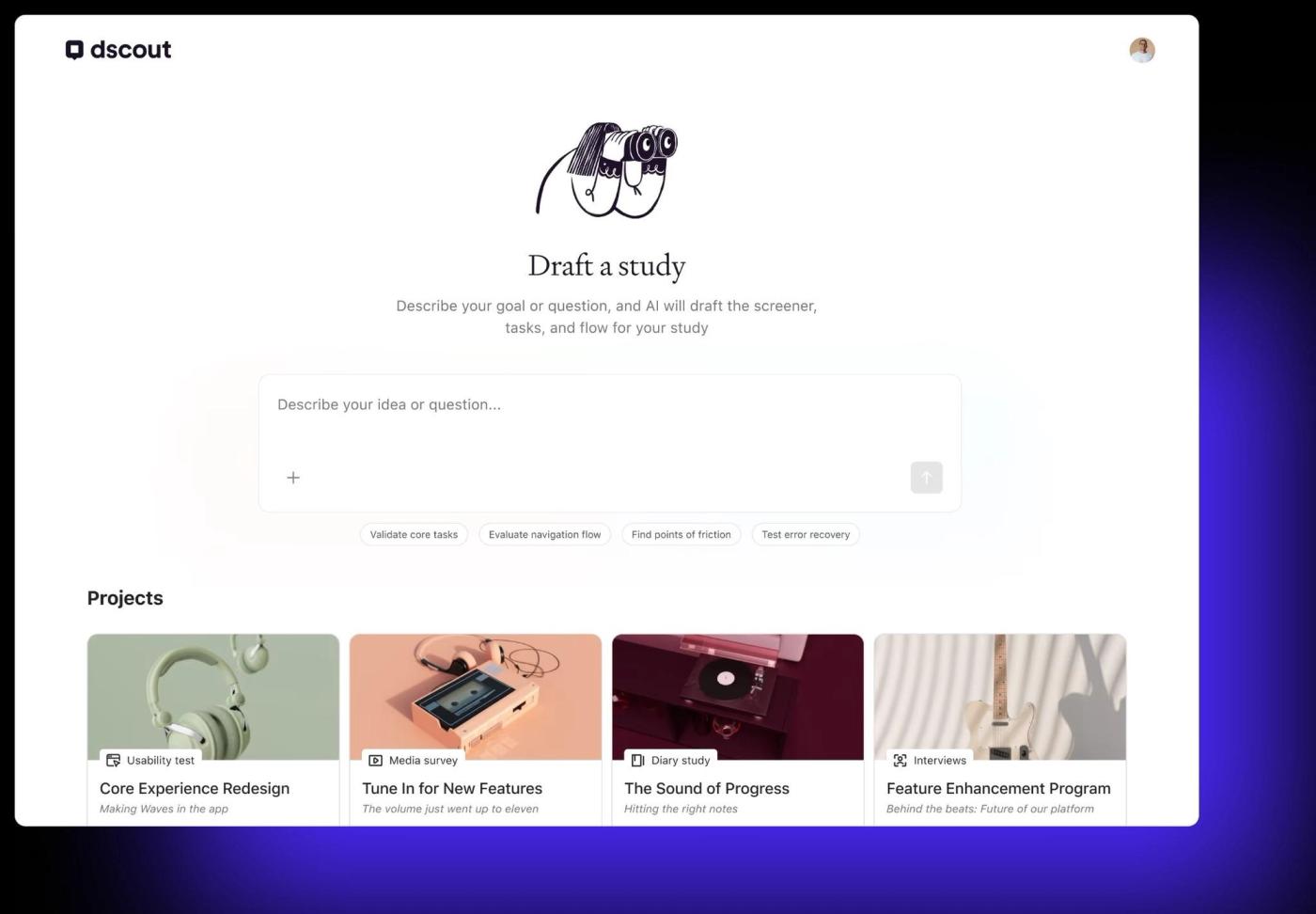
Dscout earns its place when one session can't capture the experience. A diary study asks people to document a workflow as they live it over days or weeks.
Ask meal-planning app users why they abandon their plans and you'll hear "I'm busy." A diary study catches the actual sequence: Tuesday's recipe took too long, Wednesday's kid refused dinner, Thursday's meeting ran late, Friday was takeout. That's different evidence.
Dscout's research methods include diary studies, field studies, usability testing, interviews, media-rich surveys, and AI-moderated studies, with panel or bring-your-own recruitment. Pricing is quote-based. It isn't the obvious pick for a quick 20-person Figma click test.
Contentsquare: best for passive product behavior
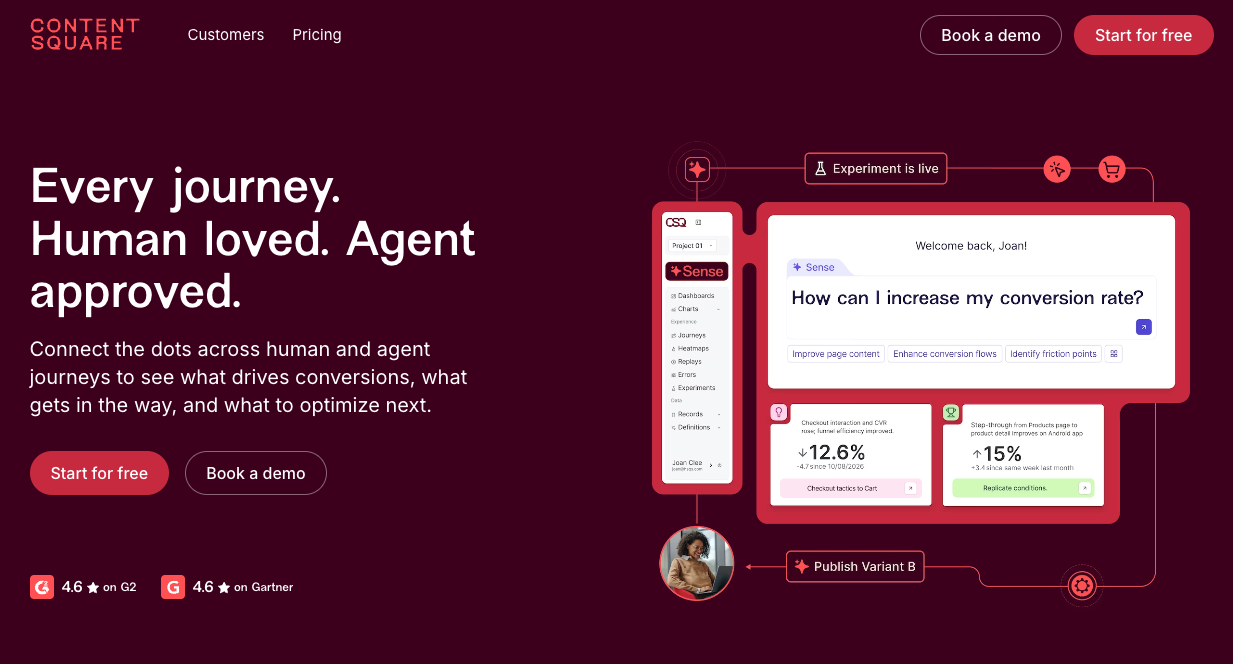
Contentsquare isn't a direct Maze replacement. It watches people who are already using your site or app, while Maze and the tools above recruit participants into defined tasks. The methods stack. Contentsquare shows where real users abandon checkout, a usability test recreates the flow and asks people to think aloud, and an interview digs into the reasoning.
Where PickFu fits before usability testing
Not every product question needs a clickable prototype. Sometimes the expensive mistake happens earlier, and that's where most teams put PickFu to work. Here's what that looks like in practice.
Pick the direction before building the prototype
Say a founder has two landing page concepts for the same productivity tool. Building both into interactive prototypes is wasted work. Mockup testing with real people can narrow the field first. It doesn't prove the product works, but it's a fast form of prototype market validation that cuts uncertainty before engineering and formal usability testing begin. It also costs a fraction of what a focus group would, which is why teams often use it as one of their focus group alternatives.
📊 Survey example: Landing page hero clarity test
What the results showed:
- Version B won 12 to 3 among 15 US respondents. One B voter summed it up: "A makes me a promise, B shows me tools I can actually use and how they work."
- The three who chose A liked its short, direct headline. One said B had "too much going on."
- The takeaway for the next round: keep B's product preview, but tighten the copy around it.
Test brand decisions even earlier
The same idea applies before there's an interface at all. Teams can test business name options, run a brand name test, test slogans, or test company logo concepts. Broader logo and design testing covers typography, color, and visual direction. These are design decisions, not usability decisions. A clickable flow can't fix a customer who misunderstands what the company does before they ever click.
E-commerce research follows the same sequence
An Amazon seller with six possible product images could send each one into a live experiment, but live traffic is valuable. Consumer research narrows the weaker options before they reach Amazon split testing, so the in-market test runs on stronger candidates. The same logic applies to package design testing: feedback before manufacturing catches unclear claims, weak visual hierarchy, or packaging that doesn't say what's inside.
Results don't always crown a clear winner, and a close split is still useful.
📊 Survey example: Main image optimization
What the results showed:
- Fifteen Amazon Prime members split 8 to 7 between two cookie product images.
- The single close-up cookie won on texture. One shopper said it had "better texture, deeper color; looks more delicious."
- The multi-cookie image won on perceived value. Another said it felt like "better value for the money."
- The split told the seller what to test next: hold the cookie type constant and test a close-up against an abundance shot.
App store research sits between preference and behavior
App store screenshot / icon testing is another example. A studio can find out which icon its target players prefer and why, then use store experiments after launch to measure real installs. The first step picks better candidates. The second measures performance.
📊 Survey example: Rapid App Store icon test
What the results showed:
- Among 15 US mobile gamers, icon C won 60% of the ranked vote for a strategy game.
- Players read C's expression as shouting rather than drooling: "Most energetic. Doesn't look like drool when you are screaming."
- The minority view is worth acting on too. One respondent didn't like any of the three: "I find the abundance of spit gross and offputting." That's a signal to tone down the detail before the next round.
AI has multiplied what teams can test
Generative AI changed the economics of creative work. Teams can produce 20 interface directions or 50 ad concepts faster than they used to make five. The new bottleneck is deciding which ones deserve attention, and that's where AI creative testing with real people comes in. AI can generate options quickly. People in your target audience can tell you which ones make sense to them. That's the case for human-in-the-loop product research for AI-generated work.
It also frames the debate over synthetic respondents vs real consumer feedback. Synthetic users can help brainstorm hypotheses or catch obvious problems. They shouldn't be treated as evidence collected from actual customers. PickFu's panel is made up of real, verified people.
Feature comparison of Maze alternatives
A table can't capture everything. A platform can support a method on paper while being built around a very different way of working.
Maze alternatives pricing comparison
UX research pricing is hard to compare because vendors charge by seat, study, participant, or session, and many bill recruitment and incentives separately. Prices below were checked in October 2026.
Subscription price shouldn't be the only comparison. A $50 study that reaches the wrong participants wastes $50 and might send you in the wrong direction. A $5,000 platform nobody uses wastes more. Compare the total cost of evidence you can trust, including recruitment fees, incentives, screen-outs, and researcher time.
Maze alternatives by team type
Product designers need the tightest loop between a design file and evidence. Figma integration, prototype paths, first-click tests, heatmaps, and simple reports matter most. PickFu covers preference, first-click, and 5-second tests, while Useberry, UXtweak, Ballpark, and UserTesting handle interactive prototype tests. If you still have prototypes in Adobe XD or Sketch, confirm the import workflow before you switch.
UX researchers need methodological depth: screeners, consent, transcripts, tagging, exports, and study history. UserTesting, Userlytics, PlaybookUX, Dscout, Lookback, Optimal, and UXtweak are stronger candidates when research is someone's full-time job.
Product managers need evidence fast enough to affect the roadmap. Is the problem worth solving? Which concept should move forward? Can people understand the prototype? PickFu, Ballpark, UXtweak, and Lookback can each answer one of those at a different stage.
Startups need research without the overhead. PickFu answers focused design and concept questions without a full UX stack, and free plans from Useberry and UXtweak make it easy to start prototype testing. The real constraint is usually whether the founders run the research before making the call.
Agencies need research that becomes a deliverable: shareable clips, clean reports, multiple workspaces, and stakeholder access. Lookback, UserTesting, PlaybookUX, Userlytics, and Ballpark fit that model.
Enterprise teams have a governance problem as much as a software problem. Security, SSO, permissions, procurement, and data retention can outweigh the cost of any single study. That's where UserTesting, Dscout, and the enterprise tiers of Maze, PlaybookUX, Optimal, and Ballpark compete.
How to choose the best Maze alternative
Start with what you're testing. An early concept or static mockup may not need a full usability platform. A Figma flow needs prototype testing. A production website may call for live website testing or analytics. For a native app, confirm mobile support rather than assuming web testing carries over.
Then pick the method:
- Unmoderated usability testing when people can finish a defined task on their own and you want more responses quickly
- Moderated interviews when you need to probe
- Card sorting and tree testing for information architecture
- First-click tests to see where people expect to start
- Five-second tests for instant comprehension
- Preference testing to compare visual directions
- Surveys when attitudes, needs, or reported behavior matter
- Passive analytics when real traffic already exists
- Recruitment tools when finding the right people is harder than running the study
Finally, decide how much evidence the decision deserves. Changing a button label and entering a new market don't need the same research program.
Common mistakes to avoid
Choosing surveys when you need usability testing. A survey captures what someone reports. A usability study watches what they do. "What did you think of checkout?" is different from watching someone try to check out. If you mainly need a questionnaire tool, you're shopping for SurveyMonkey or Typeform alternatives, which is a different list.
Assuming a heatmap explains motivation. Heatmaps show where clicks cluster. If 40% of participants click the wrong element, that matters, but you still need interviews or written user feedback to learn why.
Treating preference as performance. Someone can prefer a design and still fail to use it. Preference measures stated choice, usability measures interaction, and an A/B test measures what happens in the market. When the decision matters, run them in sequence.
Buying the wrong size of tool. A small team can slow itself down with software built for an organization that has a research ops department. The reverse is just as risky: if security review and SSO are mandatory, a cheaper tool that can't pass review isn't an option.
Frequently asked questions about Maze alternatives
What are the best Maze alternatives?
For rapid design validation and concept testing, PickFu gets you preference, first-click, and 5-second results from your target audience in hours. Useberry is closest when you need interactive prototype tests. UXtweak, Optimal, and PlaybookUX offer the broadest method coverage. UserTesting and Userlytics lead on video-based remote research, and Lookback on live moderated sessions. Optimal is the specialist for information architecture, Dscout for diary and longitudinal research, and Contentsquare for passive behavior analytics. No platform is identical to Maze, so the best fit depends on the research method you use most.
Can you use Maze for free?
New Maze accounts get a 30-day free trial with no credit card. You can create up to three studies, and the trial ends early once you've created all three. Some features, including SSO, AI-moderated studies, and app testing, aren't included in the trial. Afterward, the account moves to a limited free plan unless you upgrade.
Is Maze an AI tool?
Maze is a user research platform with AI features rather than an AI tool on its own. It includes an AI moderator, AI study building, and automated reporting alongside conventional prototype testing, interviews, surveys, and recruitment.
Does any Maze alternative combine surveys with heatmaps and session recordings?
Yes. Optimal combines surveys with clickmaps and heatmaps, session replay, recordings, user paths, prototype testing, and live-site research. Contentsquare also pairs surveys with heatmaps and session replay, though it focuses on passive behavior on live sites rather than recruited prototype tests.
Do Maze alternatives support mobile usability testing?
Several do. UXtweak tests mobile prototypes, live App Store apps, TestFlight builds, and mobile websites. Userlytics tests mobile apps and works on iOS and Android. PlaybookUX supports mobile testing on its Enterprise plan. Native apps, mobile browsers, and prototypes can each work differently, so check the exact workflow before you buy.
How do I switch from Maze to UXtweak?
Map each Maze workflow to its UXtweak equivalent instead of migrating studies one to one. Move Figma prototype studies into UXtweak's prototype testing, IA projects into card sorting or tree testing, and website studies into website testing. For participants, use UXtweak's panel, its on-site recruiting widget, or your own database. Before you cancel Maze, export the reports, recordings, raw data, and study setups you want to keep. Then rebuild one representative study in UXtweak and compare the output before moving everything.
Are there free alternatives to Maze for tree testing and card sorting?
Yes. Lyssna's free plan lets you run single-section tree tests and card sorts as quick studies, with a cap on self-recruited responses. UXtweak's free Starter plan lets you try its tools with limits on responses and active studies. Check participant and study limits before committing to a larger project.
Choose the research method before the platform
Maze works because it makes research easy to fit into product development. A good alternative should keep that habit, even if the method changes. Use prototype tools when interaction is the question, moderated interviews when you need motivation, card sorting and tree testing when structure is the problem, recruiters when finding people is the bottleneck, diary studies when the experience unfolds over time, and analytics when real users are already in the product.
When the question comes before usability, such as which concept, package, logo, screenshot, product image, name, or creative direction deserves to become a prototype at all, start with market research from real people in your target audience.
Create your free PickFu account and test your concept with real people before you build the prototype.