2026AIIntegrationsSurveysAudiencePricing
What’s New in PickFu: August 2026 ⚡️
Our biggest updates this month are about the PickFu Agent: your team’s always-on research assistant that can help you…🚀 Draft & launch surveys🎯 Find the right target audience🔍 Dig into results & uncover patterns✨ Generate images & concepts to test🧠 Get research best practices & playbooksand more – all from a conversation instead of manually building and analyzing.You can access the PickFu Agent in our web app, in Slack, or via MCP from tools like Claude, ChatGPT, Notion, and Accio Work.Below, we’ll dive into more details and share what else is new. Reply with any questions or feedback – we’d love to hear from you.💬 Tag @PickFu in Slack
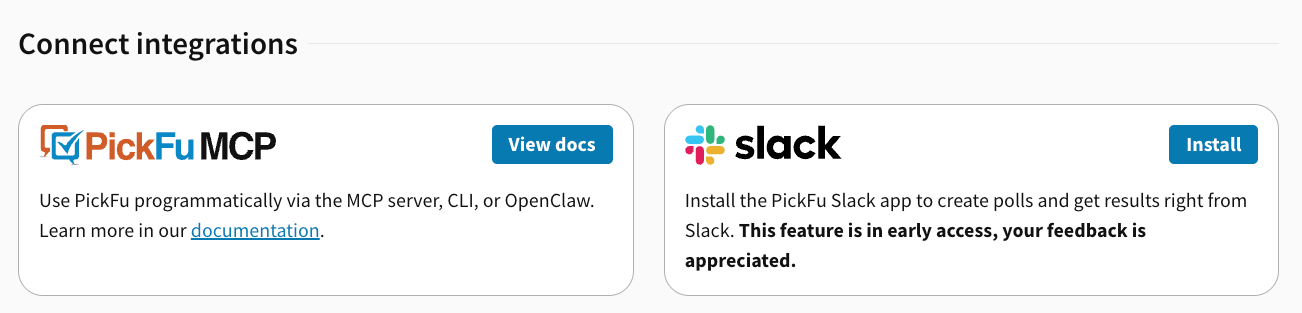
Introducing the PickFu Agent for Slack – now in early preview. 🎉Tag @PickFu in Slack to launch surveys, retrieve and analyze results, generate concepts or designs to test, pull your team’s latest activity, and more.Install it once, and your entire team can run research and collaborate on your insights – without leaving the thread.How to set it up:- Install the Slack app from the integrations page in your account settings.
- Authorize your PickFu account in your Slack workspace.
- Invite @PickFu to any channel you want to use it in.
- Tag @PickFu and ask what it can do!
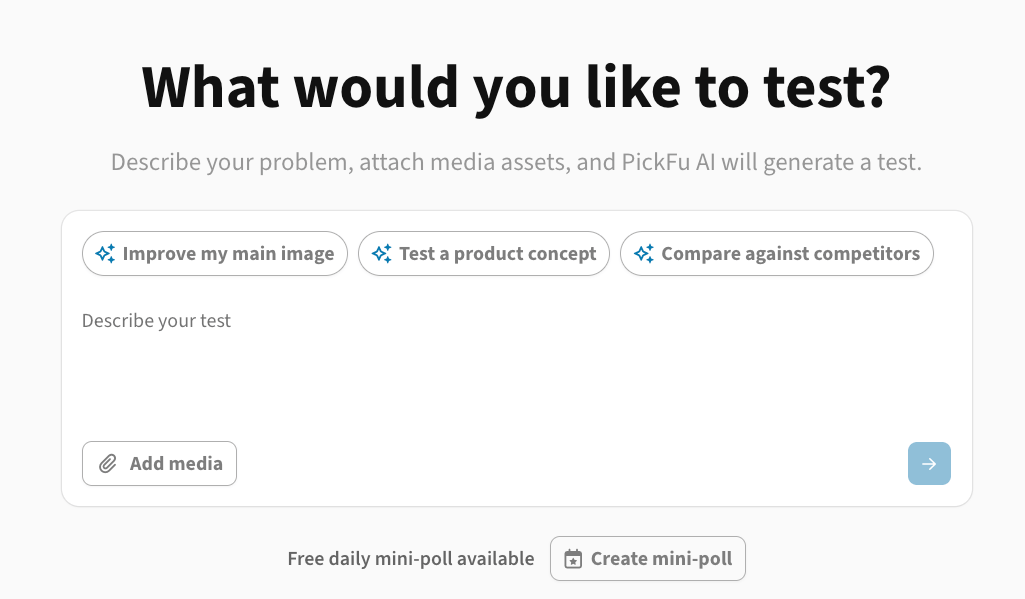
🤖 PickFu Agent in the dashboard
🌏 Use PickFu on Accio Work
PickFu is now officially listed in the plugin marketplace for Accio Work, Alibaba’s agent platform for e-commerce sellers and business operators.Add PickFu with one click and sign in via OAuth (no API key needed). You’ll get our full MCP toolset, plus playbooks to test your main images, listing copy, pricing, packaging, brand name & logo, and AI-generated product images.👉 Learn more about the plugin.📰 What else is new
✨ One-click AI analysis from any finished survey: Click the “Analyze with PickFu AI” button on any survey completion banner. It’ll open the PickFu AI sidebar with a prompt already loaded to help you analyze quickly.🎯 Two new targeting traits: Solar/renewable energy interest and German drugstore shoppers.👥 Updated audience targeting menu: in the Survey Builder, “General audience” is now called “Basic audience” with recommended traits automatically surfaced. “Target audience” is now called “Advanced audience” with the full list of demographic targeting options available to choose from.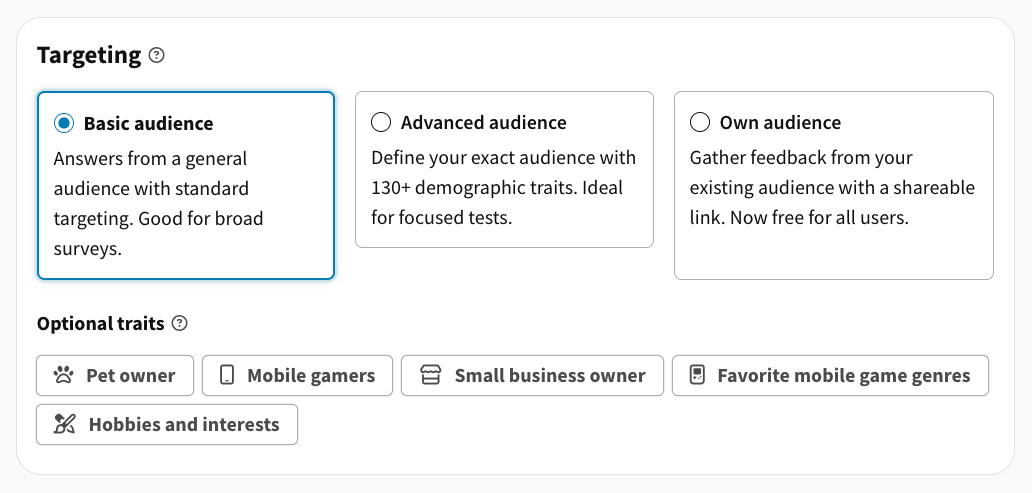
Have feedback on these updates or ideas for what you’d like to see next? Chat with us anytime – we’d love to hear from you.Go get those insights! 🧡-The PickFu Team
2026AIIntegrationsSurveysResultsAudience
What’s New in PickFu: July 2026 ☀️
Here’s the latest updates in PickFu. If you have questions or feedback, chat with us anytime! 🧡What’s new this month
🎯 Two new ways to target your audience: Segment by job department (finance, HR, engineering, and more) or reach people currently learning a foreign language.🌏 Small business owner targeting expands: Now available in nine more countries: Australia, Brazil, Canada, Germany, France, Great Britain, Italy, South Korea, and Mexico.💨 Faster feedback on results: “Mark answer helpful” and “Report bad answer” are now top-level buttons on response cards, easier to find and use.👀 Preview your survey on desktop or mobile: A new viewport toggle in the survey builder lets you check exactly how your survey will look on either screen size before you launch.🔗 Link directly to any response: Every response on the results page now has its own link, making it easy to share or cite a specific one.💬 See the original text alongside the translation: When auto-translation is on, respondents can now view the original text next to the translated version.🚩 More room to flag bad answers: Flagged-answer limits now scale with your poll’s sample size instead of a flat cap of 10 – and PickFu+/Enterprise subscribers have no limit at all.✨ Use PickFu from your favorite AI tools
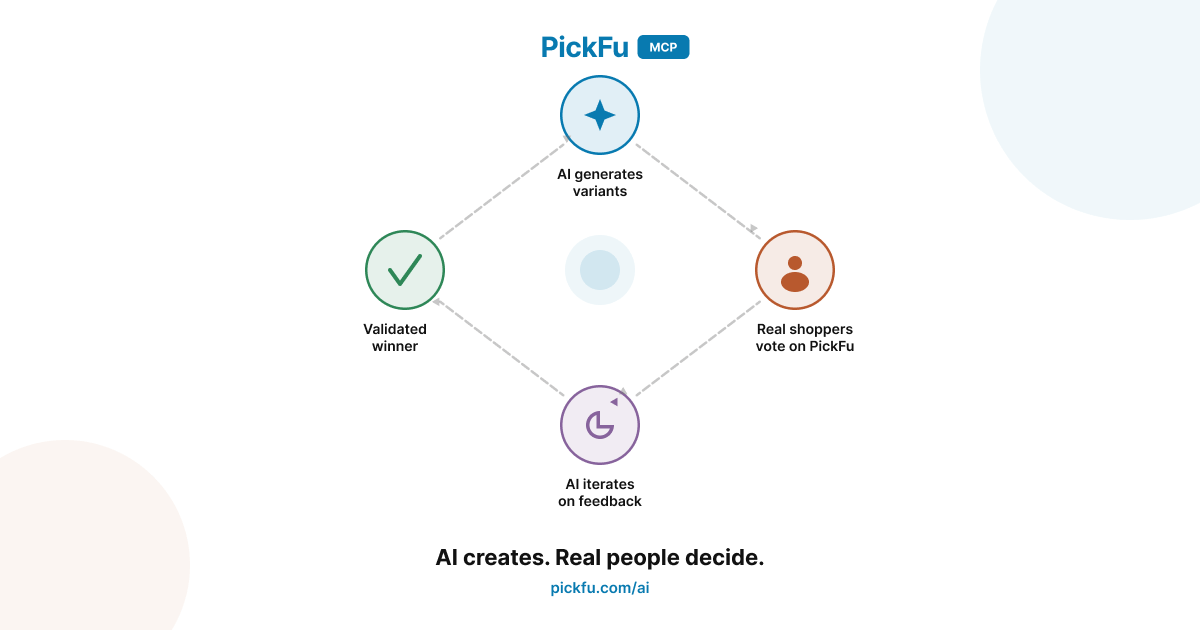
- Generate image variations in the AI chat – an ad concept, packaging design, etc.
- Instantly launch a PickFu survey to test them with your target audience
- When it’s done, retrieve the results and analyze them without leaving your AI assistant
❓ Weekly office hours: get your PickFu questions answered
PickFu Office Hours happens every Thursday at 10am Pacific. Drop in, ask a question, and our team will answer it live. Sign up here to join an upcoming session.Have feedback on these updates or ideas for what you’d like to see next? Chat with us anytime – we’d love to hear from you.Happy polling! 🧡-The PickFu Team
2026AIIntegrationsSurveysResultsAudiencePricing
What’s New in PickFu: May 2026 🌼
Here’s what’s new in PickFu this month. If you have questions or feedback, chat with us anytime! 🧡🤖 New: Deeper AI research with the PickFu MCP
We’ve expanded what AI assistants can do with PickFu results. Three big additions this month:💬 Send follow-up questions to respondentsAfter your poll finishes, AI agents can now send follow-up questions to individual respondents and retrieve their answers. Dig deeper into a specific response, probe an outlier, or run a quick second round — all without leaving your AI tool.📌 Pin and rate responsesAI agents can now pin standout responses and mark individual answers as helpful or not helpful, making it easier to surface the most relevant feedback when working through results programmatically.📊 Export results directlyPoll results can now be exported as CSV, PDF, or PNG straight from the MCP — no manual steps needed to get data into your workflow.Not set up yet? The PickFu MCP connects AI assistants like Claude and Cursor directly to PickFu. It’s free with any account.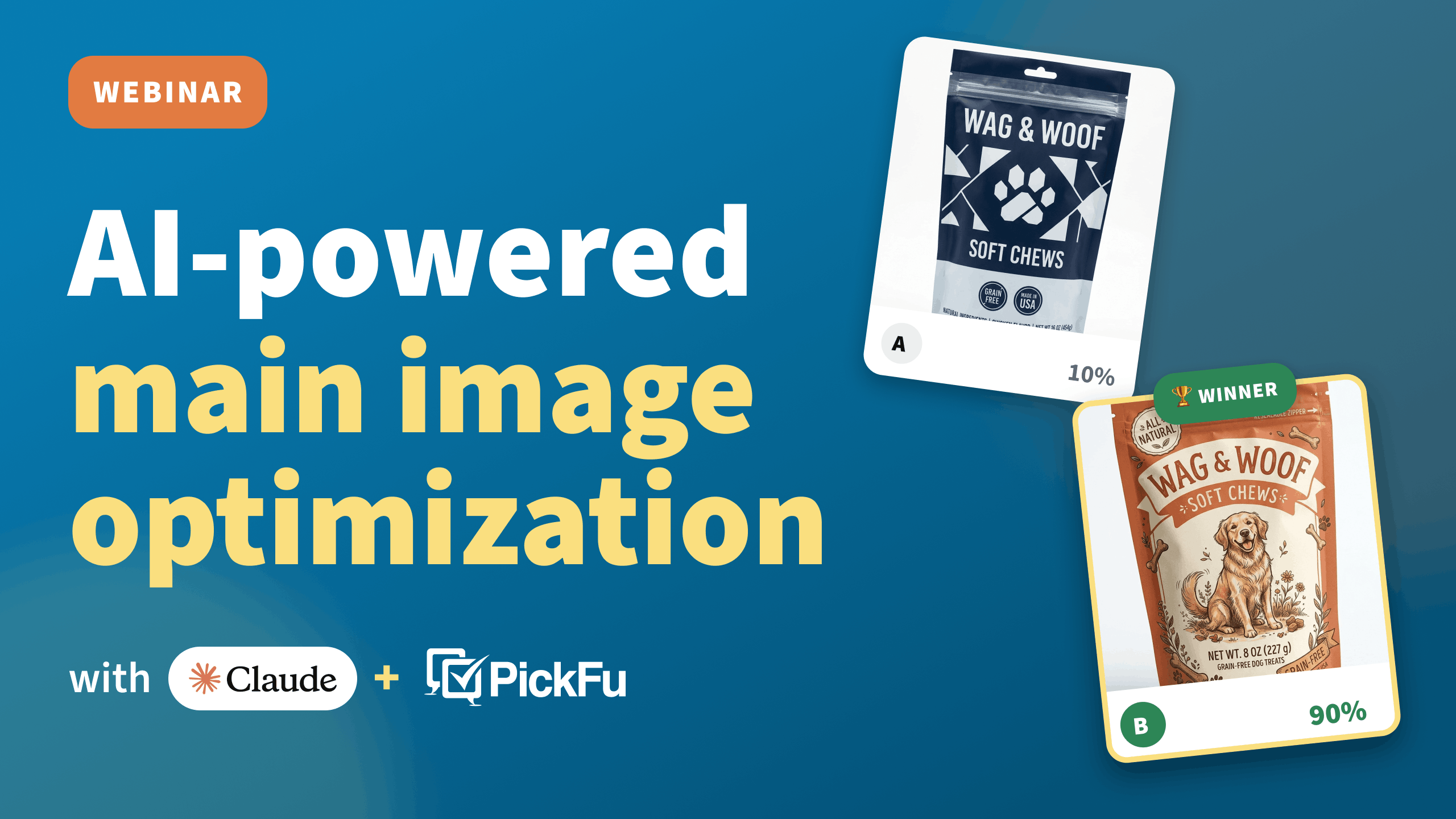
- The ultimate main image optimization loop — benchmark, generate, test, and iterate on product images inside Claude
- Your in-house product research team — go from a project or business goal to a structured research plan with AI
- Analyze & act on your insights ft. Daniela Bolzmann — retrieve results, surface patterns, and build reports with AI
🎉 More improvements
🔍 Better poll filteringYou can now filter the My Polls page by media type (SERP, mockup, image set) or by the number of survey questions — faster to find what you need when you have a long polling history.📋 Easier survey navigationQuestion tabs on multi-question results now show the actual question text. Use left/right arrow keys to flip between questions.❓ Get your PickFu questions answered: new weekly office hours
Whether you’re a new user or a PickFu pro, you’ve probably got questions about how to use the platform effectively.Well, we’ve got answers – join our new PickFu Office Hours session, happening every Thursday at 10am Pacific!Just drop in, ask a question, and our Senior Customer Success Manager, Kaity, will answer it live. She’ll also share our latest features and best practices.👋 Sign up here to join an upcoming session.Have feedback on these updates or ideas for what you’d like to see next? Chat with us anytime – we’d love to hear from you.Happy polling! 🧡-The PickFu Team
2026SurveysAudience
What’s New in PickFu: March 2026 🍀
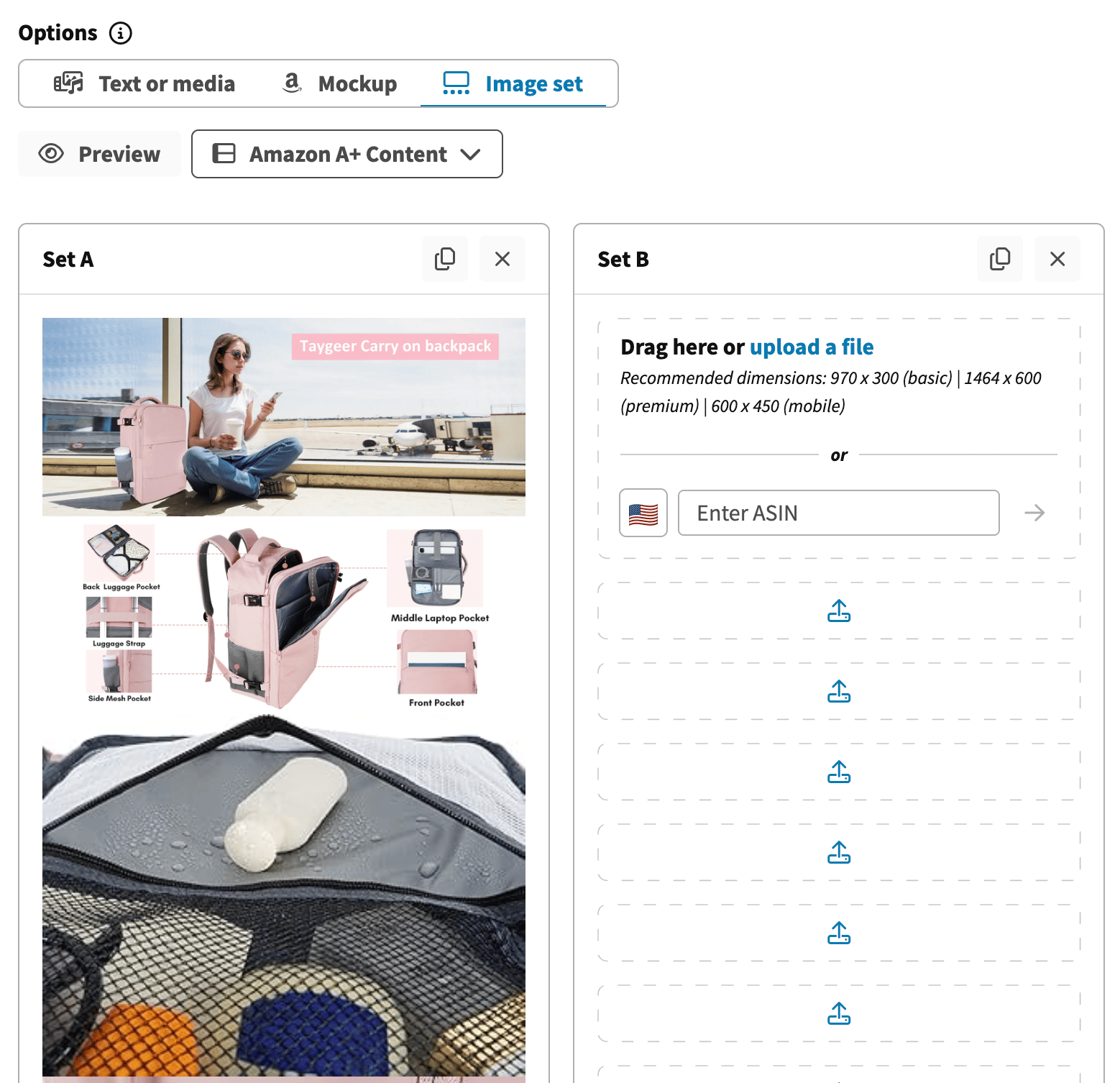
Here’s what’s new in PickFu this month. If you have questions or feedback, chat with us anytime! 🧡🛍️ Test your Amazon A+ Content
✔️ Test smarter with PickFu Playbooks
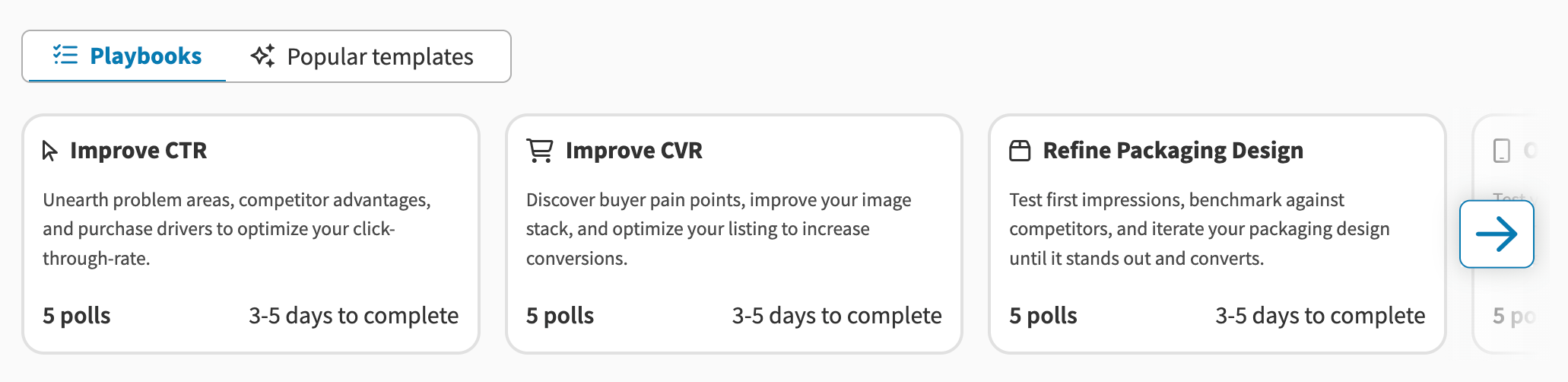
- Improve your Amazon CTR: Iterate on your main image to drive more clicks
- Improve your Amazon CVR: Test listing elements that influence purchase decisions
- Refine your packaging design: Validate packaging before going to print
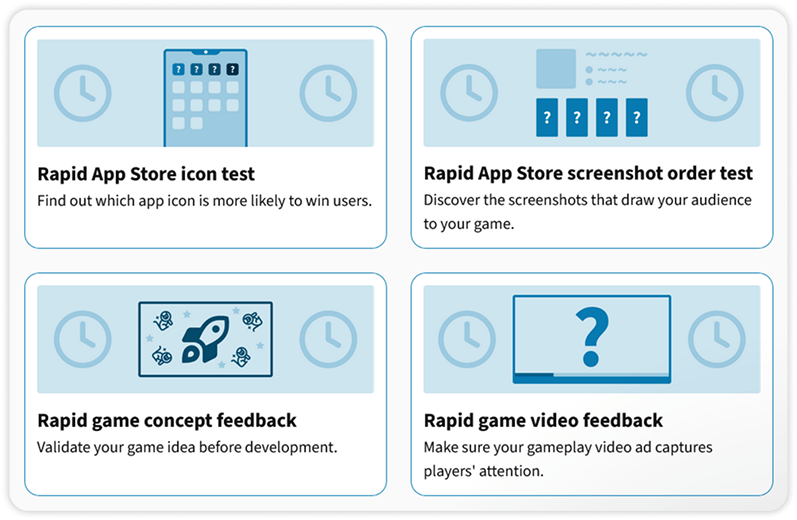
- Optimize your App Store listing: Test icons, screenshots, and descriptions for your mobile game
- Validate your game concept: Get feedback before committing to development
We’re always working to make PickFu more helpful for your research needs. Have feedback on these updates or ideas for what you’d like to see next? Chat with us anytime – we’d love to hear from you.Happy polling! 🧡-The PickFu Team
2026AISurveysAudiencePricing
What’s New in PickFu: February 2026 💕
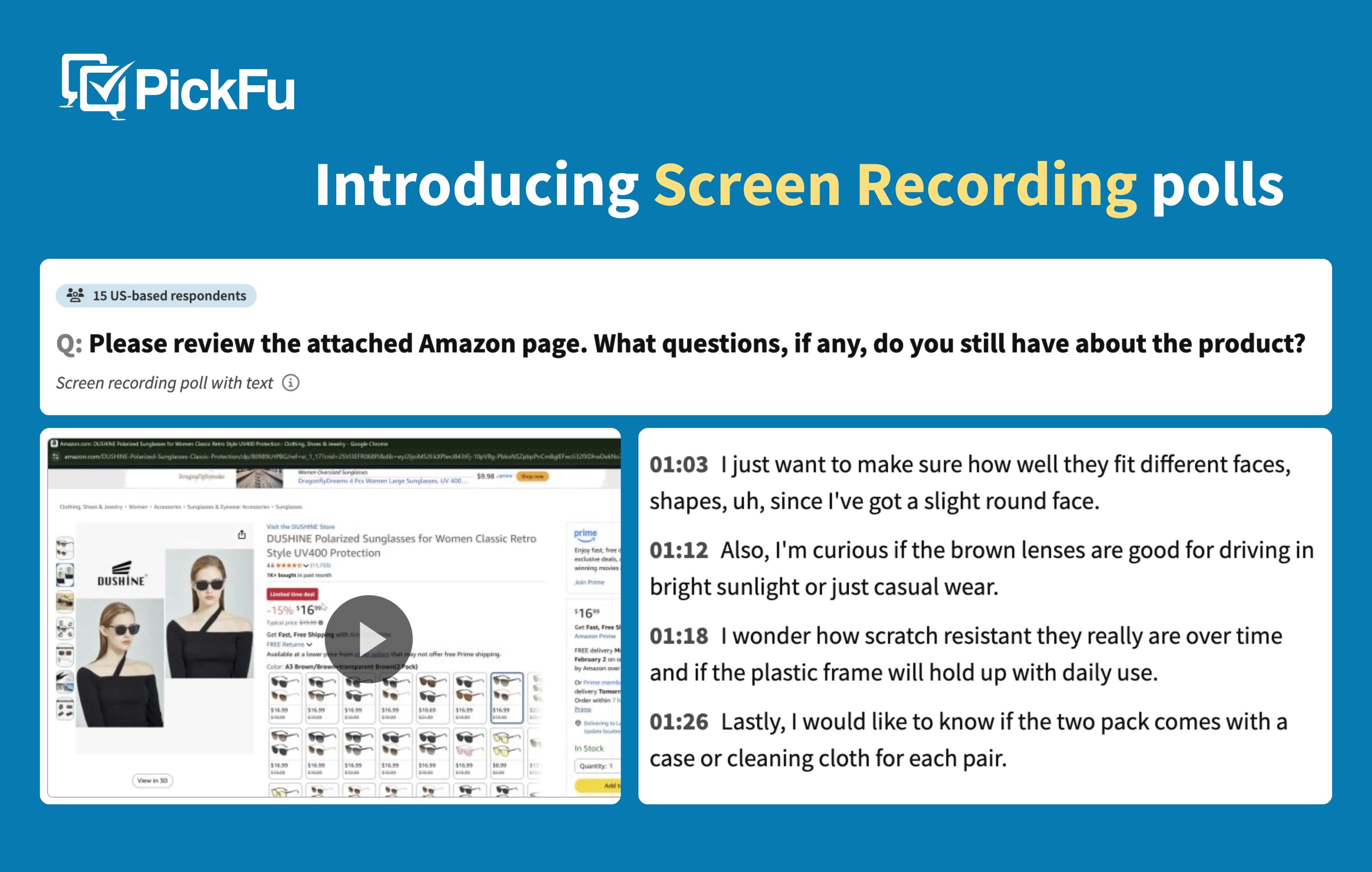
February was a busy month at PickFu! We’ve got a new poll type going live for everyone, a couple of fresh Playbooks, new payment options, and more.Thanks as always for being a PickFu customer! 🧡🎥 Screen Recording polls are now live!
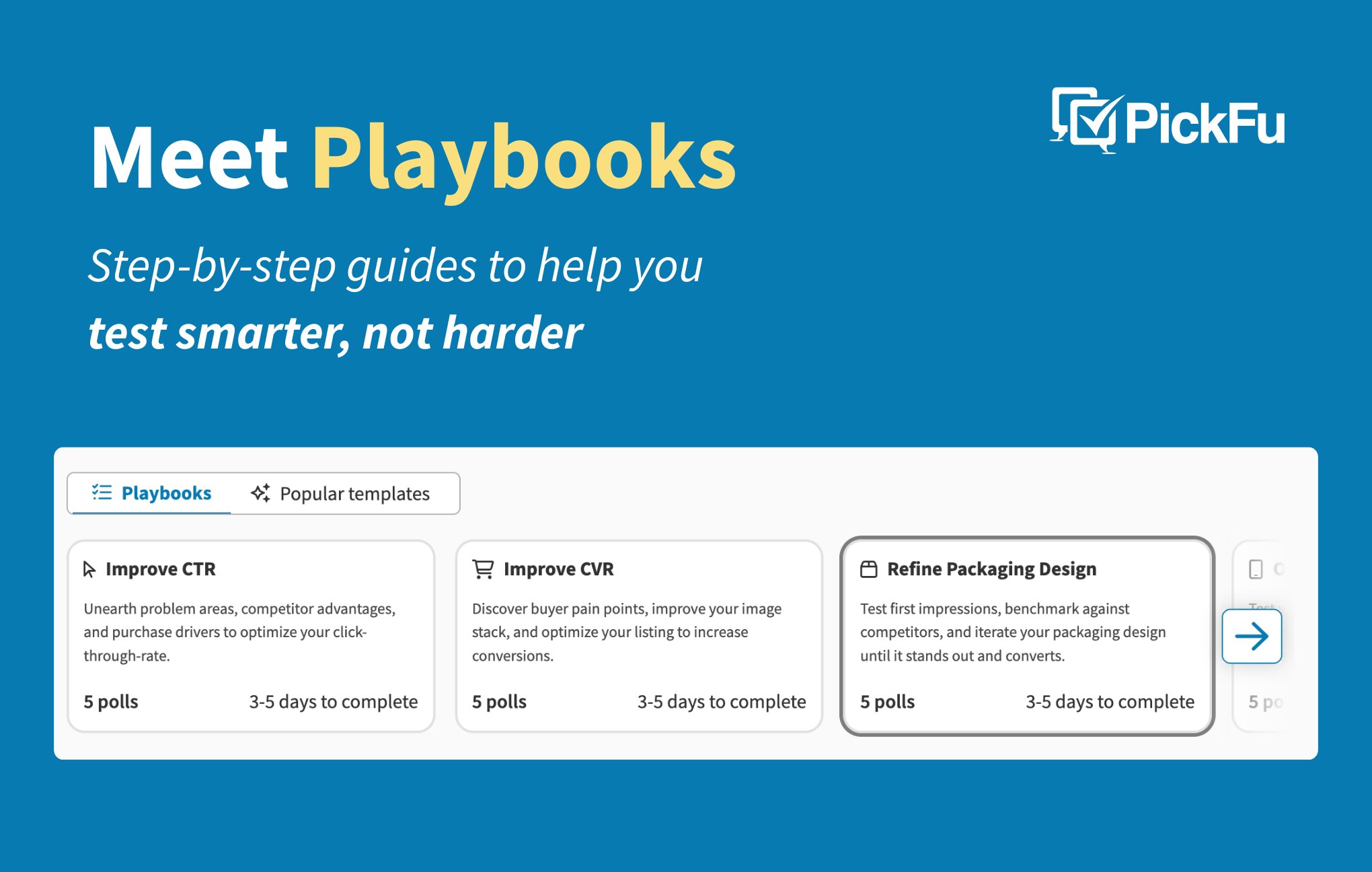
📋 Get step-by-step guidance with Playbooks
⚡ More improvements
🇸🇪 Welcome Sweden to the PickFu panel: You can now target Swedish respondents in your polls and surveys, giving you even more options to reach a European audience. This brings our total to 15 countries available to target.💳 WeChat Pay & Alipay now accepted: You can now use WeChat Pay or Alipay to purchase polls – making it easier to pay in the way that works best for you. Note that these methods are not currently supported for credit or subscription purchases.🔄 Automatic response replacements: If you flag a low-quality response, a replacement is now triggered automatically – no need to contact support and wait.🧾 Better invoices & receipts: Downloaded receipts and invoices now include full billing details (line items, totals, invoice number, payment status, and a PickFu company stamp) to make expense reimbursement claims easier.✈️ Meet us in person!
The PickFu team is hitting the road next week for two different conferences and would love to connect. If you’re planning to attend, chat with us or email info@pickfu.com – we’d love to meet up! 👋🎰 Prosper – Las Vegas, March 10-12
Find us at Booth 411. Prosper is the go-to conference for marketplace sellers, and we’ll be on hand to chat about consumer insights, give live demos of our latest updates, and share tips for how PickFu can improve your product listings.📣 Check out Brandon Young’s session Wed. March 11 at 1:30pm – he’ll show how to ideate on products with AI and validate with PickFu. See the agenda.🎮 GDC Festival of Gaming – San Francisco, March 11-13
Find the PickFu team at Booth 1249 to get a demo of our latest updates, grab some swag, and learn how consumer insights can level up your games (pun intended).📣 Don’t miss this interactive workshop: Test Like the Top Studios – Wed. March 11 at 10:10am. Heather De Bernardi (VP of Product, Growth at Scopely) will walk through how she uses PickFu to get actionable player insights on game concepts, mechanics, and creative. Learn more about the session.We’re always working to make PickFu better. Have feedback on these updates or ideas for what you’d like to see next? Chat with us anytime – we’d love to hear from you.Happy polling! 🧡-The PickFu Team
2026AIIntegrationsSurveysResultsAudience
What’s New in PickFu: January 2026 📆
Happy New Year! We’ve got some exciting things planned for 2026. But first, here are our most recent updates to help you make confident, data-driven decisions with consumer insights.Thanks as always for using PickFu! 🧡🎉 Cool stuff we launched in 2025
Multiple new poll types! More audience targeting options! Longer surveys! Special features for e-commerce sellers! AI-powered research tools! And more!We made a lot of changes to PickFu in 2025 to improve your experience and give you more powerful consumer insights. In case you missed it, check out a recap.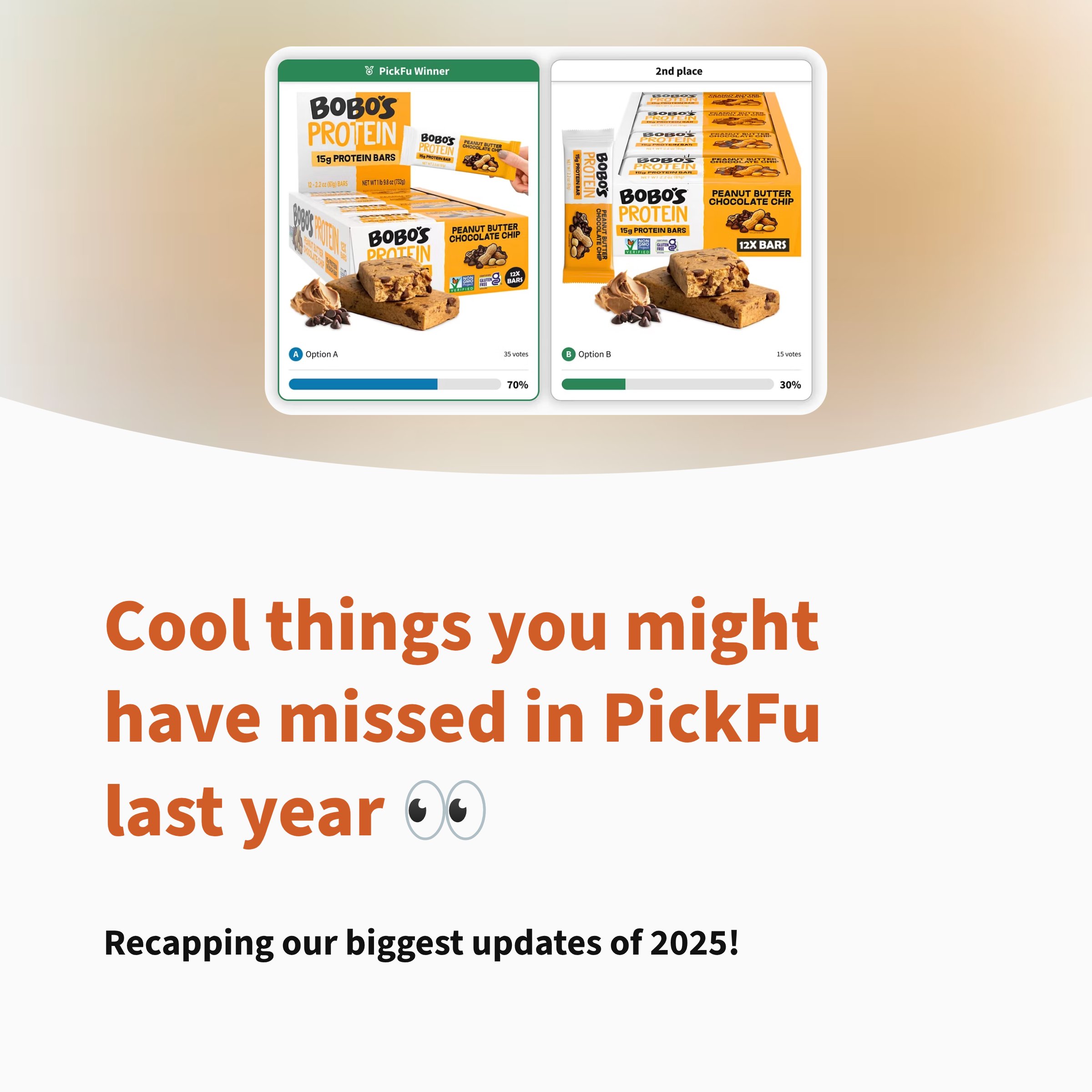
🤖 PickFu AI: Your personal research assistant
Need help crafting the perfect test? PickFu AI (formerly called “Ask PickFu”) is now available in the survey builder, giving you expert guidance every step of the way.Here’s how it can help:📝 Write better questions – get suggestions for clear, unbiased questions and smart follow-ups❓Choose the right poll type – describe what you’re testing, and PickFu AI will recommend the best format🌎 Target the right audience – get recommendations for audience targeting and sample size🤓 Answer your research questions – ask anything about PickFu polls and best practices.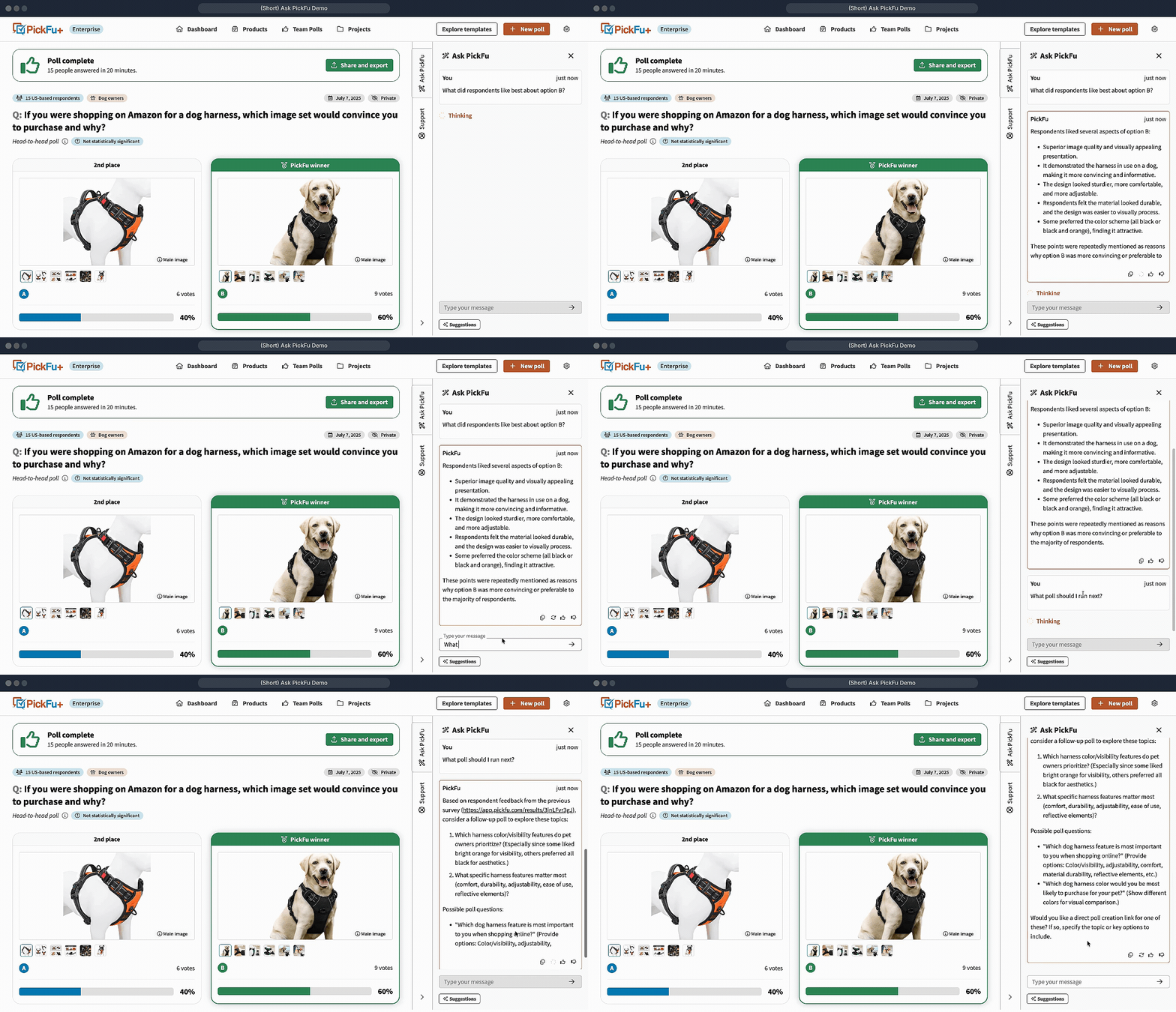
- Dive deeper – PickFu AI will now include links to resources and help articles
- Start new chats – if you have an unrelated question or want to start fresh without losing your chat history, begin a new conversation with PickFu AI by clicking the pen and paper icon at the top of the sidebar
💡 AI Insights: From summary to action
Your poll results just got more actionable. We’ve expanded our AI Summary into AI Insights – a new section that gives you 3-6 specific, actionable recommendations based on your poll results.Instead of just understanding what your respondents said, you’ll now get clear guidance on what to do next – including a recommended follow-up poll and direct link to build it.Whether that’s refining your messaging, testing a new variation, or doubling down on a winning concept, AI Insights helps you move from data to decision faster.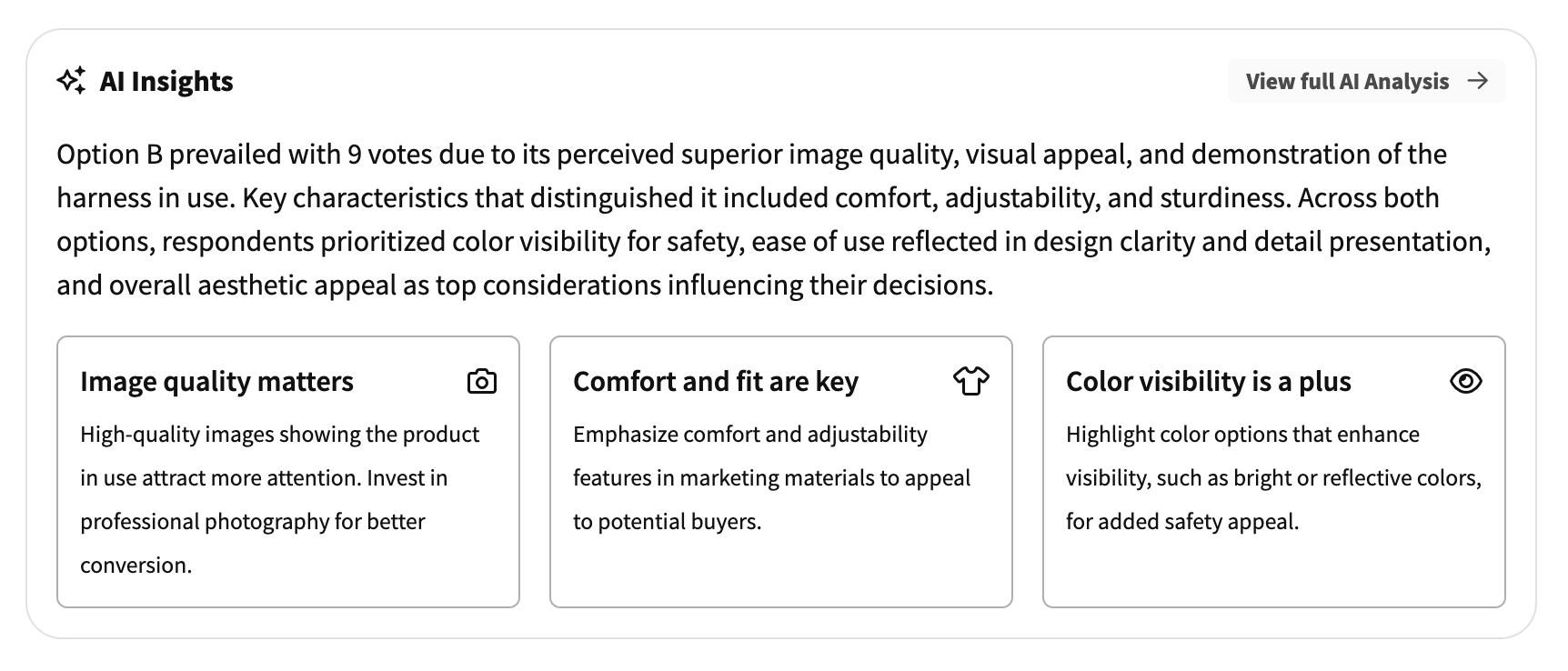
📦 Child ASINs: Manage product variation tests with ease
For Amazon sellers using our Seller Central integration, we’ve added support for child ASINs. Now you can see and manage all your product variations in one place.Parent products display a tag showing the number of child products, with an expand/collapse button to view the full list. You can also navigate between parent and child products using the “Related products” dropdown on any product page.This makes it easier to run polls across your product catalog – variations and all.More improvements to Products:🏷️ SKUs now visible: SKUs are displayed on both the Products table and individual product pages.🔍 SKU search: Search your Products table by SKU for faster product lookup.⚡ Other improvements
📊 Poll content clarity: Your poll results pages will now display the type of content being tested (e.g., “Head-to-head with images” or “Open-ended with a video”) for easier context.🌐 Translation clarity and preview: The response translation dropdown now shows the original response language. Poll previews also now indicate when text will be translated for respondents.We’re always working to make PickFu more helpful for your research needs. Have feedback on these updates or ideas for what you’d like to see next? Chat with us anytime – we’d love to hear from you.Happy polling! 🧡-The PickFu Team
2025AIIntegrationsSurveysResultsAudience
What’s New in PickFu: December 2025 🎁
Here’s our latest updates to help your team improve your products and campaigns with fast, reliable consumer insights.🎥 Not a fan of reading? Watch a video walkthrough of these updates!⚡️ Ask PickFu: your personal AI research assistant
Meet Ask PickFu: your new AI-powered assistant, available right inside the app. Click the “Ask PickFu” tab in the sidebar on any supported page, and you’ll have an intelligent chatbot ready to answer questions about your polls, projects, and activity.Ask PickFu understands context:👉 On your poll results page, ask it to summarize key insights.👉 On your projects pages, ask which project has the most surveys.👉 On your dashboard, ask it to summarize your team’s latest activity.It’s like having a research analyst on standby – no more digging through data to find what you need.- “Which demographic responded most to Option A?”
- “What’s the status of the surveys in this project?”
- “What were my last 5 polls about?”
🔍 AI Insights: actionable recommendations at a glance
Your AI Summary just leveled up. Introducing AI Insights – now available for all users.Instead of just summarizing your results, AI Insights generates 3-6 actionable recommendations based on your poll or survey data. These insights tell you not just what respondents said, but what to do about it, making it easier to turn feedback into your next move.Whether you’re optimizing a product listing, refining a book cover, or improving your ad creative, AI Insights helps you understand the “so what?” behind your data and gives you clear direction on implementation.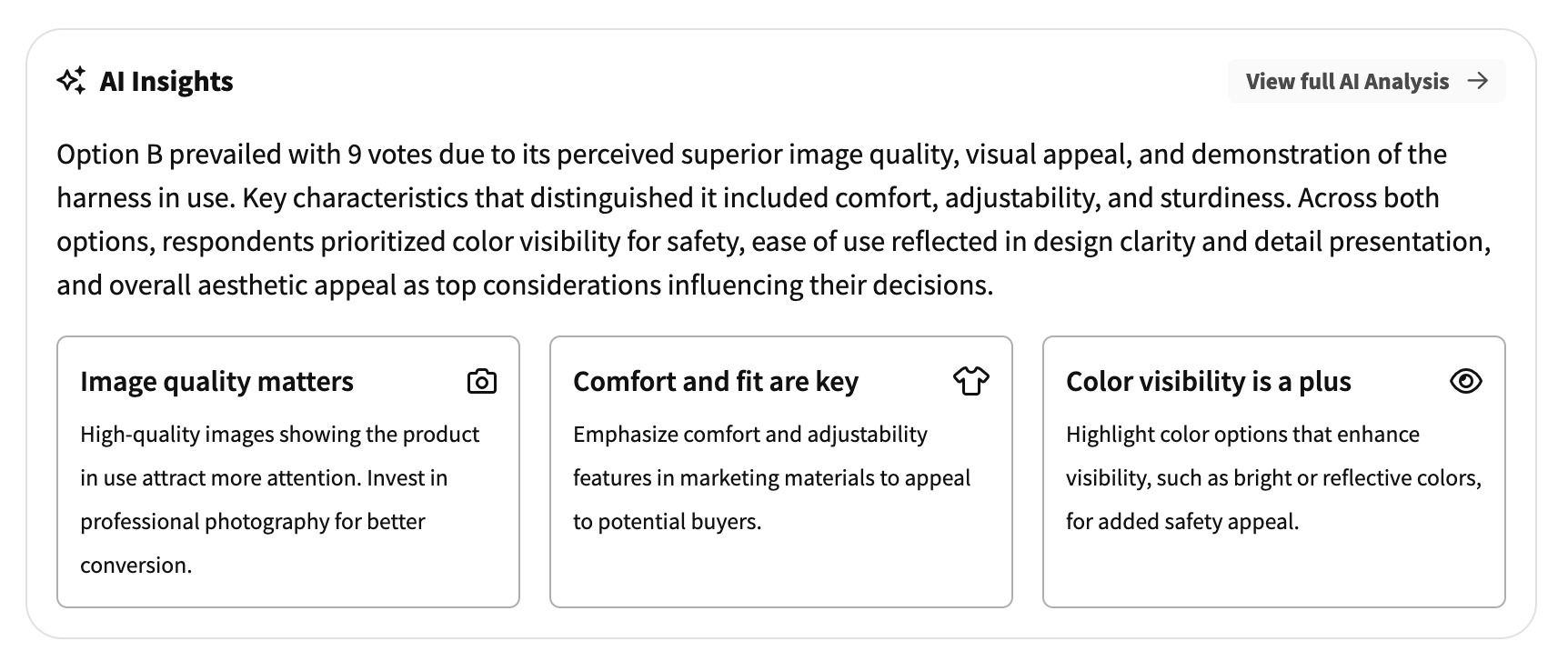
🧪 What poll should you run next? Get AI-powered suggestions
Stop wondering what to do next after your poll finishes. The new AI Insights section also includes a recommended follow-up poll based on your results – complete with a direct link to create it.Finished a test on product image variations? The AI might suggest testing your winning image against a competitor, or diving deeper into why respondents preferred it with an open-ended follow-up. It’s like having a research consultant built right into your results page.💬 Have feedback or questions about any of these new AI tools? Chat with us anytime.👥 Assign multiple owners to your PickFu team
You can now assign multiple owners to your team, so leadership responsibilities don’t have to fall on just one person.Any existing team owner can promote other members to owner status directly from the Members settings page. Whether you’re planning for coverage during PTO, spreading admin duties across departments, or just want backup, this update has you covered.✨Bonus: When ownership changes, previous owners are now downgraded to “admin” (instead of “viewer”) so they can continue managing the team without disruption.⚡ Other improvements
📋 Smarter poll duplication: Duplicating a poll within a project now automatically adds the new poll to the same project – no extra steps needed.🖼️ Better Click Test guidance: We’ll now recommend adjusting your image aspect ratio when uploading very long or narrow images, so respondents can accurately view and click on your content.🛒 Team-wide product access: Products imported via Seller Central are now visible to all team members (not just the person who imported them), making it easier to collaborate on polls using your product catalog. Learn more about our Seller Central integration and start importing your own products.✨ Explore our Examples Gallery
Need some testing inspiration? Check out our refreshed Examples Gallery featuring a curated collection of real poll and survey examples across industries.Browse examples from e-commerce brands, mobile game developers, publishers, and more. In each example, you can interact with the actual poll results page – letting you view the questions, responses, and reports in-depth.Whether you’re testing packaging designs, comparing book covers, or validating game character concepts, you’ll find ideas to spark your next test.👉 Browse poll examples here.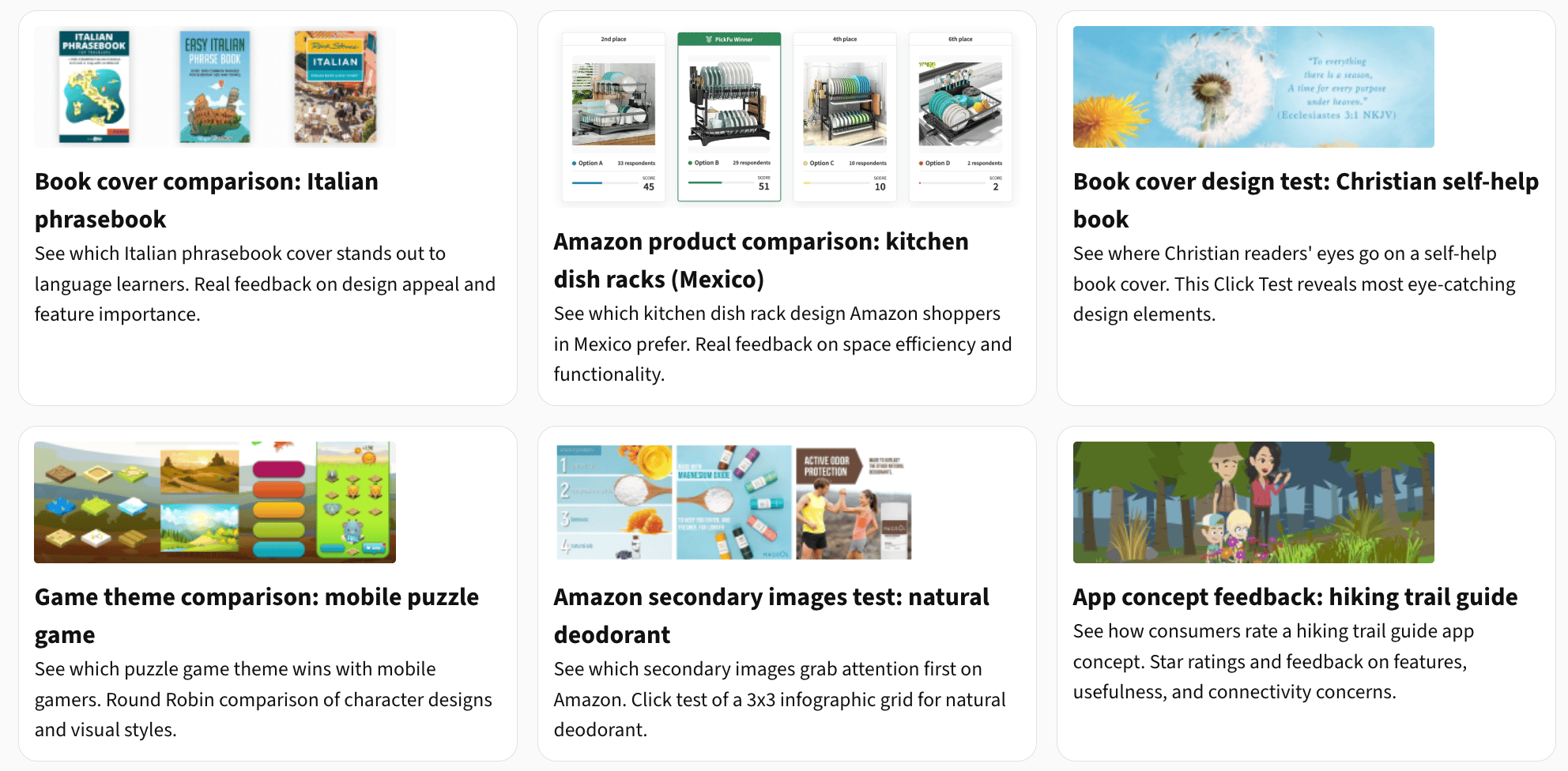
We’re always working to make PickFu more helpful for your research needs. Have feedback on these updates or ideas for what you’d like to see next? Chat with us anytime – we’d love to hear from you.Happy polling! 🧡-The PickFu Team
2025AIIntegrationsSurveysResultsAudiencePricing
What’s New in PickFu: November 2025 🥧
Here’s our latest updates to help your team improve your products and campaigns with fast, reliable consumer insights.Check out our video walkthrough of these updates!📊 16-question surveys: deep audience insights
You can now add up to 16 questions when building a survey in PickFu – double our previous limit!Surveys are a great way to ask the same audience multiple questions, giving you a deeper understanding of your target market. This is especially helpful for enterprise teams running comprehensive consumer research, brand studies, or product validation tests.We’ve also upgraded the results page experience to handle these larger surveys smoothly. You’ll now see a carousel view with easy scrolling between question tabs, plus a list view option that lets you quickly jump to any question in your survey.💡 Need some inspiration? Check out this example, already drafted in the PickFu survey builder, for a brand gathering consumer feedback on a wireless speaker. Feel free to adjust the questions and options for your own products!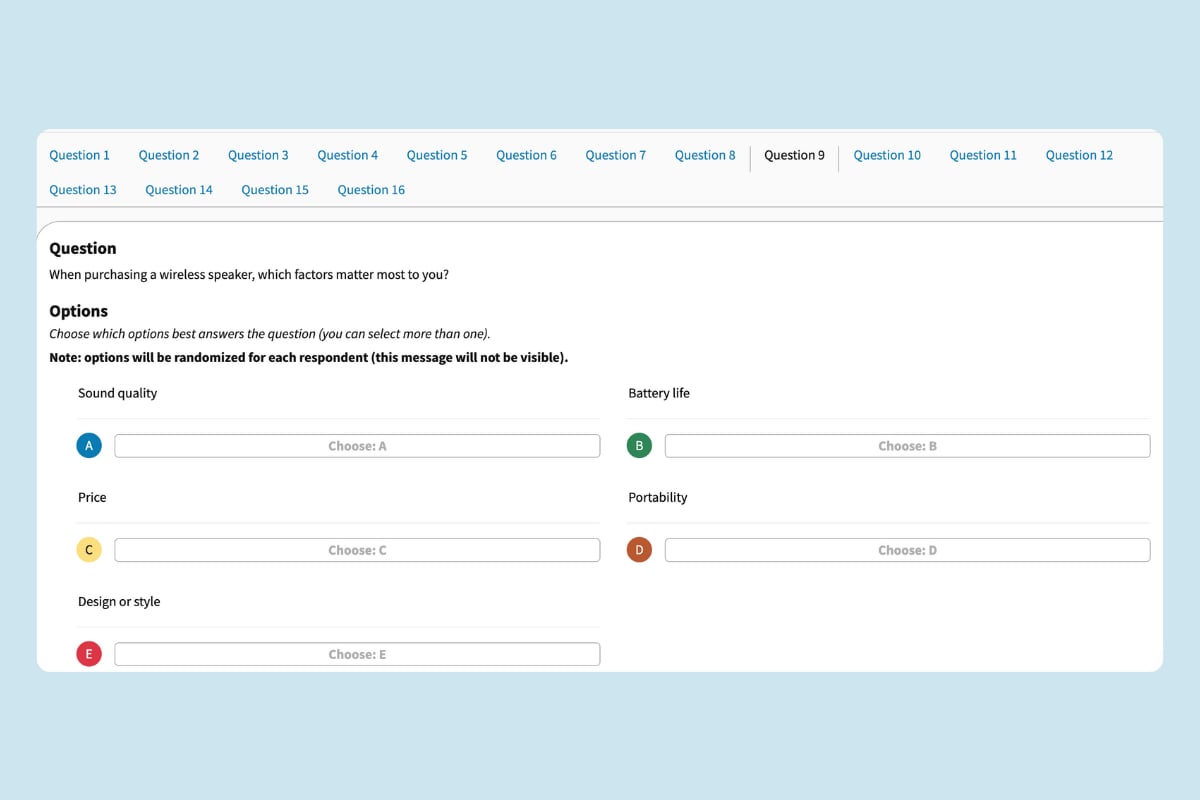
🌏 Test Amazon listings from non-U.S. marketplaces
To support your non-U.S. ASINs, you can now select the appropriate Amazon marketplace when creating Amazon mockups in the survey builder. (We’ll automatically select the right marketplace for you if you paste in your URL or ASIN.)The selector supports the 14 country panels that are currently available in PickFu.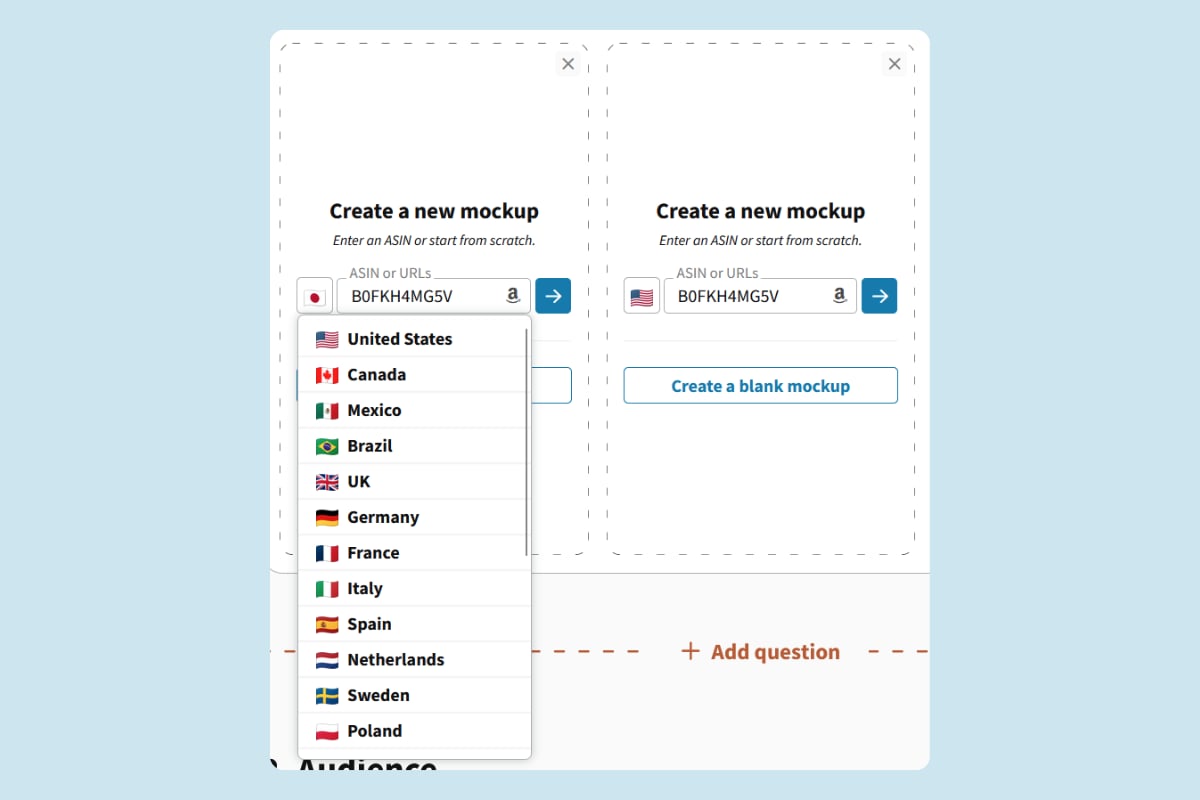
📝 Test longer copy with increased text limits
Need to test longer product descriptions, full paragraphs, or detailed messaging? We’ve increased the option text limit to 5,000 characters per option – more than double our previous limit.This change is perfect for testing full product descriptions, app store listings, email or landing page copy, or any other long-form text.💅 Other improvements
👁️ Quick preview for all polls: We’ve added a “Preview” button in the survey builder for all option types, making it faster to review how your test will appear to respondents before launching.🔢 Expandable Daily Mini-Polls: For teams on a PickFu+ subscription, your free daily 5 response mini-polls can now be extended to any of our standard audience sample sizes, giving you more flexibility to scale up your research as needed.🔗 Build polls with URL parameters: For teams using integrations or building automated workflows, we’ve updated our survey builder URL parameters with a more flexible structure. This makes it easier to create polls programmatically and integrate PickFu into your existing tools and processes.9️⃣ Image set limit increased: You can now upload or import up to 9 images when testing product image stacks – the same as Amazon’s limit – helping you get more accurate insights.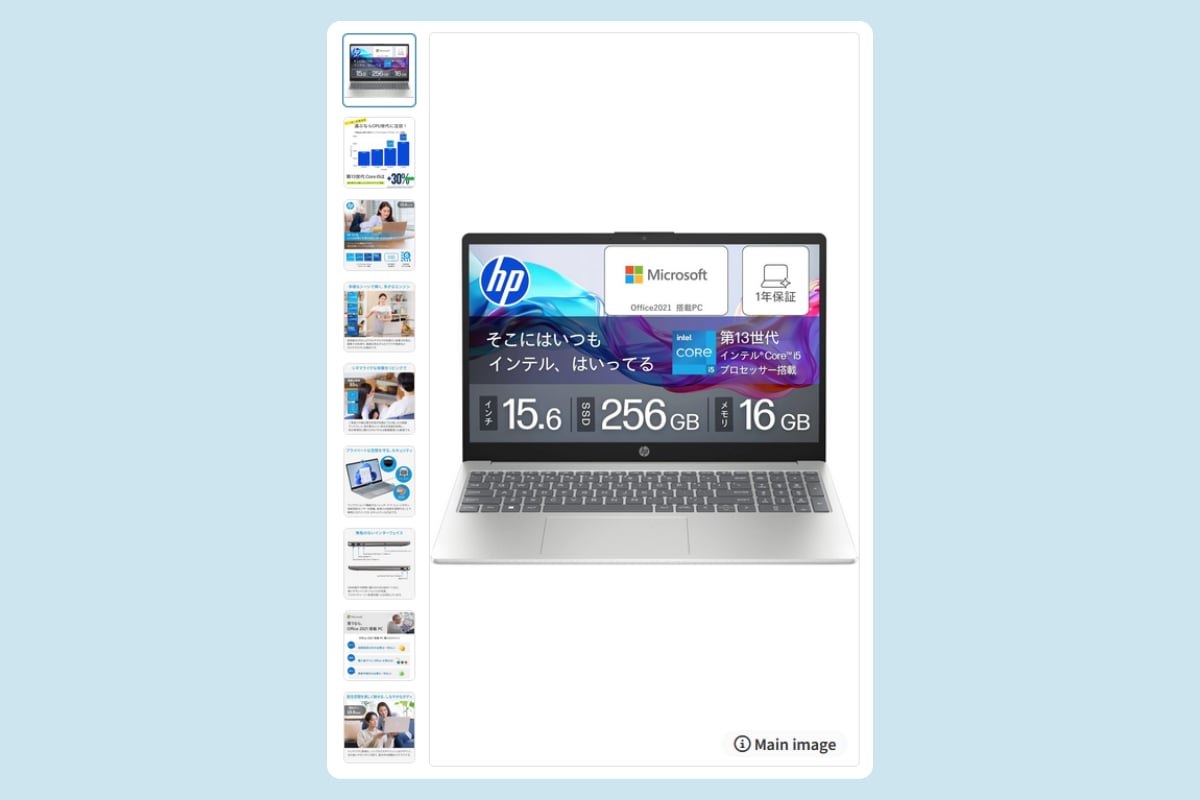
✨ See the bigger picture with Projects
Tired of scattered polls and siloed insights? With Projects, you can group related polls under shared goals, whether you’re testing product images, ad creatives, or new packaging ideas.Projects make it easy to stay organized and uncover insights across tests. Get AI-powered summaries that surface big-picture learnings across all your polls and keep your whole team aligned on what’s been tested – and what to do next.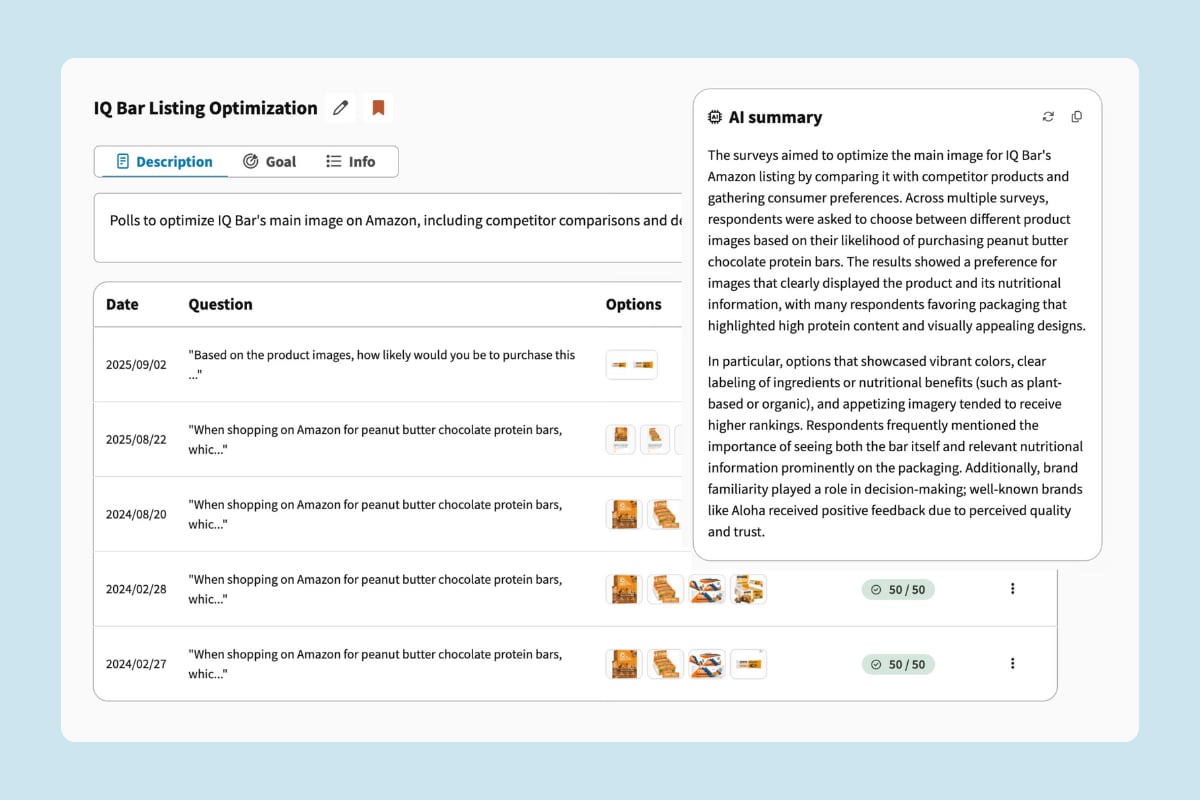
🧡 We want to hear from you!
What features would you like to see next? What challenges are you trying to solve with consumer research? Do you have any feedback for our team?Email or chat with us anytime – we respond to every message.Happy polling!-The PickFu Team2025AIIntegrationsSurveysResultsAudiencePricing
What’s New in PickFu: September 2025 🍂
Here’s our latest updates to help your team improve your products and campaigns with fast, reliable consumer insights.🚀 Introducing Workflows: your guided poll playbook
Creating the right poll just got easier. Workflows lets you create projects based on specific goals – populated with pre-built poll recommendations and step-by-step instructions in just one click.Think of it as your personal polling consultant, helping you set up effective tests based on what we’ve seen work for our most successful users.This is just the beginning – we’ll be expanding Workflows with more playbooks based on your feedback, so you can spend less time figuring out which tests to run and more time acting on insights.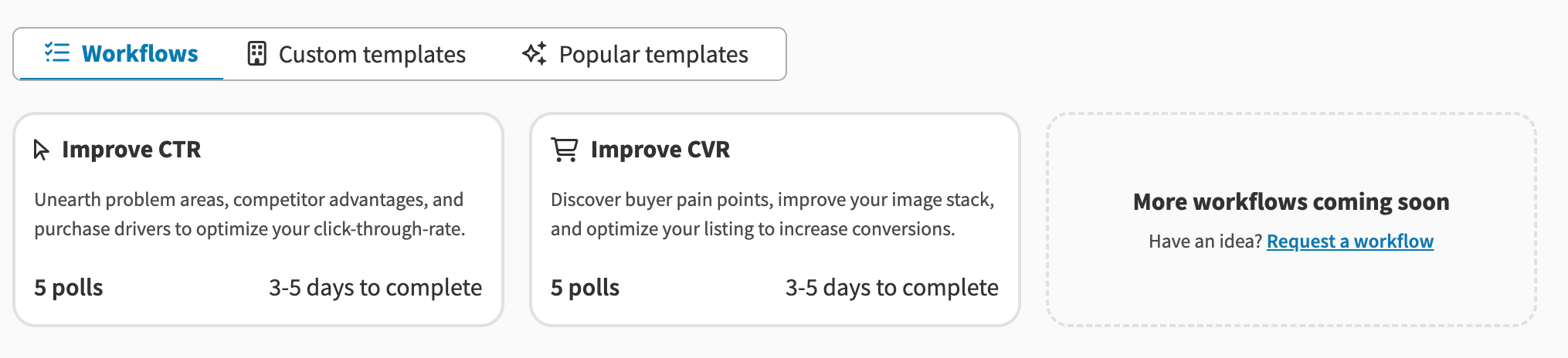
🇵🇱 Welcome Poland to PickFu!
We’ve added Poland as our 14th country targeting option, bringing you even closer to European consumers!With this expansion, we’re also introducing country-specific demographic traits – starting with household income displayed in Polish zloty instead of USD. This means more relevant, localized insights for your market research.🎯 Own Audience for everyone
Good news for all PickFu users – our own audience targeting option is no longer restricted to paid subscriptions. Now you can share a link to get feedback from people who already know your brand. It’s a great way to test ideas with your existing audience before going broader.🤔 Wait, what is this? An own audience poll is a PickFu poll or survey that you share directly with people you choose, instead of with our built-in panel.Just select “Own audience” from the audience targeting options and publish your poll. We’ll generate a sharable link for you to send the poll to your customers, subscribers, or followers and collect responses.Best of all, it’s 100% free for all users!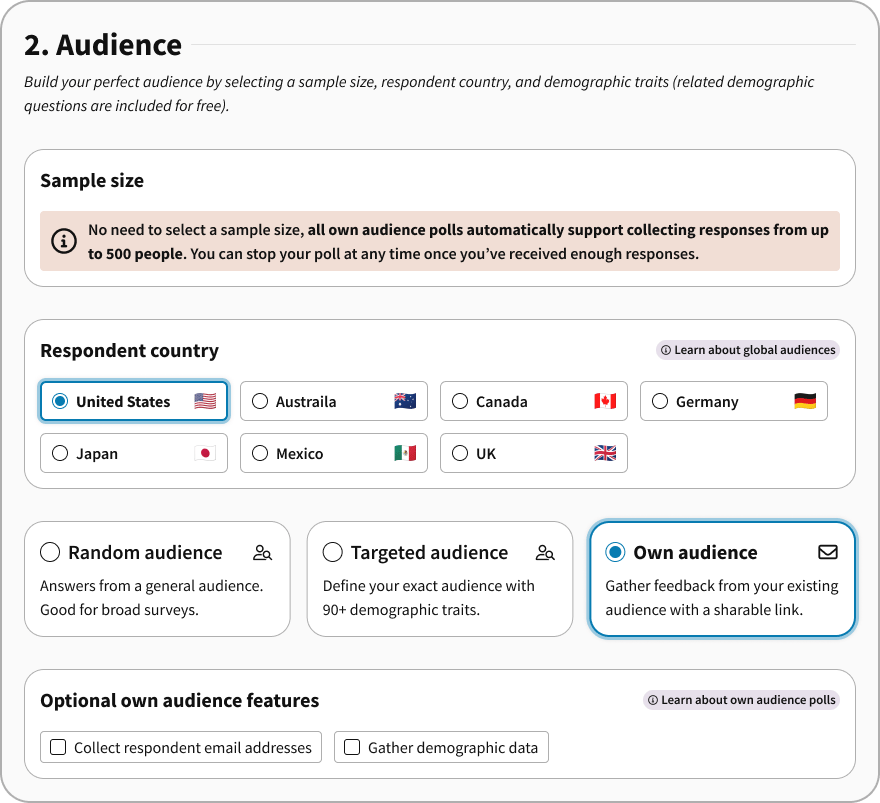
📁 Add polls to projects from almost anywhere
You can now add polls to projects directly from the survey builder, results page, and My Polls page. Whether you’re running a series of tests for a product launch, a rebrand, or something else, everything stays connected and easy to find.🤔 What’s a project? Projects are a way to group multiple polls under one shared goal (for example, a new product launch, rebrand, marketing campaign, etc.)Projects allow you to easily view and access all the polls in one place – helping your team collaborate easier and streamline your research efforts. You’ll even get an AI-powered summary of results and insights across all of the tests in the project.👥 Enhanced team features
🙌 Any member of your PickFu team (not just owners/admins) can now invite new colleagues to join, making it easier to get your whole team involved in consumer research.🎉 For teams on PickFu+ subscriptions, you now get one free daily mini poll per user (previously it was only one across your entire team). Take advantage of these free polls for quick, low-stakes tests, solving internal debates, or anything else you want to know!🛒 Amazon & e-commerce seller tools
If you sell on Amazon or other marketplaces, we have tools to help you get deeper insights.🛍️ Amazon Mockups: Instantly create high-quality, on-brand product mockups to use in your PickFu polls. Test real or hypothetical main images, titles, price, and ratings on a realistic Amazon search results page that help you get authentic shopper feedback. Learn more about Amazon mockups.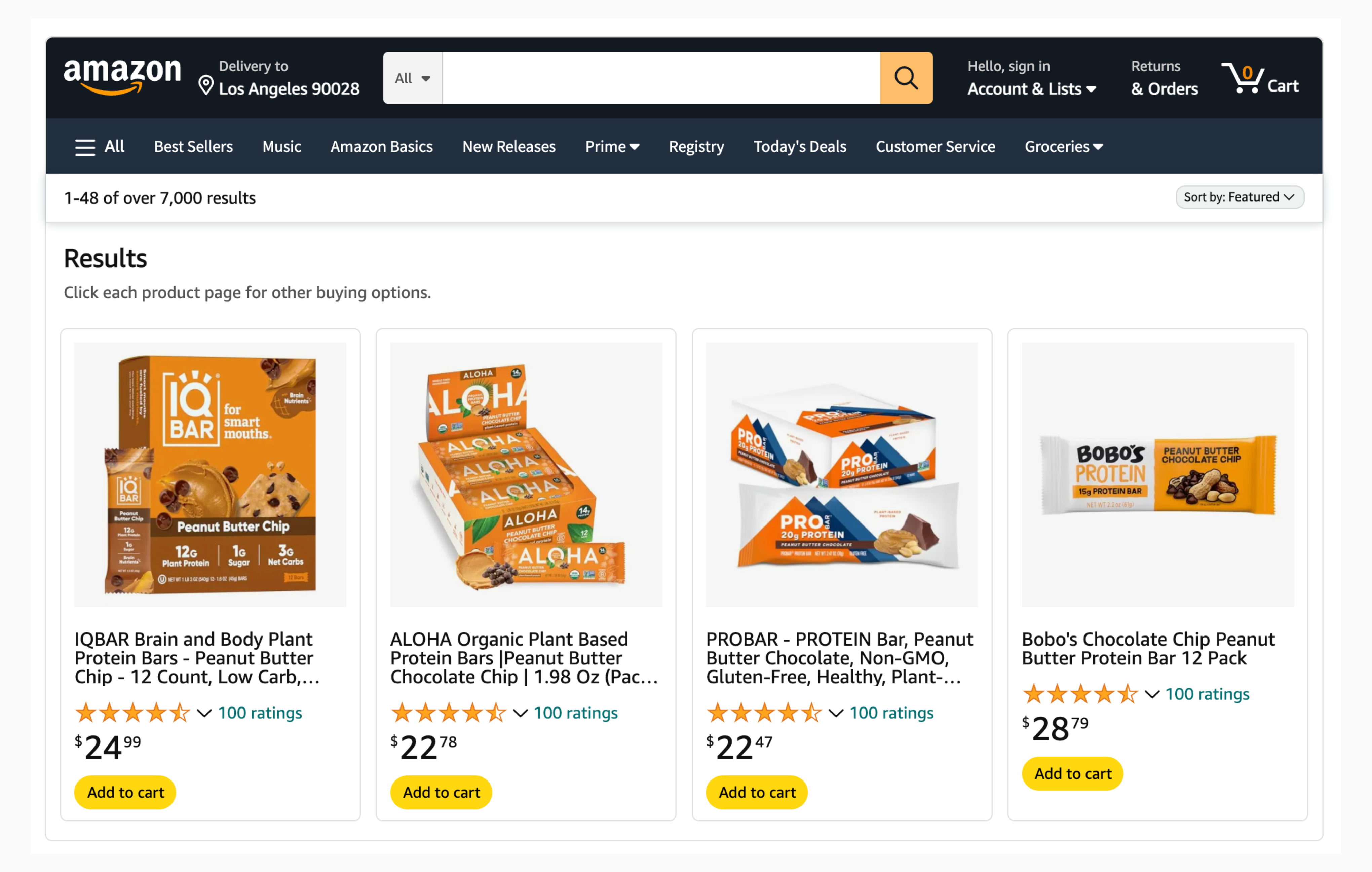
🎥 Watch: How Mindful Goods Supercharges Amazon Sales with PickFu
Want to learn how one Amazon creative agency boosted client sales by 719% – with the help of PickFu?Check out this insightful webinar with Daniela Bolzmann from Mindful Goods, one of our certified agency partners.Daniela shared her proven creative optimization process and walked through how she uses PickFu to help Amazon brands boost their clicks and conversions.Have feedback on these updates or ideas for what you’d like to see next? We’d love to hear it – chat with us anytime. 🧡Happy polling!– The PickFu Team
2025SurveysResultsAudience
What’s New in PickFu: August 2025 👏
This month, we rolled out a brand-new poll type, expanded export flexibility, and made your research workflow smoother than ever.Plus, check out our upcoming events, including a webinar and Q&A with a PickFu customer you won’t want to miss!🆕 5-Second Tests are here
We’ve launched a brand-new poll type: the 5-Second Test! Perfect for testing first impressions, this format briefly flashes an image to respondents for five seconds before asking your question.👉 Use it to test packaging, logos, brand recognition, or any visual asset where initial perception matters most.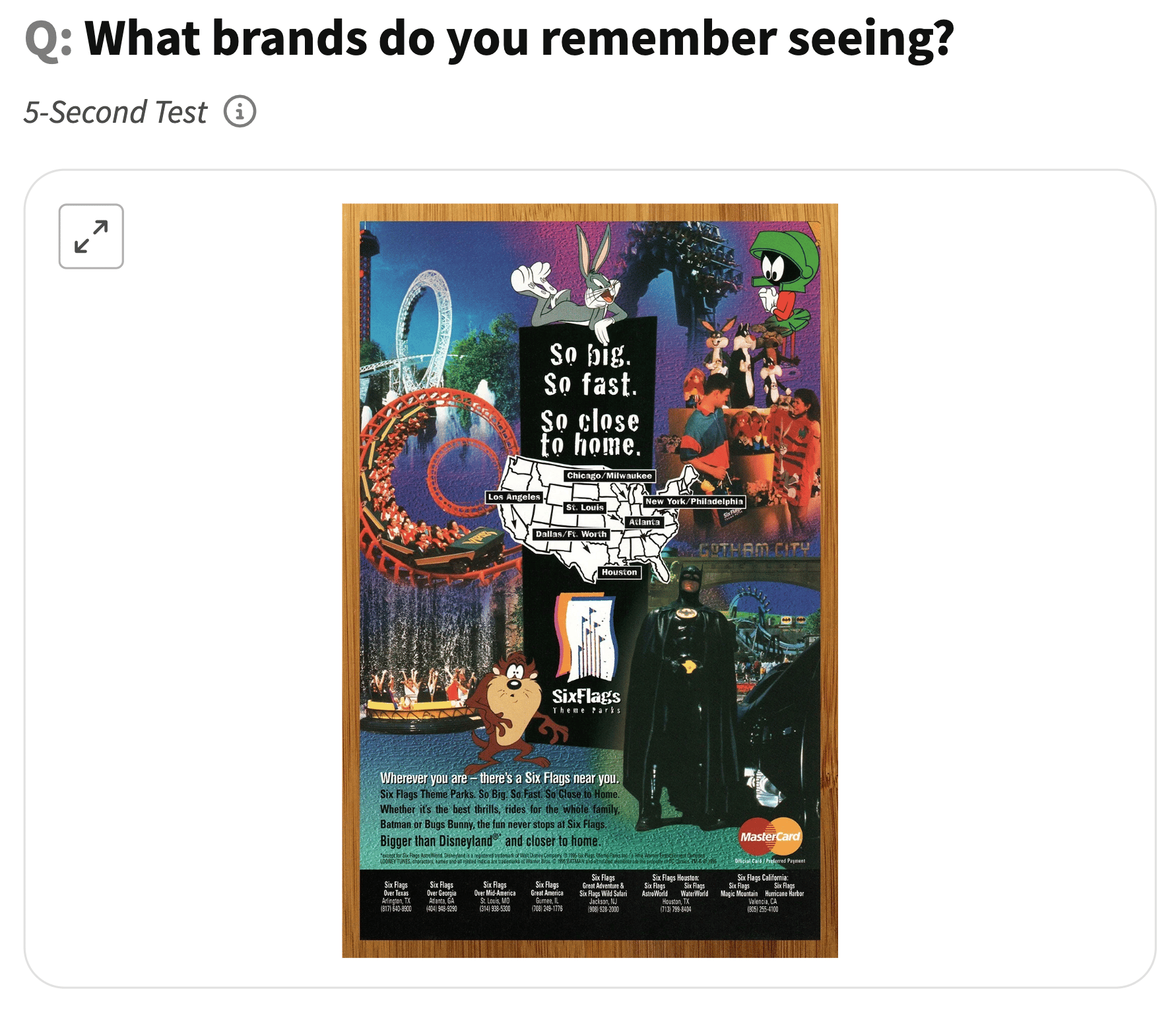
📊 Cleaner, more flexible CSV export
Exporting your results just got easier. Our new CSV format makes analyzing poll data simpler than ever, with:- One row per respondent (better for multi-question surveys)
- Separate columns for ranked votes
- Emojis embedded for Reaction polls 🎉
- Smart grouping for Multi-Select polls
🎉 And so much more!
In case you haven’t logged in lately, we’ve launched a bunch of other new testing options and features to help make your PickFu experience even better.Here are the highlights:✨ New poll types: you now have more flexible testing options with our new Single Select, Multi Select, and Emoji Reaction polls.🖼️ Image stack testing: compare full product image stacks side-by-side to see which set resonates most with your audience.📦 Amazon SERP mockups: show respondents your product mockups on a simulated Amazon search results page for a more realistic testing environment.📁 Projects: group related polls together under a shared goal to streamline your team’s research efforts and more easily act on insights.💅 New results page: our poll results page has a fresh design, helping you view and analyze your insights more easily. Check it out the next time you run a poll!🔒 Locked in: We’re SOC 2 Type II compliant!
We’re excited to share that PickFu has successfully achieved SOC 2 Type II compliance – an important milestone in keeping your data safe and secure.This certification reflects our ongoing commitment to protecting customer information and upholding the highest standards of security and privacy.
✈️ Meet PickFu at Amazon Accelerate
Headed to Seattle for Amazon Accelerate next month? Come say hi!📍 Find us at Booth #18 in Apps & Services to:- Explore our latest updates
- Unlock exclusive show offers
- Grab some PickFu swag 🎁
Add-to-Cart Arcade Night: An Accelerate afterparty 🎮
We’re turning up the fun at Amazon Accelerate! Join us for an exclusive after-hours event at GameWorks:🎮 Unlimited arcade games 🍸 Drinks & bites on us 🤝 Network with top Amazon brands & partnersSpace is limited, so secure your invite here!
🎥 Webinar with Mindful Goods
Join Daniela Bolzmann, CEO & Founder of Mindful Goods, for a live webinar on how she transforms Amazon product listings into sales machines – with PickFu as a key step.
- How Blake’s snack bar brand went from break-even to profitable with a 472% boost in orders in just 30 days
- The data-driven strategy that helped an 8-figure brand skyrocket sales by 719%
As always, we’d love your feedback – email or chat with us anytime.Happy polling!– The PickFu Team
2025AISurveysResultsAudience
What’s New in PickFu: July 2025 🔥
It’s been a big month at PickFu! We’ve rolled out powerful new ways to gather feedback, organize your work, and optimize your Amazon listings.🔹 In this update:- Explore 3 new poll types: Single Select, Multi Select, & Emoji Reaction
- Organize and analyze your polls more easily with Projects
- Test listings more effectively with Image Sets & SERP Mockups
- Discover customer stories, upcoming events, & more ✨
🗳 New poll types: Single Select & Multi Select
Ask questions your way with our two newest poll types!- Single Select: Respondents pick just one option from a set of 3-8.
- Multi Select: Respondents choose any number of options from a set of 3-8. You’ll see both top picks and common combinations.
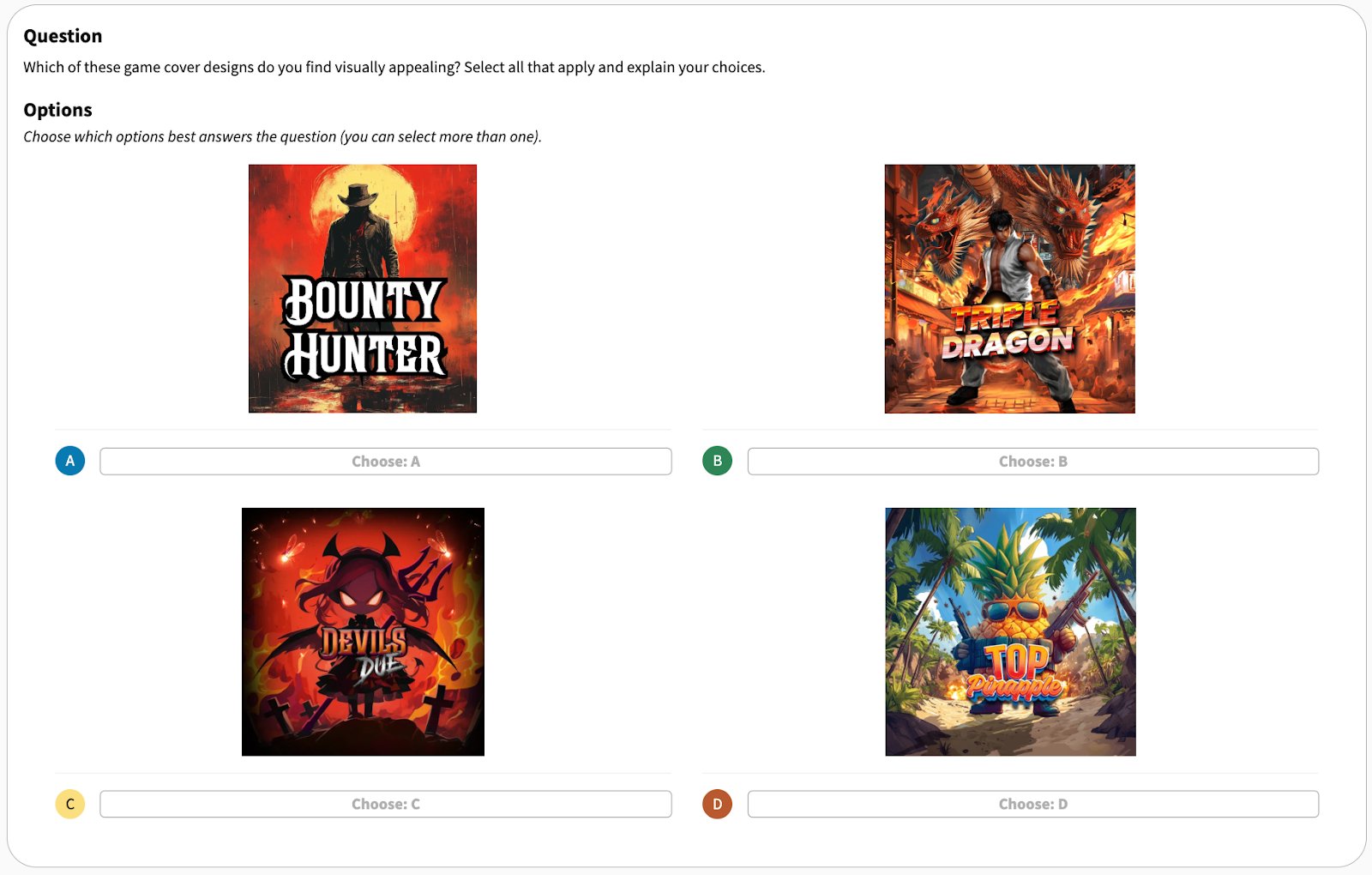
😃 Emoji Reaction polls are here
Give your audience a fun way to share feedback with the new Emoji Reaction poll type. Respondents will choose from a range of emojis (from 😭 to 😀) to capture sentiment in a more visual, engaging way.You’ll still receive the usual written responses, as with all our poll types – and Emoji Reaction poll results will also include mini bar charts, making it easy to scan and understand at a glance.🗂 Projects: Your polls, beautifully organized
Say goodbye to cluttered dashboards. With Projects, you can group related polls into folders, making it easier to manage campaigns, collaborate with teammates, and analyze results across multiple tests using AI-powered summaries.You can now even assign a poll to a project directly from the Survey Builder for a seamless workflow. ✨🖼 Test like it’s live with Image Sets & Amazon SERP Mockups
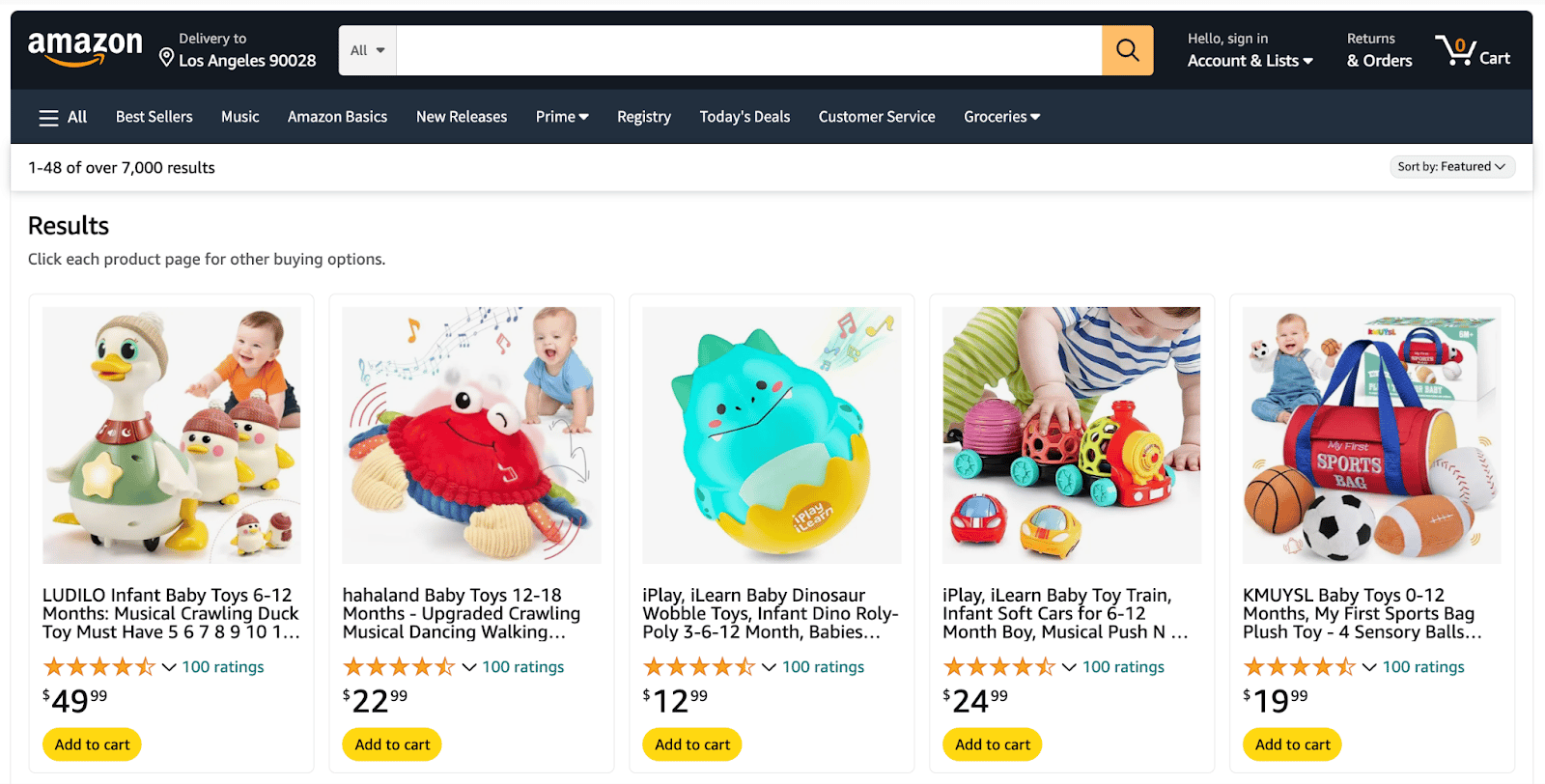
Looking for more ways to test your product listings? These updates are for you:Image Sets: Test full product image stacks (a main image plus five supporting images) to find which combination works best. Upload images or import instantly via ASIN.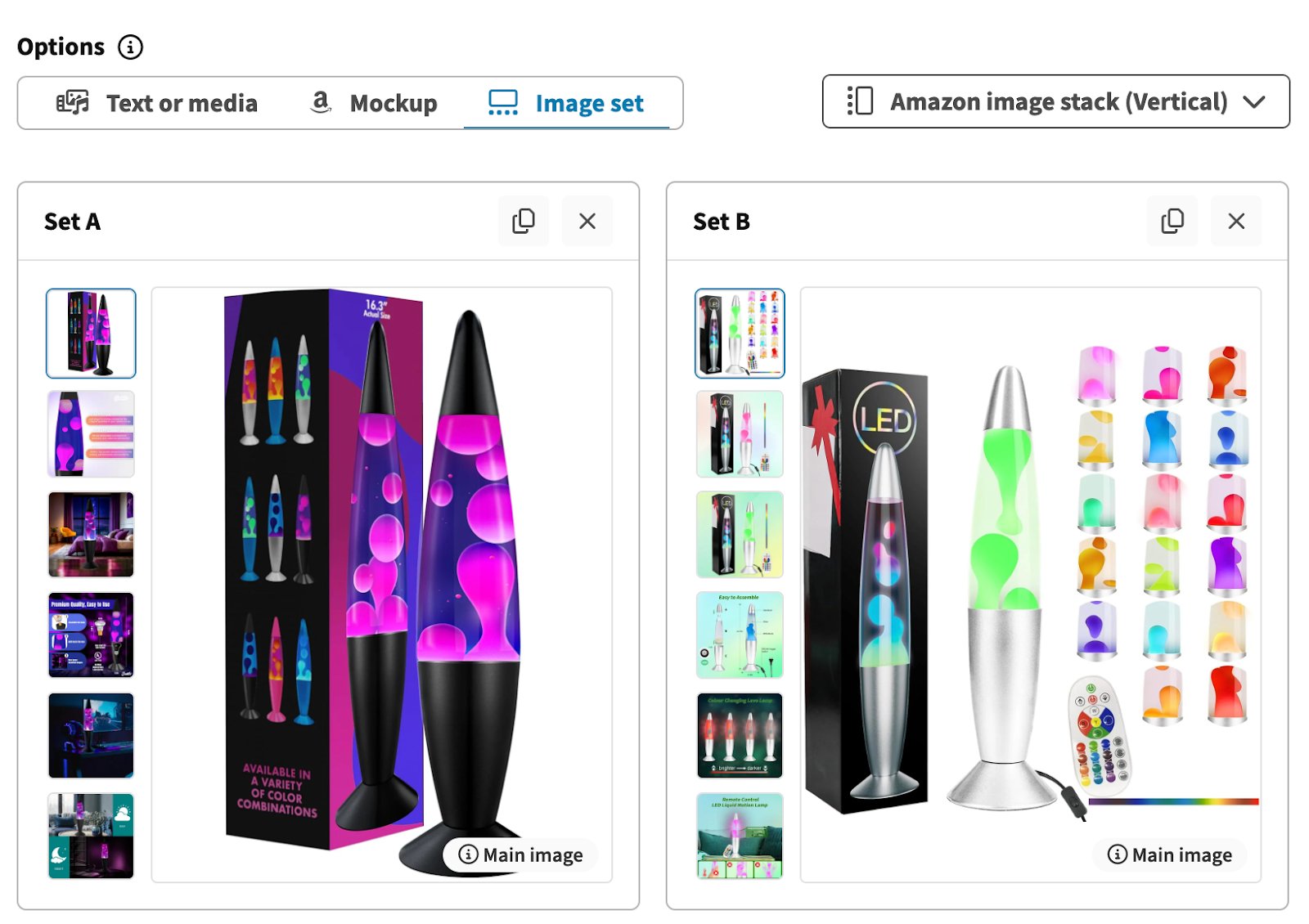
🪄 Other improvements
- Faster Team Template creation: You can now create and share Team Templates directly within the PickFu Survey Builder. A shareable link is automatically copied to your clipboard when you create one, making it easier to reuse and share polls.
- URL previews on the results page: Now, when you test URLs, you’ll see a visual preview embedded on the results page – making it easier to compare options and analyze feedback.
- Translation clarity: The active language now appears clearly in the translation dropdown on the results page, making it easier to know which language is selected.
2025SurveysResults
What’s new in PickFu: June 2025
We’re always making improvements to help you run polls more smoothly, analyze results more easily, and get creative even faster with our survey tools. Here’s what’s new this month:💅 Fresh look for the poll results page
The poll results page got a makeover! Enjoy a cleaner layout and faster performance.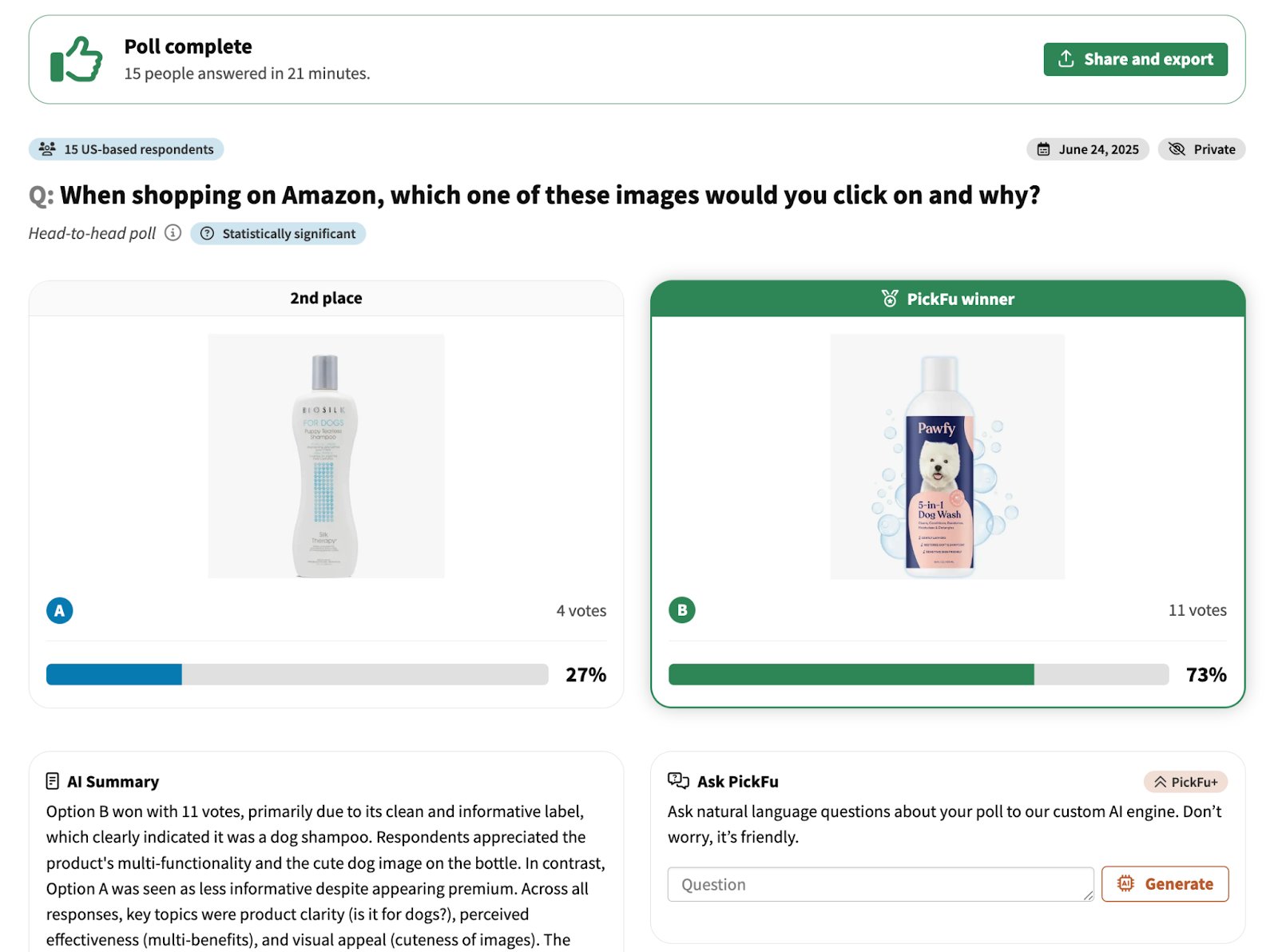
💰 Auto-sync price for Amazon mockups
Creating listing mockups is now even easier! The mockup generator now auto-fills the product price from the URL you paste in – less manual input, faster test setup.✏️ Improved text poll creation
We’ve polished the experience for building polls with text options:- Preserved line breaks so formatting stays intact
- Auto-expanding text fields for easier editing
- Smarter error displays to flag issues instantly
🧰 Other Improvements
- The “Load new responses” button on the new results page now shows the real-time count, ensuring you never miss a new response.
- Redesigned question type menu: A streamlined dropdown now makes it faster to scan and choose poll types, with tooltips offering more detail when you need it.
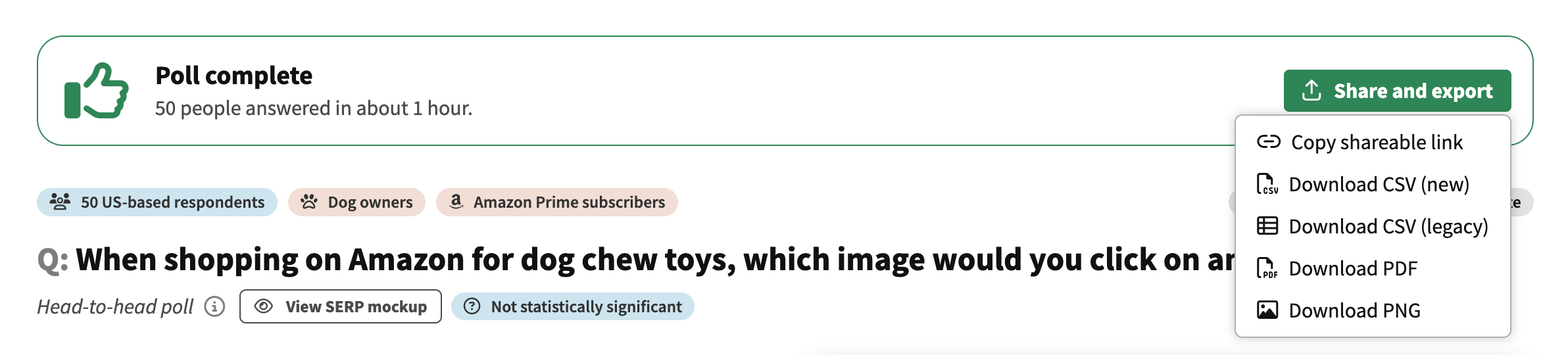
- Share or download your poll results from one “Share and export” button at the top of the results page. Copy a shareable link or export to CSV, PDF, or PNG.

🎥 Video tips & tutorials from PickFu
Are you a visual learner? Check out our YouTube channel for in-depth guides and quick tips from our team about how to use PickFu to improve your business and boost sales.🔍 3-Step Amazon Competitor Analysis🎁 Test Your Product Packaging for Under $20🌏 What to Test When Expanding Your Business GloballyThanks for reading! Got questions or feedback? Chat with us anytime – we’re always here to help.Happy polling! 🧡The PickFu Team
2025SurveysAudience
What’s new in PickFu: May 2025
We’re always looking for ways to improve your experience with PickFu. Here are the latest platform updates and improvements!📊 More sample size flexibility
You can now choose 75 or 300 respondents when setting up your poll! These new options give you more control over your research budget and how deep you want to go with your insights.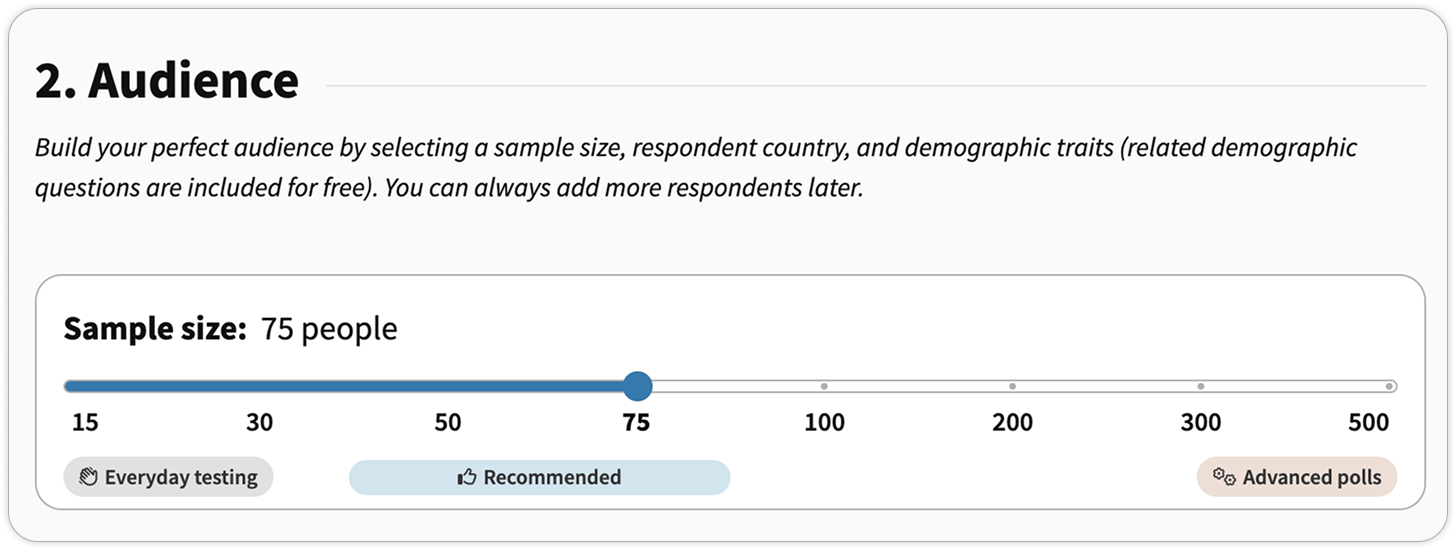
🛠️ Smarter, faster mockup workflows
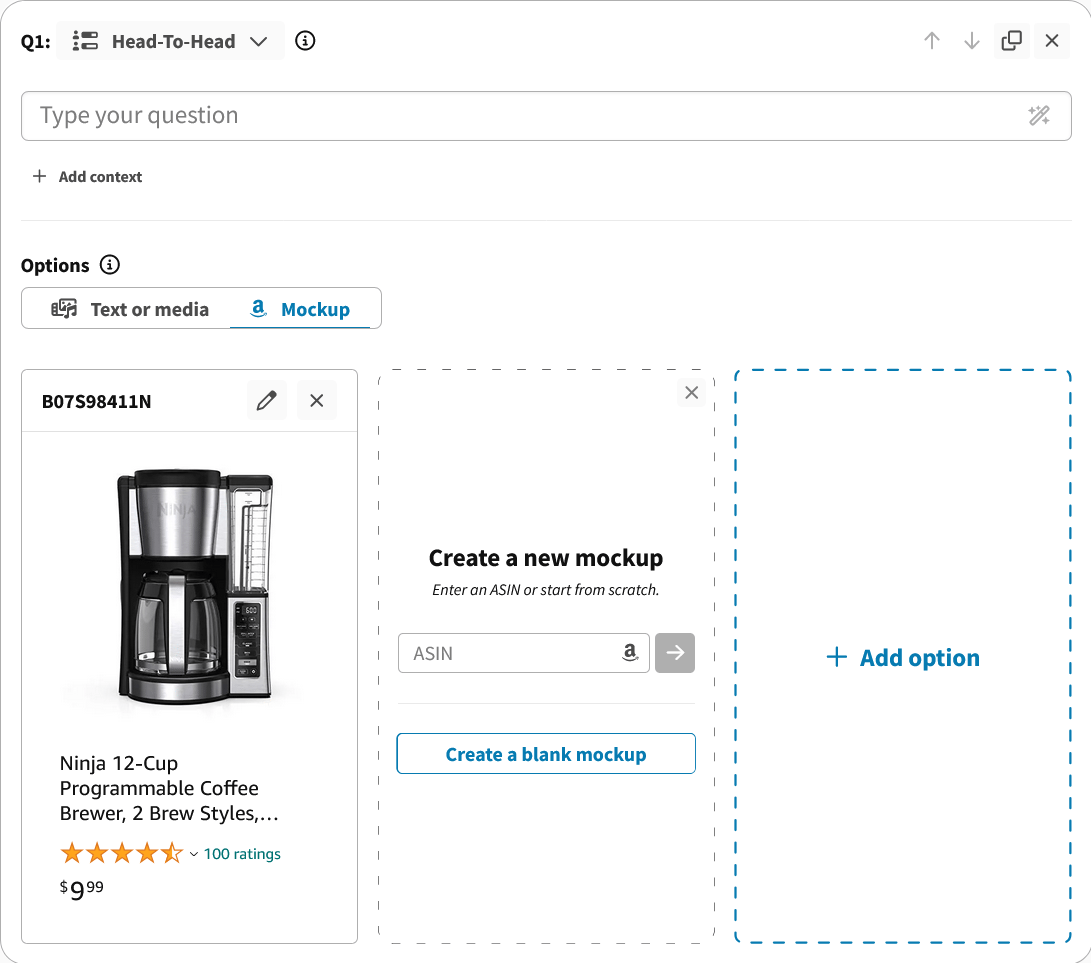
Have you tried the Mockup Generator yet? It lets you quickly replicate search results by creating hypothetical listing mockups right inside the PickFu poll builder. Just select “Mockup” in the Options box after writing your question.We’ve made creating mockups easier than ever with these updates:🔍 Extract ASINs from Amazon URLsPaste a full Amazon link when using our mockup generator – we’ll automatically extract the ASIN so you don’t have to hunt it down yourself.💾 Auto-save mockups on preview or checkoutNo more accidental data loss. If you’re editing a mockup and move to preview or pay, your work will now save automatically.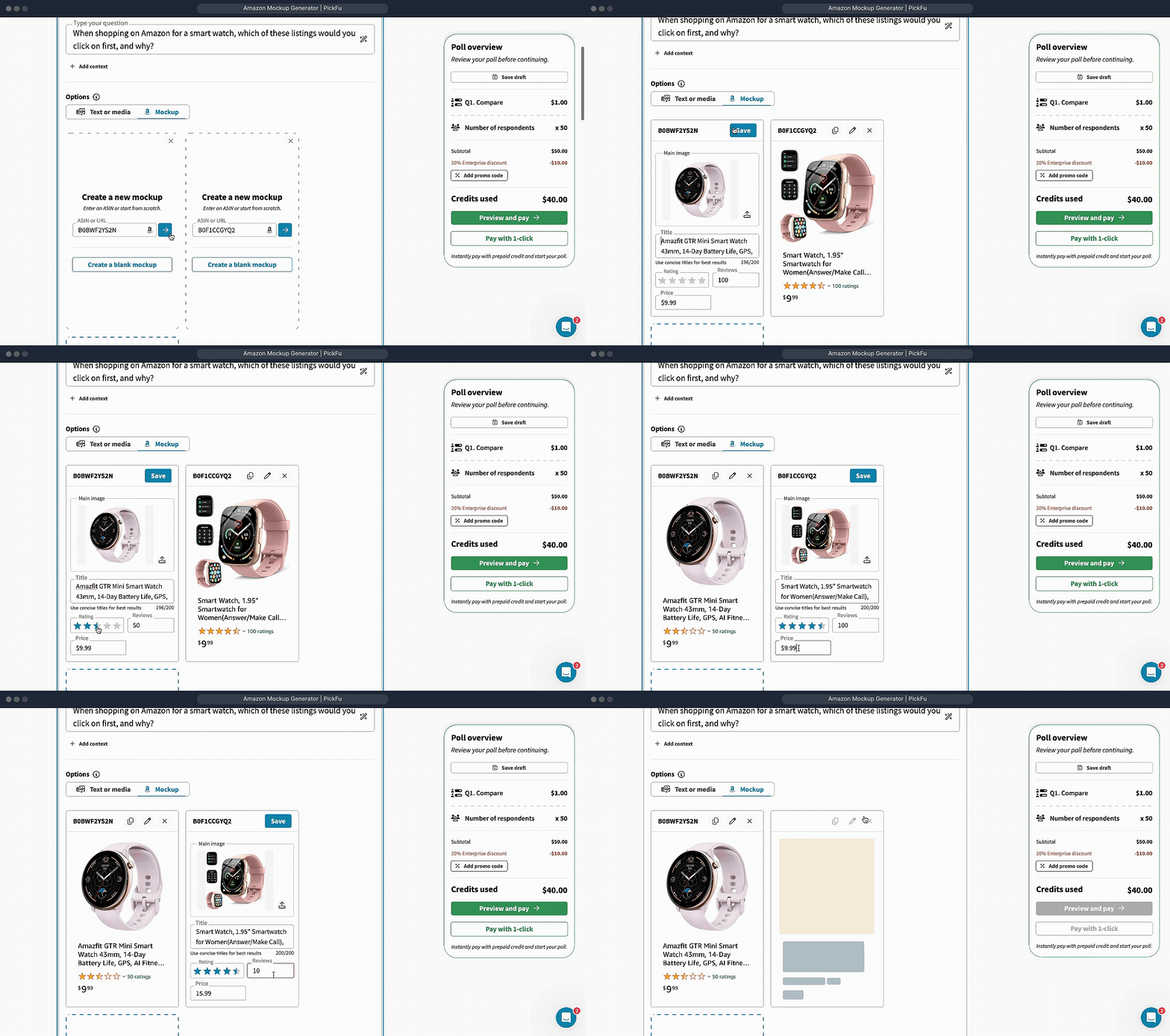
🧩 Small (but mighty) improvements
🔎 Better template search – We’ve rolled out a more powerful template search engine for everyone, with faster results, fuzzy matching, and highlighted keywords.🗂️ Custom templates prioritized – If you have custom templates in your PickFu account, they’ll now show up first in your search results for quicker access.➕ Open templates in a new tab – You can now right-click or middle-click to open templates and the poll builder in a new tab, just like you’d expect.🧠 More accurate poll type filters – Individual questions inside surveys now show up under the correct filter views when you search for them (e.g. Ranked, Open-Ended).✏️ Inline poll title editing – Quickly rename your poll without a popup. Just click and type, right in place.📁 Drag & drop to create options – Dropping multiple files into the survey builder will now create separate options for each, speeding up poll creation.📹 Videos to help you get more out of PickFu
🧡 We want your feedback!
We’d love to hear about your experience using PickFu! You can share your thoughts here with a quick video or written feedback.This is for our internal use only – we just want to know what you’re loving about PickFu and what you’re not, so we can provide the best experience possible.Send your feedback here!2025AISurveys
What’s new in PickFu: April 2025
We’re always looking for ways to improve your experience with PickFu. Here are the latest platform updates and improvements!What’s New:
🧩 Access templates from the dashboard
Launching a poll is easier than ever with the new template carousel on your PickFu dashboard! When you log in, you’ll now see popular templates recommended just for you.Check out this video walkthrough of our Packaging Evaluation Test template:📋 Take action on recent polls faster
You’ll now see a new menu to the bottom right of your Recent polls cards on your PickFu dashboard. This allows you to quickly:- Duplicate a poll
- Share results
- Archive/Delete drafts or completed polls
📸 Generate & test Amazon mockups
Have you tried out the Amazon Mockup Generator in PickFu yet?It lets you quickly create hypothetical listing mockups right inside the poll builder – without needing a designer. Test and iterate on main image, product title, ratings, and price. Just select “Mockup” in the Options box after writing your question.Now, you can also duplicate a mockup variant directly within the generator – making it super simple to tweak versions and test different creative ideas.Other Improvements
We’ve made several quality-of-life updates to enhance your PickFu experience:📢 Clearer published poll status
After publishing your poll, you’ll now see a custom status message so you always know what’s happening behind the scenes while you wait for your results. (We also added some lighthearted loading messages to make the wait more fun!)🔒 Smoother SSO redirection
If you sign up or log in with Google or Microsoft, you’ll now land on a temporary loading page while we redirect you. This improvement prevents the confusing lag that made it seem like the page had stalled.🤖 AI question writer
When writing your poll question, you’ll see a magic wand icon. Click on it to see recommendations for how to phrase your question. (Give it a 👍 or 👎 to share feedback on how helpful this is – we’re always trying to improve!)🧡 We want your feedback!
We’d love to hear about your experience using PickFu. You can share your thoughts here with a quick video or written feedback.This is for our internal use only – we just want to know what you’re loving about PickFu and what you aren’t, so we can provide the best experience possible.Thanks in advance for sharing your voice! 🧡2025AISurveysAudience
What’s new in PickFu: March 2025
We’re always looking for ways to improve your experience with PickFu. Here are the latest platform updates and improvements from the past month!What’s New:
🎥 Video Library To help you get the most out of PickFu, we’ve launched a dedicated video library featuring FAQs and quick tutorials! The videos will automatically display in your account’s language (English, Chinese, or Spanish). Access the new video library directly from your dashboard’s Resources section.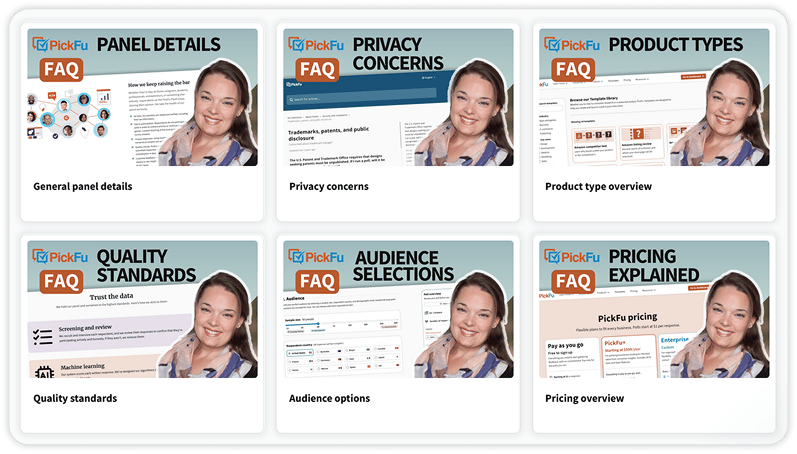
🔧 What Else Has Changed:
We’ve made several quality-of-life updates to enhance your PickFu experience:🔢 Poll type now automatically switches based on your number of options (e.g., 2 options = Head-to-Head, 3+ options = Ranked)❓ Write poll questions easier & faster with the improved question UI – including better media upload options and integrated AI assistance🔖 Flag and filter important polls with the new bookmark feature🗑️ Delete unused poll drafts to clean up your workspace⌛ We removed the 2-week poll extension limit – you can now add more respondents to any poll, no matter when it was published🎉 Just for fun: you’ll now see a shower of confetti when you publish a poll. Consumer research should be celebrated! 🥳👋 We’d love to hear from you!
Have any questions, feedback, or requests? Chat with our Customer Success team or email us at info@pickfu.com anytime.2025AISurveysAudiencePricing
What’s new in PickFu: December 2024 release notes
We’re always looking for ways to improve your experience with PickFu. Here are the latest platform updates and improvements from the past month!🔍 What’s New:
- 🆕 Compare Poll Type We’ve replaced the Head-to-Head and Ranked poll types with the new Compare poll type. Add or remove options as needed, and we’ll automatically select the appropriate poll type for you. This simplifies your experience and gives you more flexibility.
- 🌎 Expanded Panels: Brazil, France, Korea, Italy We’ve added four new countries to our panel, enabling testing in even more markets. 🔗 Start testing in new markets now
- 🤖 AI Question Helper Introducing AI-powered question assistance! When typing a question, you’ll now see a prompt to improve it with AI. You can accept the suggestion or tweak it further. This feature helps you write better questions faster so you can launch your polls without hesitation.
🔧 What Else Has Changed
We’ve made several small but impactful improvements:- 🏆 Highlight Winner on Dashboard Winners are now highlighted in green on the recent polls component of the dashboard, making it easier to identify them at a glance.
- 💳 Subscribe to PickFu+ You can now subscribe to PickFu+ during poll checkout with a seamless two-step process. This enables a streamlined subscription experience with immediate benefits.
2024AIResults
What’s new in PickFu: November 2024 release notes
We’re always looking for ways to improve your experience with PickFu. Here are the latest platform updates and improvements from the past month!🔍 What’s New:
- 📌 Link ASINs to Polls: Organize and view polls tied to specific products directly on the results page. Link manually or through Product Sync.
- 🖥️ New Dashboard Experience: A cleaner, more intuitive layout for improved navigation and at-a-glance insights.
- 📂 Redesigned “My Polls” Page: Streamlined layout, enhanced organization, and at-a-glance insights for easier poll management. Learn more.
🔧 What Else Has Changed
We’ve made several small but impactful improvements:- 🏆 Improved Poll Results UI for tied rankings.
- 📱 Enhanced AI Highlights for mobile usability.
- ⏩ Autoselect poll option type when adding media.
- 👥 New team invite prompt to encourage collaboration.
2024AIIntegrationsSurveysAudiencePricing
What’s new in PickFu: September 2024 release notes
We’re always looking for ways to improve your experience with PickFu. Here are the latest platform updates and improvements from the past month!🚀 Introducing PickFu+
We’ve launched PickFu+, our new subscription plan designed to give you the most value out of your consumer research.Key Features:- 🤖 AI Analysis Suite: Access advanced AI tools included in every poll.
- 💰 PickFu Credit: Receive your subscription fee back as PickFu credit to use on polls.
- 🪄 Poll Discounts: Save up to 10% if you’re on a premium tier.
- 🧱Built for Teams: Unlimited creator seats and custom templates for your teams.
- ♥️ Priority Support: Get fast assistance from our Customer Success team.
🛒 PickFu Product Sync
Great news for Amazon sellers! We’ve released Product Sync, our new feature that lets you connect your Amazon Seller Central account to PickFu and run one-click listing review polls for instant feedback.📈 Why this matters: Optimize your listings effortlessly with real consumer insights. Product Sync makes it easy to enhance your product pages with just a few clicks.🔗 Try Product Sync here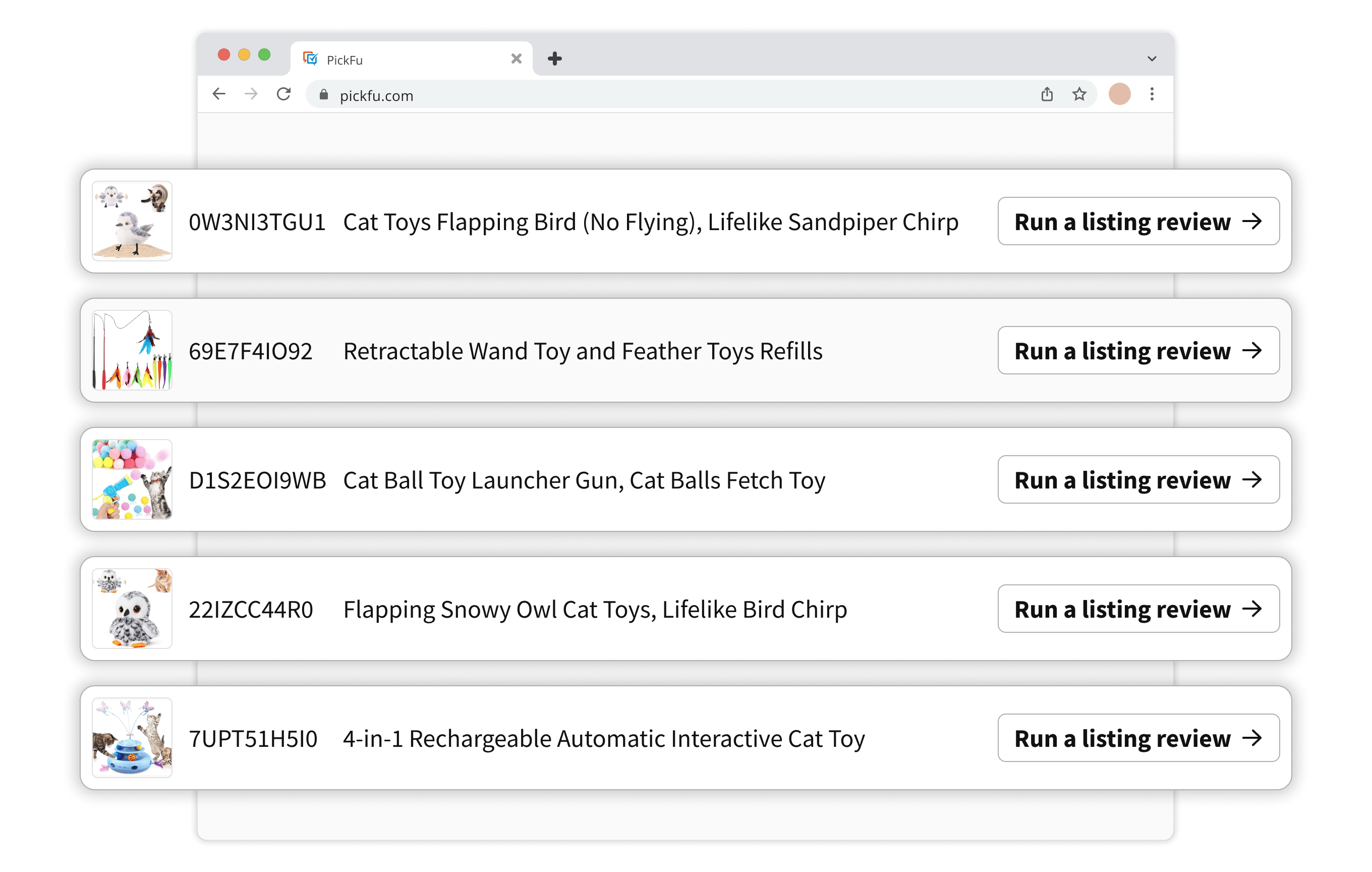
🛍️ New Packaging Design Template
We’re excited to introduce our new Packaging Design Template! Based on one of our most popular polls, this template helps e-commerce sellers test and refine product packaging with ease.📈 Why this matters: First impressions are crucial. With our Packaging Design Template, you can quickly gather consumer feedback on your packaging designs to ensure they resonate with your target audience.🔗 Try the new Packaging Design Template📝 Quick Tip: Making the Most of Hyperlinks
Did you know you can now seamlessly add hyperlinks to your poll questions and options? Here’s how to leverage this feature:- 🔗 Direct Respondents to Specific Content: Include links to your website, product pages, or any relevant content to provide more context.
- 💡 Enhance Feedback Quality: By providing additional information, you can receive more informed and valuable feedback.
- 🎯 Easy to Use: Simply paste the URL into your question or option text, and it will automatically become clickable.
🔧 What Else Has Changed
We’ve made several small but impactful improvements:- 💡 Helpful Tooltips for Audience Builder: To make building your audience even easier, we’ve added helpful tooltips to the audience builder. Hover over traits and trait values to see additional information about each one.
- 🤖 Improved Answer Quality: Upgraded to V2 of our AI quality checks to ensure you receive the highest-quality responses.
2024AIIntegrationsSurveysResultsAudience
What’s new in PickFu: August 2024 release notes
We’re always looking for ways to improve your experience with PickFu. Here are the latest platform updates and improvements from the past month!🛒 Seamless polling for Amazon sellers
Great news for Amazon sellers! We’ll be releasing Product Sync, our new feature that lets you connect your Amazon Seller Central account to PickFu and run one-click listing review polls for instant feedback.📈 Why this matters: Optimize your listings effortlessly with real consumer insights. Product Sync makes it easy to enhance your product pages with just a few clicks.🔗 Join the waitlist and be among the first to try Product Sync!📝 Quick tip: effortless surveys with PickFu
Looking to dive deeper into customer insights? PickFu Surveys let you ask multiple questions to the same audience in a single poll, making it easier to gather comprehensive feedback. Whether you’re testing a new product idea or refining your messaging, PickFu Surveys provide you with the flexibility to ask up to eight questions at a time.🔗 Learn more about Surveys and get the answers you need to make data-driven decisions!🔧 What Else Has Changed
We’ve made several small but impactful improvements:- 🔗 Zapier Click Tests: Seamlessly integrate Click Tests with Zapier for improved automation.
- 🌍 Better Auto-Translation: Improved translation behavior and added support for surveys.
- ✍️ Markdown for AI: improved formatting and readability for AI summaries and reports.
- ⚡ Speed Improvements: We’ve made the Survey Builder faster, allowing you to create and launch polls more quickly.
- 📱 Mobile Enhancements: Smoother survey creation on mobile devices.
2024AISurveysResultsAudience
What’s new in PickFu: July 2024 release notes
We’re always looking for ways to improve your experience with PickFu. Here are the latest platform updates and improvements from the past month!🌏 Now live: target audiences around the world with multi-question surveys
Earlier this year, we launched the new Survey Builder, which lets you ask the same audience up to eight questions at a time.We’re excited to share that when building your multi-question surveys, you can now target audiences across all of our global panels, not only the U.S.!As a reminder, here are the countries you can currently target:🇺🇸 United States🇨🇦 Canada🇲🇽 Mexico🇬🇧 United Kingdom🇩🇪 Germany🇪🇸 Spain🇦🇺 Australia🇯🇵 Japan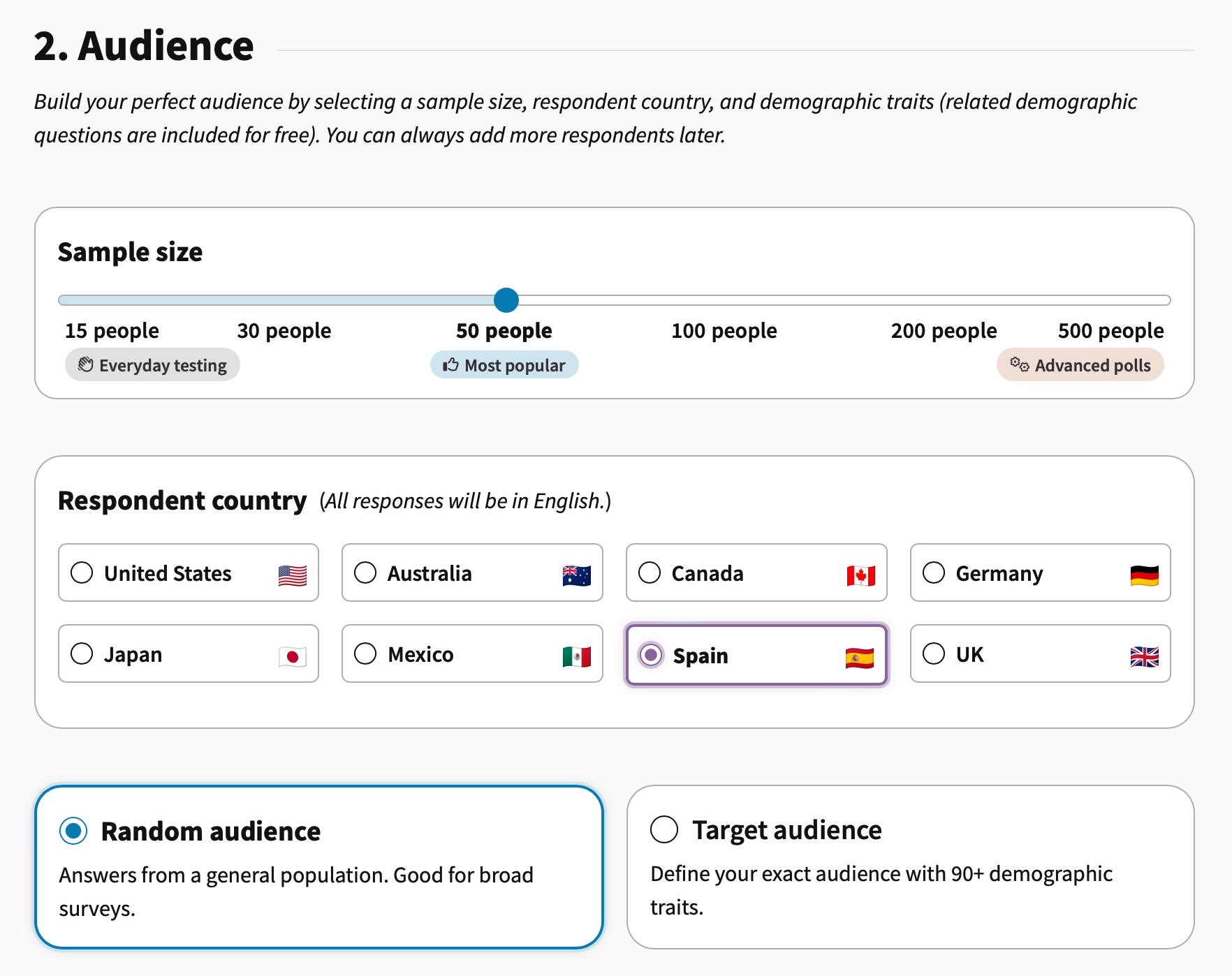
📊 Better data analysis with improved CSV export
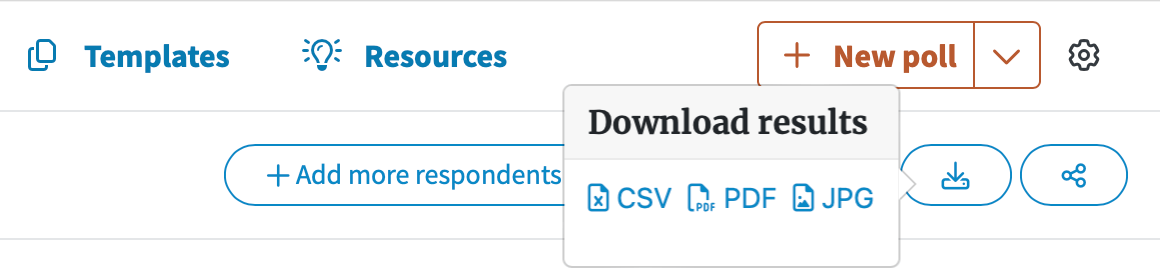
Now you can analyze your results faster, easier, and more thoroughly with our improved CSV export. This will especially be helpful for parsing through multi-question survey data.Here are the key updates you’ll find:- Responses are separated by question
- The order of fields across poll types are standardized
- The export now includes votes and ratings
- The export now includes the full details of each question
📣 More survey updates
Have you tried our Survey Builder yet? We’ve been busy adding a bunch of new features, including:- Improved automated quality check for panelist responses, to ensure you always get high-quality insights
- Added auto-translation features for targeting audiences in different countries (your questions will be translated into respondents’ native language, and their answers will then be translated back into your language when you view the results)
- Generating AI reports and summaries faster and more consistently to help you analyze survey data quickly
🧱 New pre-built poll templates
We’ve added two new poll templates for common use cases, so you can launch polls and get insights even faster.📢 Ad message resonance test: understand whether your ad is conveying the right message to your target audience.🛒 Product page comparison: compare two different product listing URLs to discover which one your audience is more likely to buy.Is there a different poll template you’d like to see? Reach out to our team to let us know!⚡ Speed enhancements
We’ve made several back-end improvements to increase the speed of panel responses, the Poll Builder, and the PickFu platform in general.🇯🇵 Translation for Japanese audience
We’ve added auto-translation support for our Japanese audience panel to bring those features in-line with our other international panels.⚙️ New Settings dropdown
Your account settings have been moved to a gear icon on the right of the nav bar, consolidating multiple common actions in a more accessible place (including logging out, changing your account language, inviting your team, and accessing the full settings page).Have any questions, feedback, or requests? We’d love to hear from you – chat with our Customer Success team or email info@pickfu.com anytime!2024AISurveysResultsAudiencePricing
What’s new in PickFu: May 2024
We’re always obsessively trying to improve our customers’ experience as they use PickFu. Here are the latest platform updates and improvements from the past month.Updates to help you build better polls
Even more audience targeting traits to choose fromWe’ve added several new targeting traits to help you reach your ideal customer: midcore mobile gamer, console gamer, traditional TV subscription, investment frequency, interest in art.Better experience and expanded support for auto-translationWhen you’re writing a question in the poll builder, you’ll get a reminder that you can write it in your native language, no matter which country you’re targeting.More recommendations for audience targeting best practicesThe more targeting traits you add, the longer it will take to get results. We added a message in the poll builder to warn you when you might be making your audience too narrow for fast results.Updates to help you analyze results
Improvements to respondent answer qualityWe added additional verification and quality steps to make sure you get the best answers from each respondent on every poll or survey.Upgraded our state-of-the-art AI engineWe improved the engine behind the AI Highlights features on your poll results page. Analyze your results quickly with higher-quality, more consistent AI Summary and Sentiment reports and get better “next steps” recommendations from the AI Labs chat feature.Removed the notes tab on the poll results pageWe removed the “notes” feature and tab on the poll results page due to low use and to focus on providing a better results analysis experience for our customers.Platform design & UX improvements
Recommended traits are now easier to seeThe full list of audience targeting traits in the poll builder is now collapsed by default, helping you focus on the recommended traits. The full list is just a click away, and you can also use the search box to find the traits you’re looking for.Country selection is easier to readThe list of countries you can target is now alphabetized (except for the U.S., which will remain first). Have a request for a country to add? Let us know!Survey questions are now easier to read and edit while you’re writingThe text box for surveys now includes multiple lines, so you don’t have to scroll horizontally to view your full question.Have any questions, feedback, or requests? We’d love to hear from you – chat with our Customer Success team or email info@pickfu.com anytime!2024Surveys
Surveys
Sometimes one question isn’t enough, which is why we’re releasing PickFu surveys.- Ask 1-8 questions: Combine multiple polls or add follow on questions
- Simplified reporting: view feedback for each question in a single report
- Sign up or log in to PickFu
- Click the New poll dropdown
- Select ‘New survey’
- Add 1-8 questions
- View the results
2024Audience
Trait recommendations just got smarter
Your target audience is one of the most important considerations when building a poll, which is why we’ve redesigned trait recommendations to be more personal and useful.Starting today you’ll begin to see your recommended traits update as you run more polls and we learn about the audiences you care about.Goodbye static lists, hello personalization!2023Integrations
Our Zapier integration is now live!
You can now connect PickFu to other platforms through Zapier, including email, Slack, Microsoft Teams, Google Sheets, Discord, OpenAI, Trello, Asana, and more. Streamline notifications for new and completed polls, build spreadsheets from your polls, and create new polls from AI generations. There are two ways to link your accounts. The easiest is to do so from your PickFu settings:- Sign up or log in to PickFu
- In the top nav bar, click to “Settings”
- In the left menu, click “Integrations”
- Locate Zapier and click the “Connect” button
- Log in to Zapier
- Click “Authorize”
- Sign up or log in to Zapier
- In the left menu, select “Apps”
- Click “Add connection”
- Search for “PickFu” and select from the list
- Log in to PickFu
- Click “Authorize”
2023SurveysInternational
Introducing the Chinese Poll Builder
We’ve launched our Poll Builder in Chinese — another big step in localizing PickFu for our Chinese-language users.When you sign in, click the globe button in the upper-right corner to access the Chinese Poll Builder. You can easily switch back and forth between languages as you build your poll.As for poll responses, they’re also viewable in Chinese if your browser language is set to Chinese. Just click the translation button at the top of your poll results page.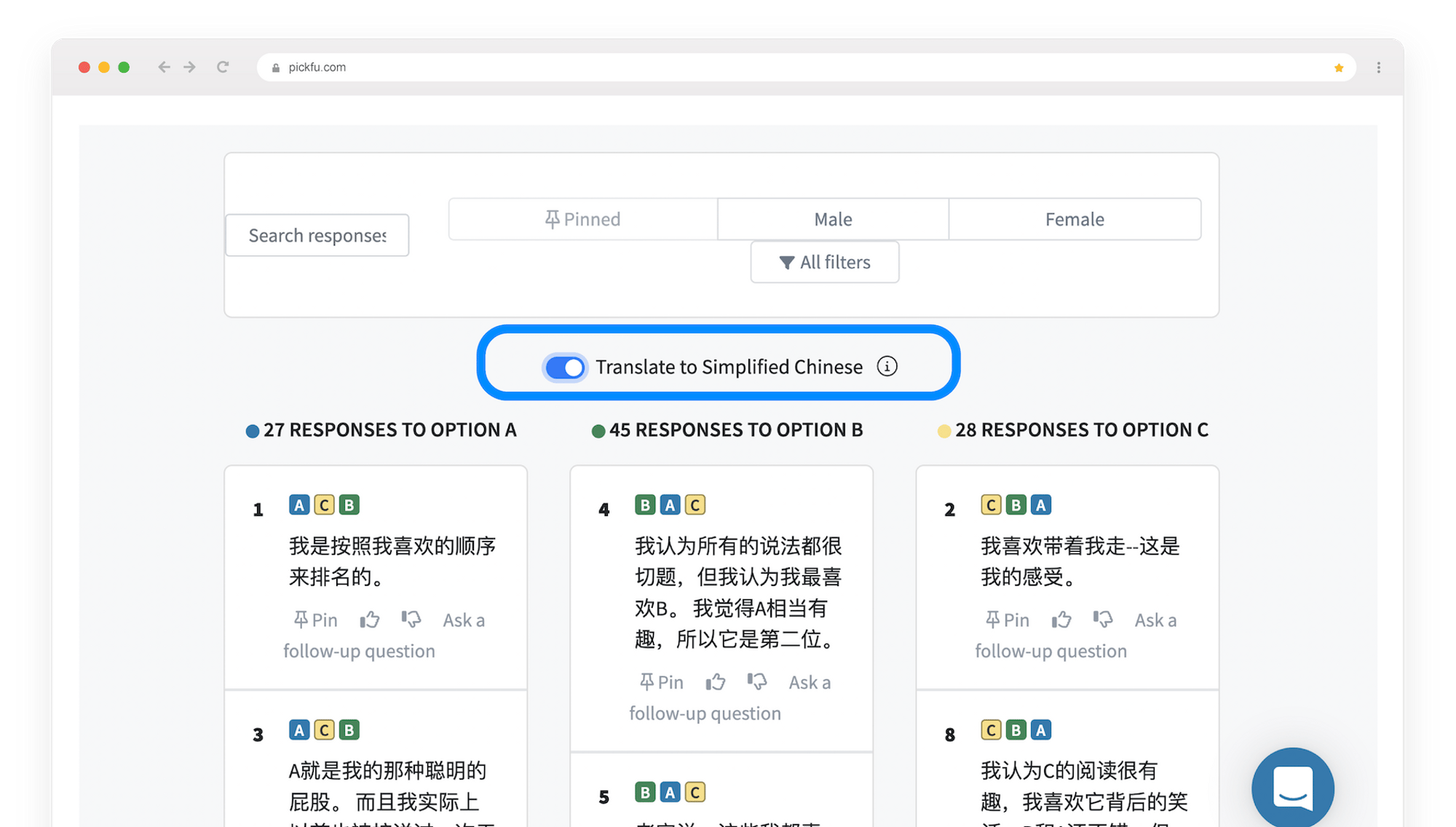
2023SurveysInternational
What’s new: Poll question translation and bookmarking polls for later
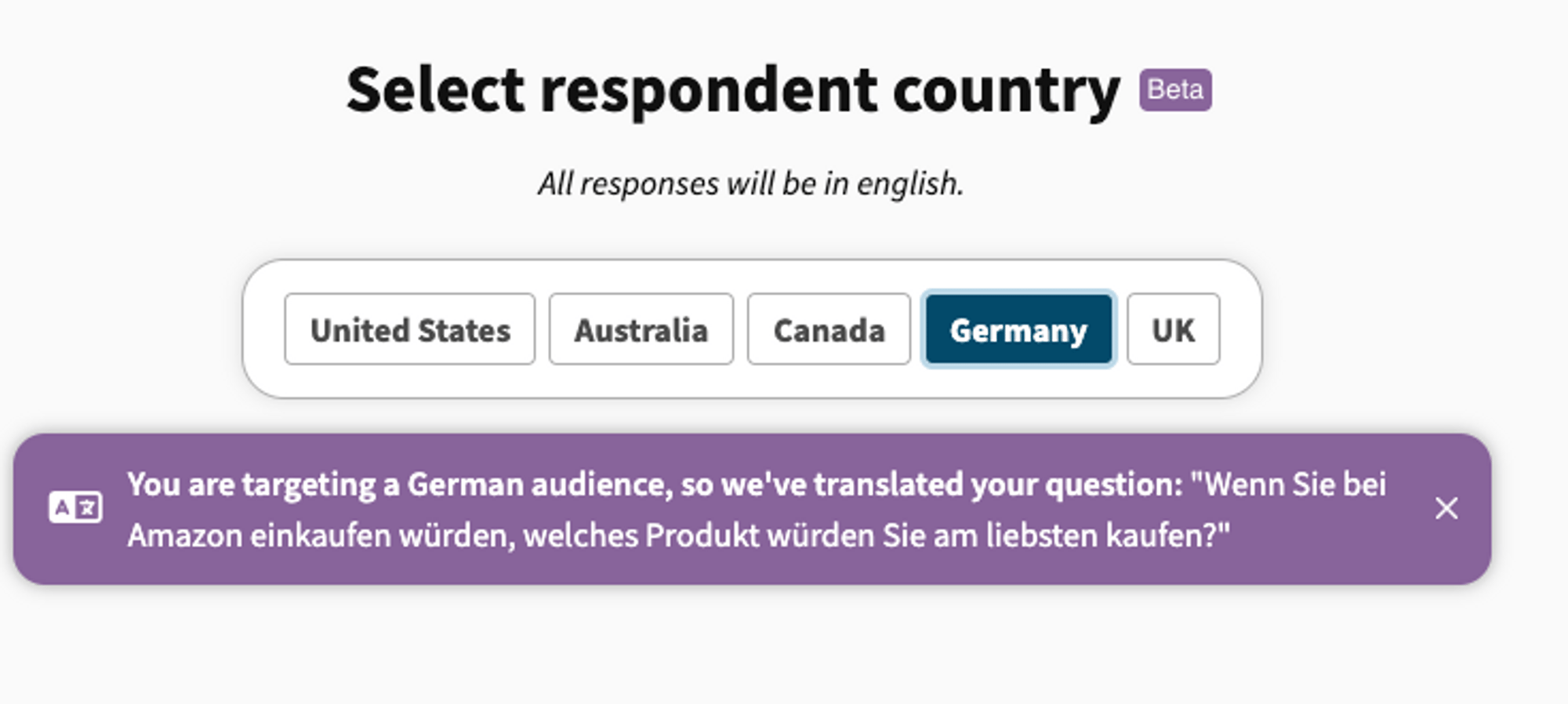
Our international audience panels give you access to the opinions of millions of consumers in the U.S., U.K., Canada, Australia, and Germany.But you don’t need to speak their language to connect with them.Whatever your native language, you can now use it when writing your poll question in the Poll Builder. We’ll translate your question into the language of your target audience.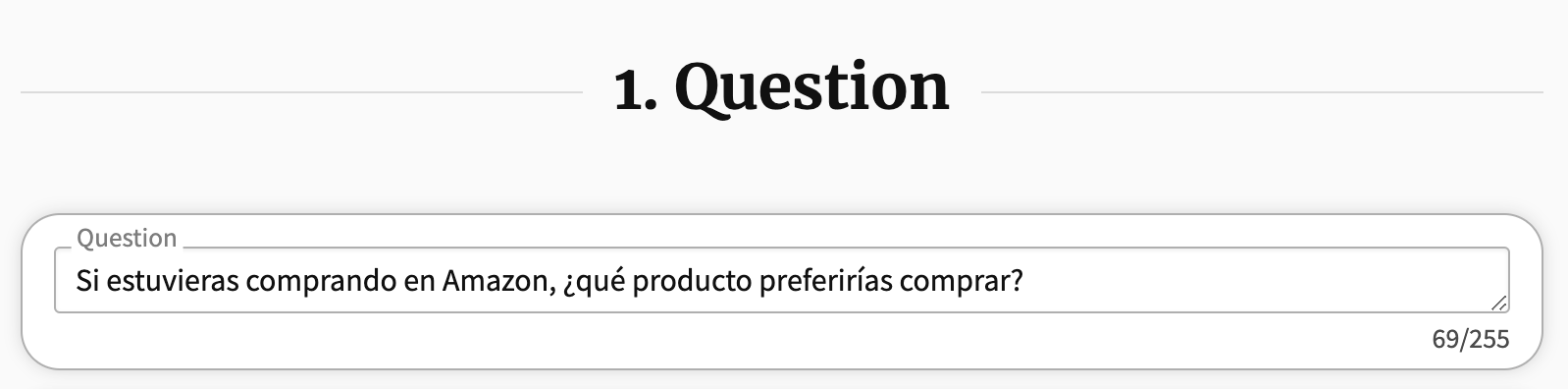
Bookmark polls for later
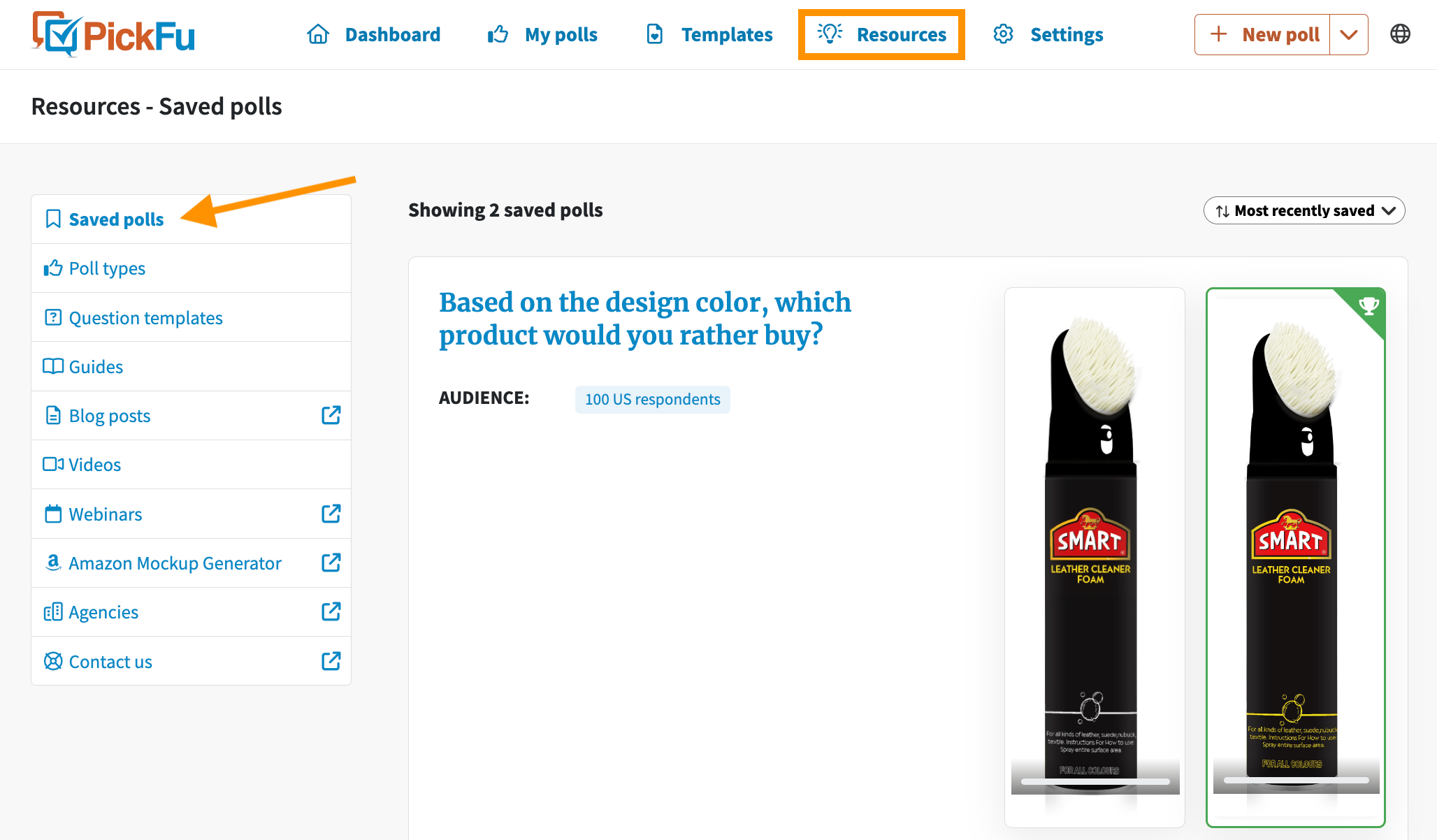
You can get a lot of ideas for how and what to test using PickFu by looking at polls other people have run.And you should definitely keep track of any interesting polls you come across.But rather than keeping a long list of bookmarked polls on your browser, use our new Bookmarking feature.When you’re logged in and viewing a poll that you want to keep for reference, just click the Save button at the top of the page.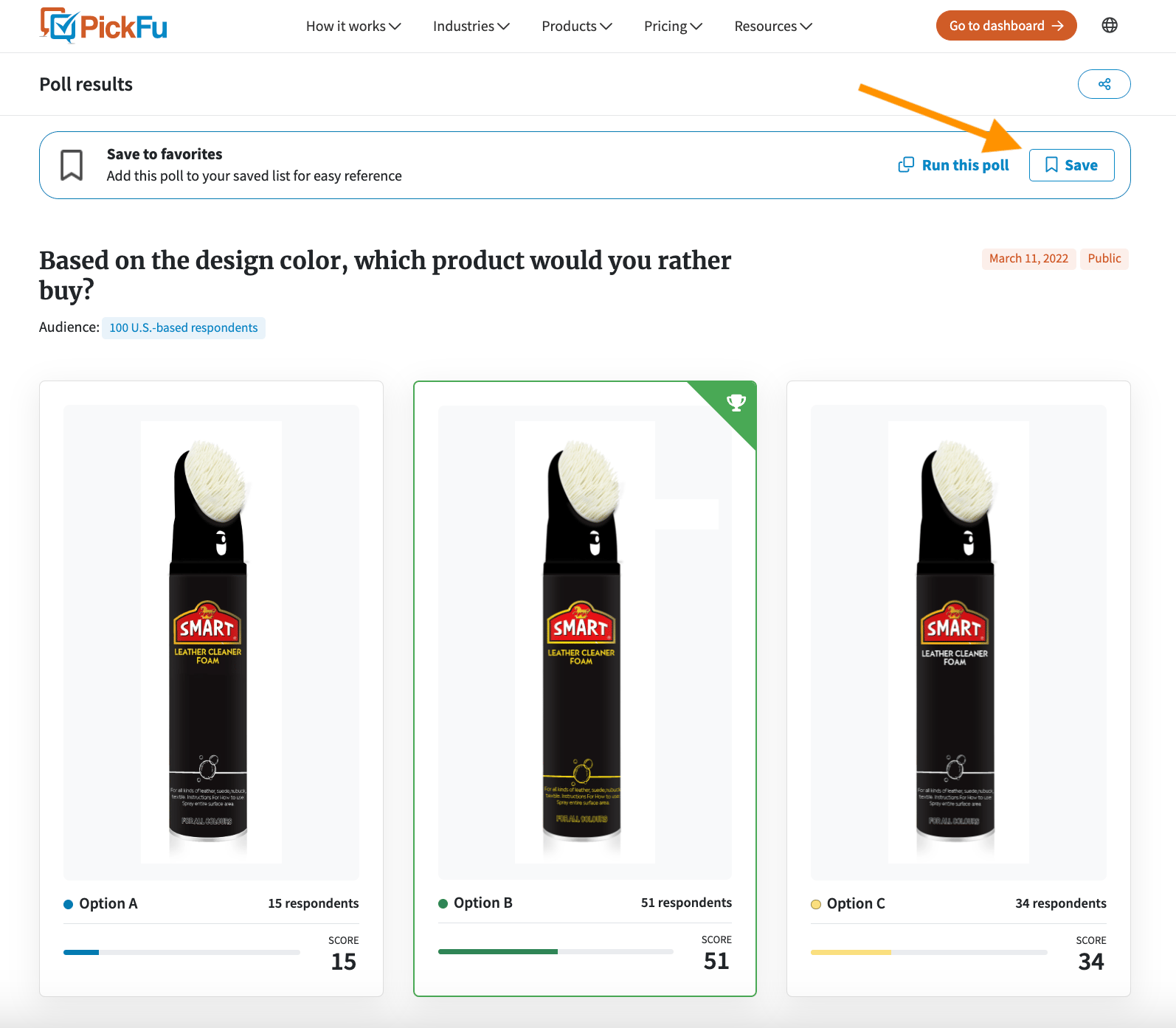
2023AudienceInternational
International audience panels are live
Our international audience panels are now in public beta!Choose the target audience for your poll from four international panels: Australia, Canada, Germany, and the U.K. Together with our U.S.-based respondent panel, this opens you up to insights from more than 15 million consumers worldwide. All it takes is one extra click in the new Poll Builder.You’ll see the option to choose your respondent country in the Audience section of the Poll Builder.As with our U.S.-based panel, you can target a more specific audience using the available targeting traits: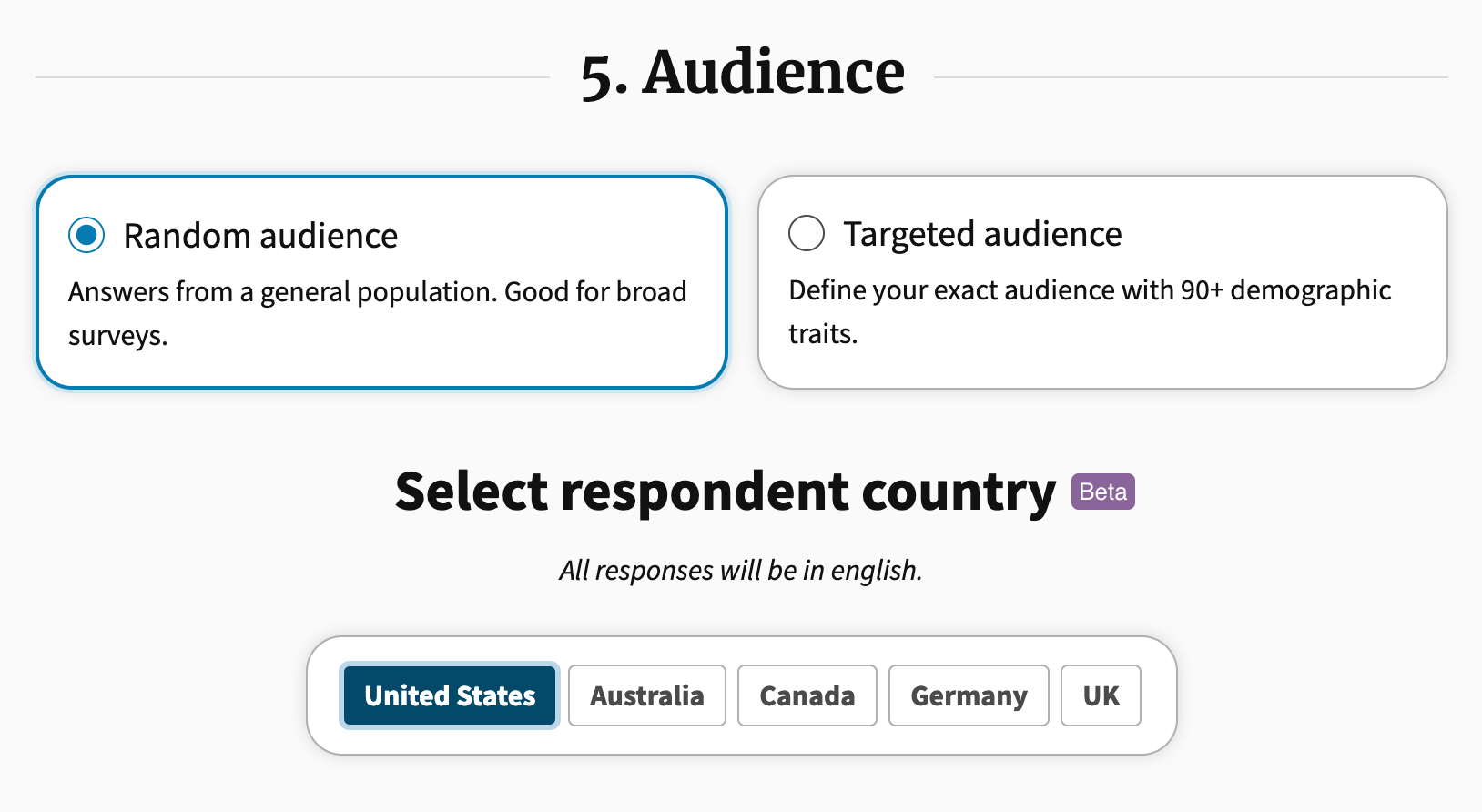
2023Surveys
Stop a poll if you need to
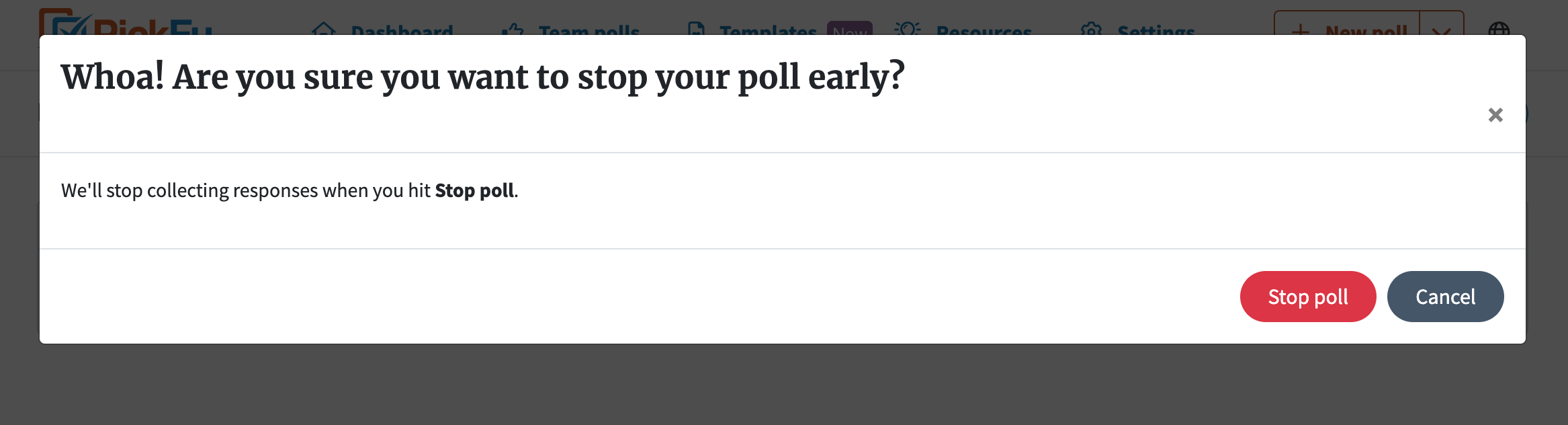
Mistakes happen. If you need to stop a poll before all your results are in, now you can.To stop a poll, click Stop poll on the upper right of your poll results page: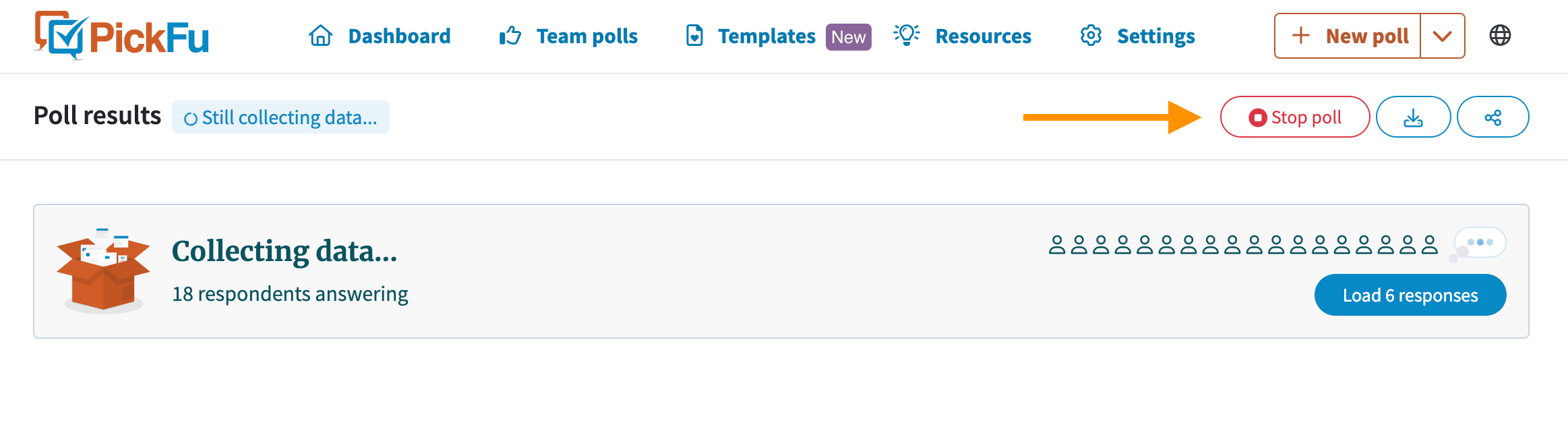
2023Surveys
Templates are your new time-saver
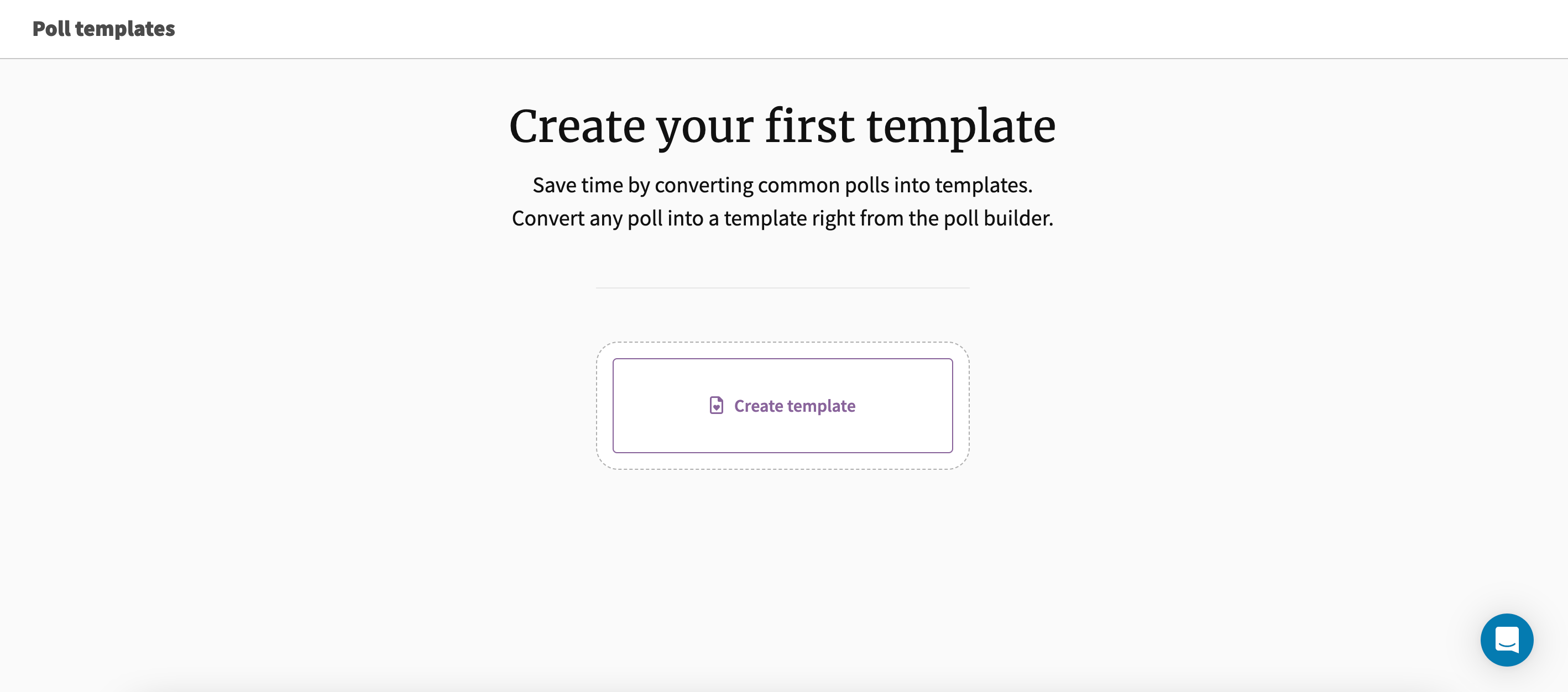
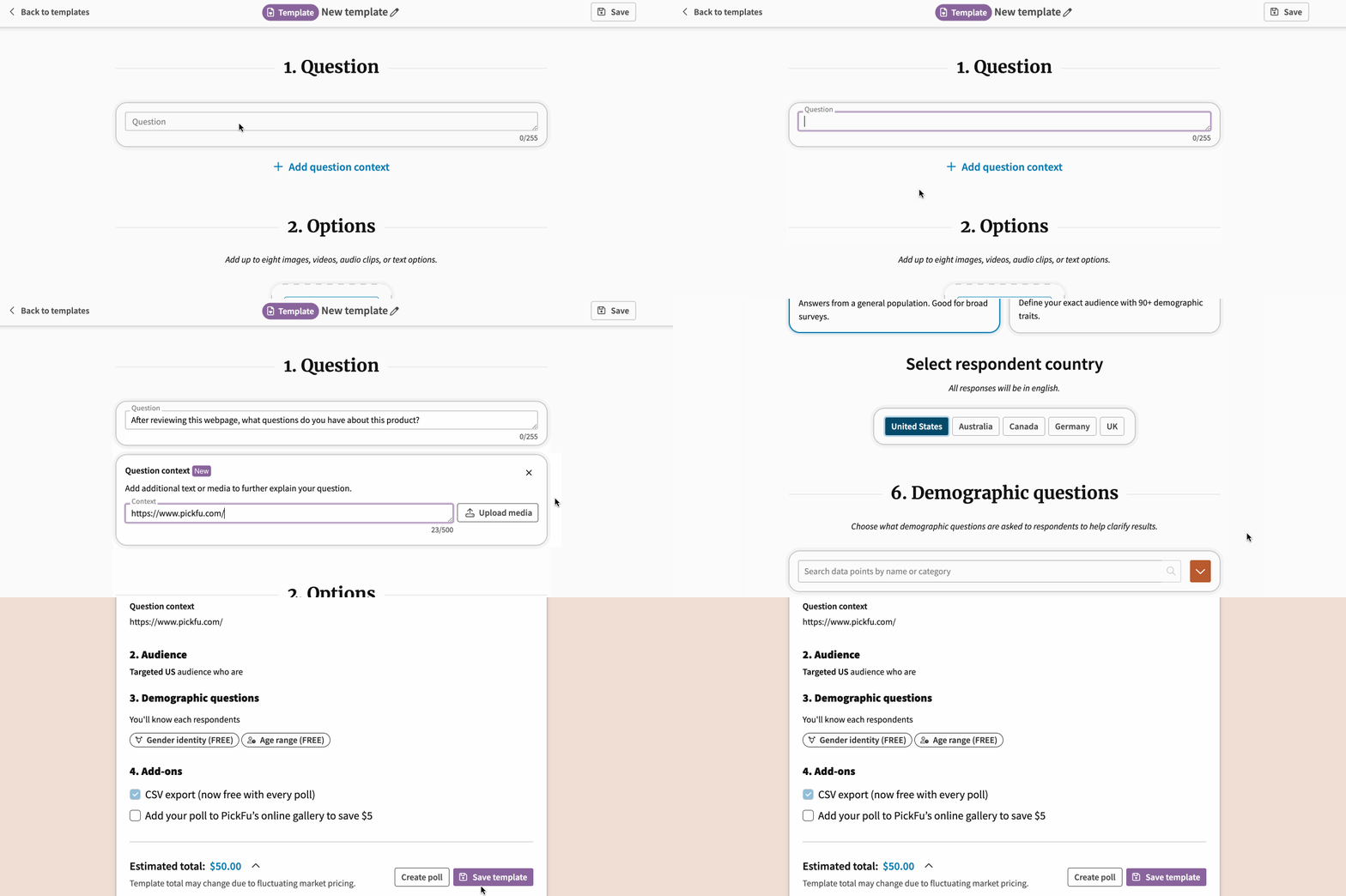
Do you often run the same types of PickFu polls? And do you find it tedious having to create each poll from scratch?You’re going to love Templates.Templates let you bypass our Poll Builder and go straight to poll templates you’ve created based on the polls you run most often.Think of them as a fast-forward button for the poll creation process. If you’re a frequent PickFu user, Templates will save you precious time.How to create a Template
There are two ways to create a Template.1. Start from scratchClick Templates in your header menu:
2. Start with an existing poll
If you’ve built a poll that you want to save as a Template, don’t launch the poll just yet.Scroll to the bottom of your Poll Builder page and click the three-dot menu.Now, hit Save template to save it in your Templates menu: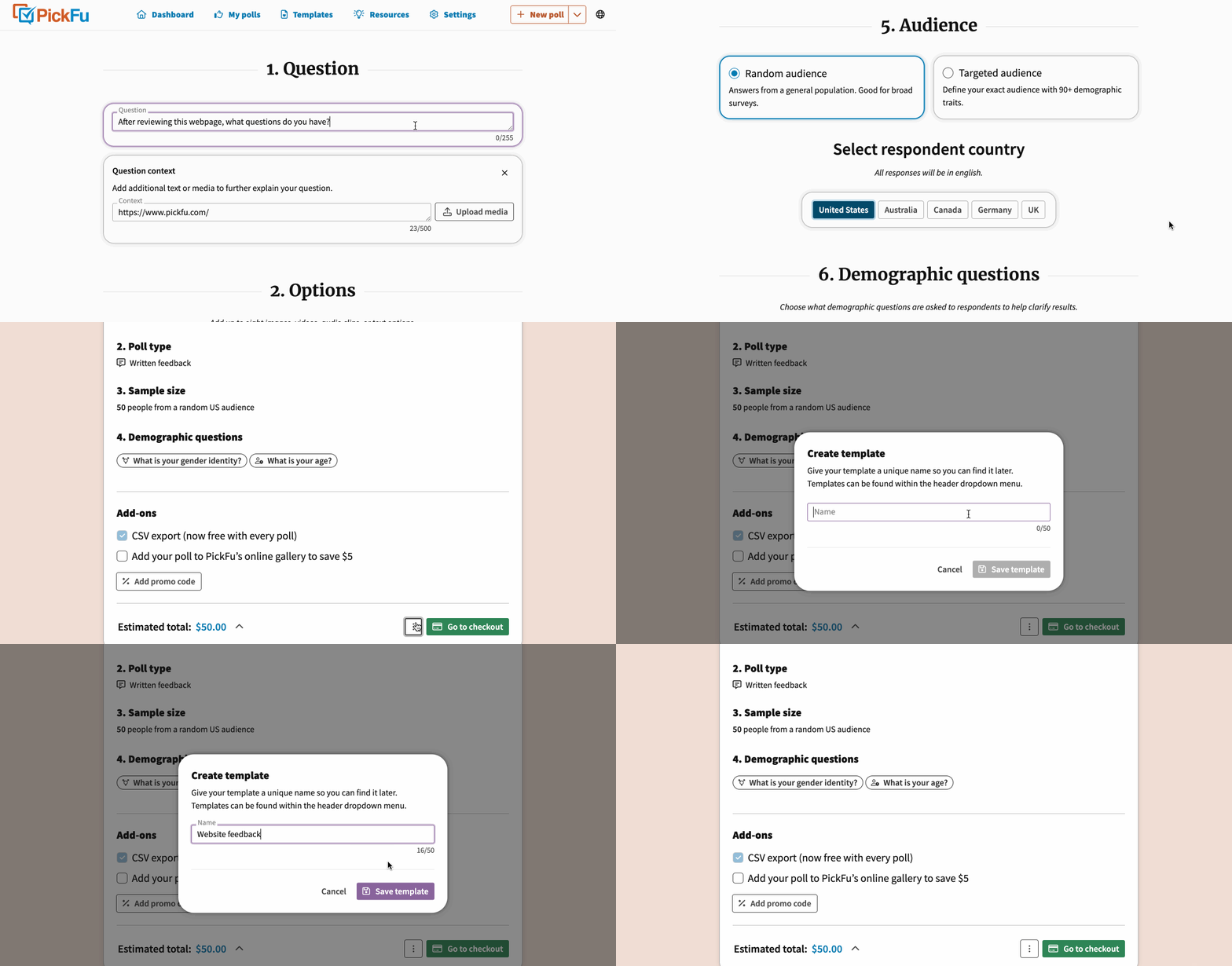
What to do with your Template
You can launch polls directly from your saved Templates.You can also edit and duplicate Templates, or share them with your team — all with one click from the three-dot menu of each Template: 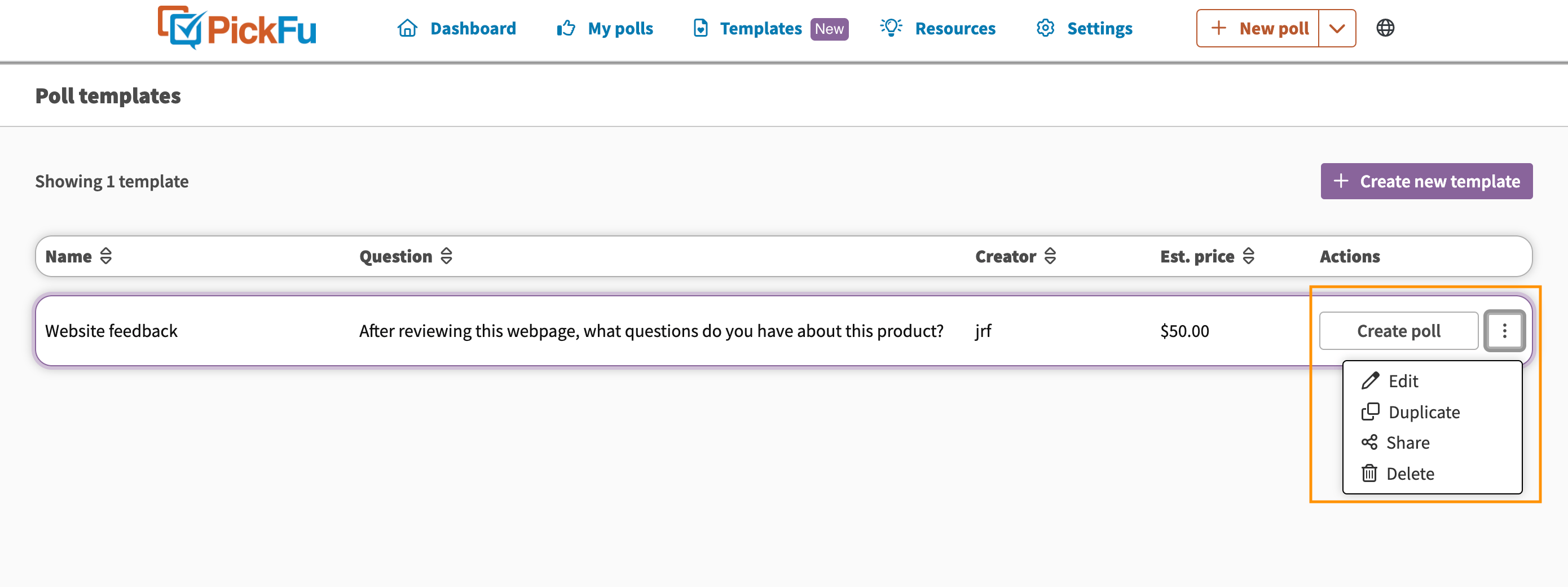
2023Audience
Introducing 15-person polls
You can now run micro polls of 15 respondents.You’ve been asking for a while now about running polls of less than 50 people, so we’re thrilled to roll this out.Polling a small audience of 15 respondents is the fastest way to get results. It gives you the flexibility to run more polls, which is useful when you’re in the development phase and need quick, directional feedback.You’ll see your audience size options in the Poll Builder: 15, 50, 100, 200, and 500 respondents.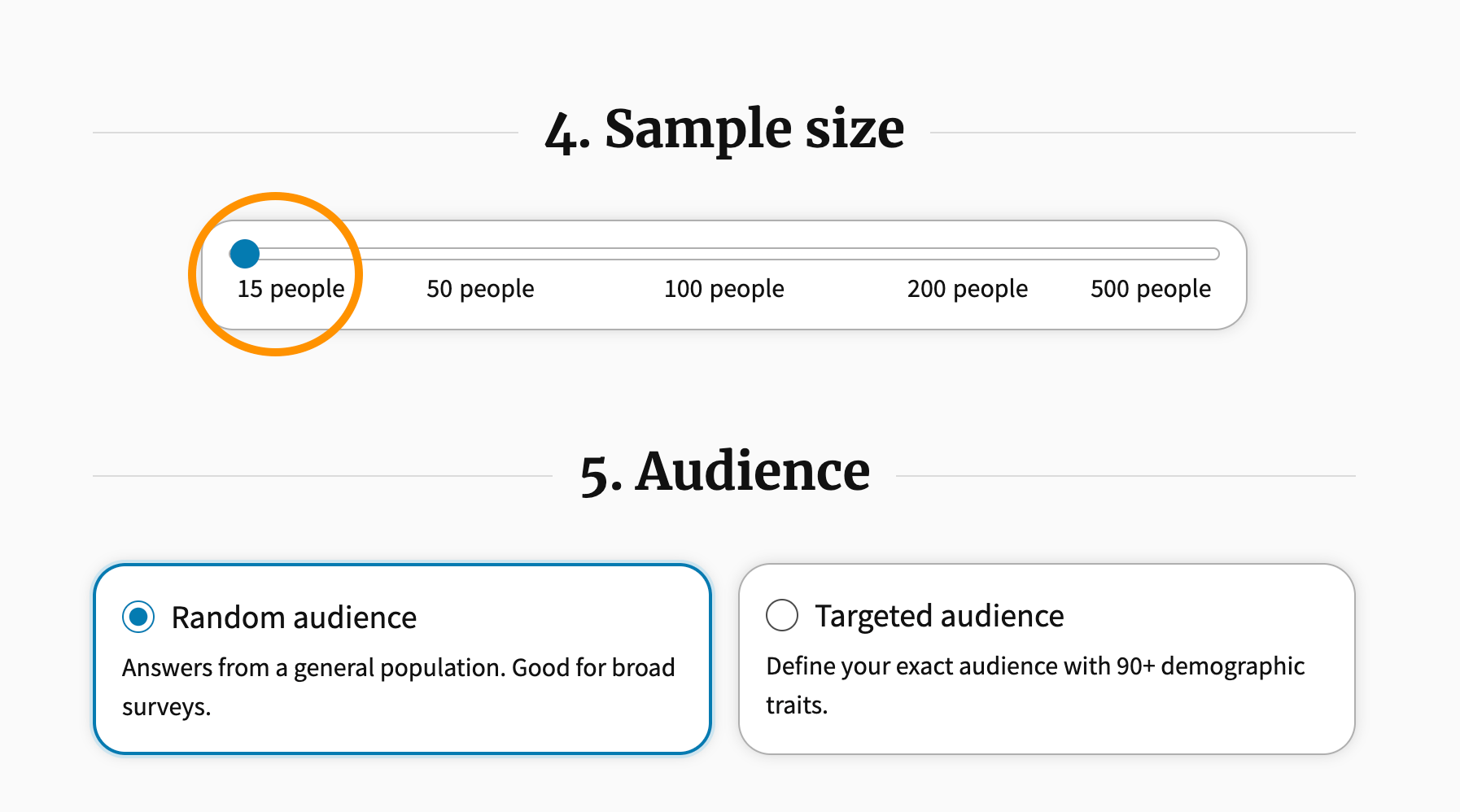
2022Surveys
The new PickFu polling experience
We’re excited to announce that we’ve launched the new PickFu polling experience, consisting of two major improvements to the app:- PickFu Combos: a brand new way to build polls using prebuilt templates based on common use cases. Enjoy fixed pricing, prewritten questions, and a guided experience.
- Start from scratch: the latest version of our custom poll builder, optimized for speed and ease of use.
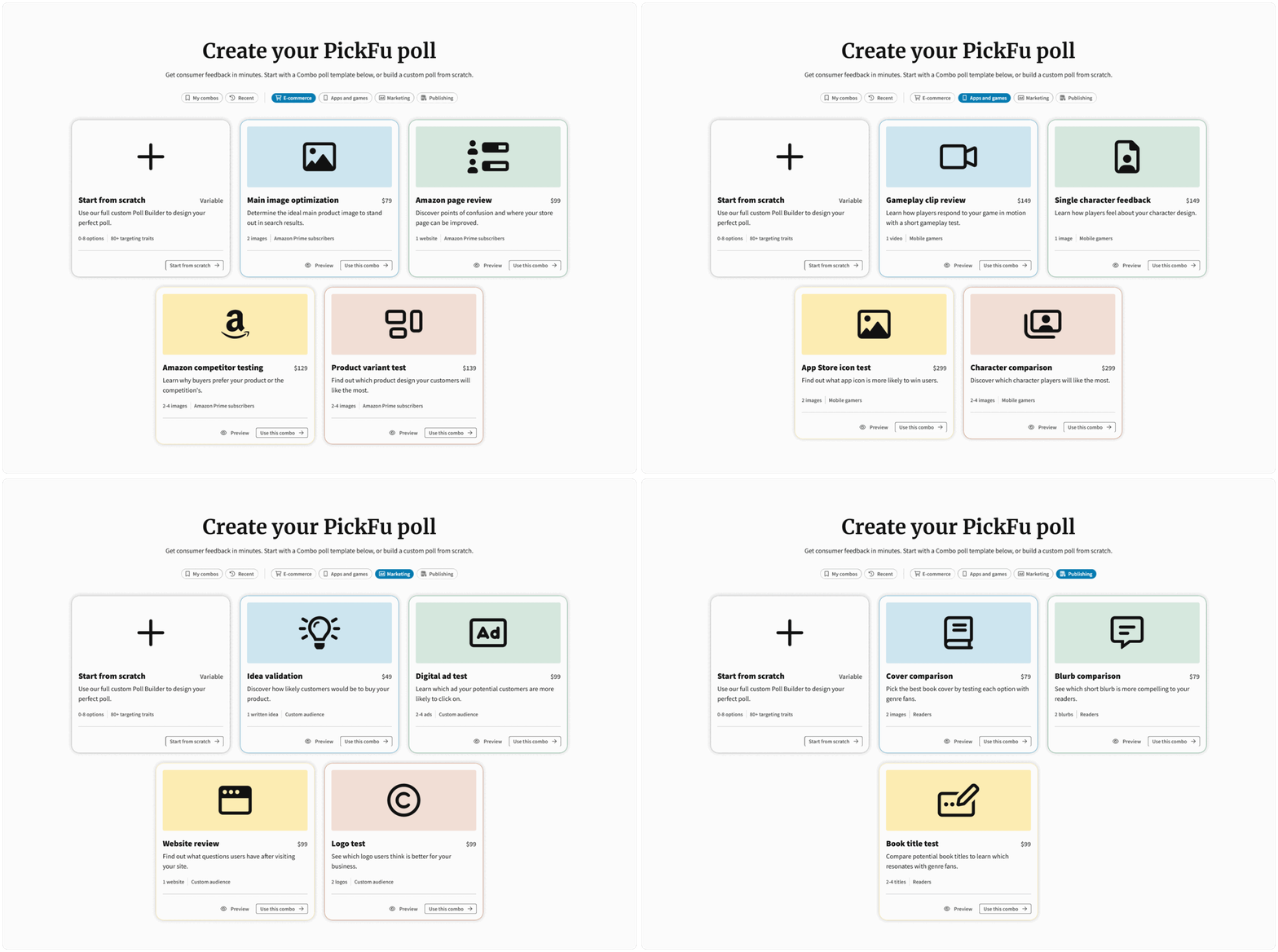
- It’s a lot faster to make a poll. The new “Start from scratch” poll builder is easier to use, better optimized, and more clearly guides you through the poll creation process. And with PickFu Combos, it’s even faster. By filling out most of the form for you, we’ve created a flow that you can get through in less than a minute (seriously).
- Combos are cheaper! We want to give you the very best prices we can, and Combos help us do that - an average of $30 off of the same configuration in the custom poll builder.
- Question context. With the new “Start from scratch” poll builder, you can add an image, video, or additional written content to help our respondents answer your question better.
2022Surveys
Amazon Mockup Generator
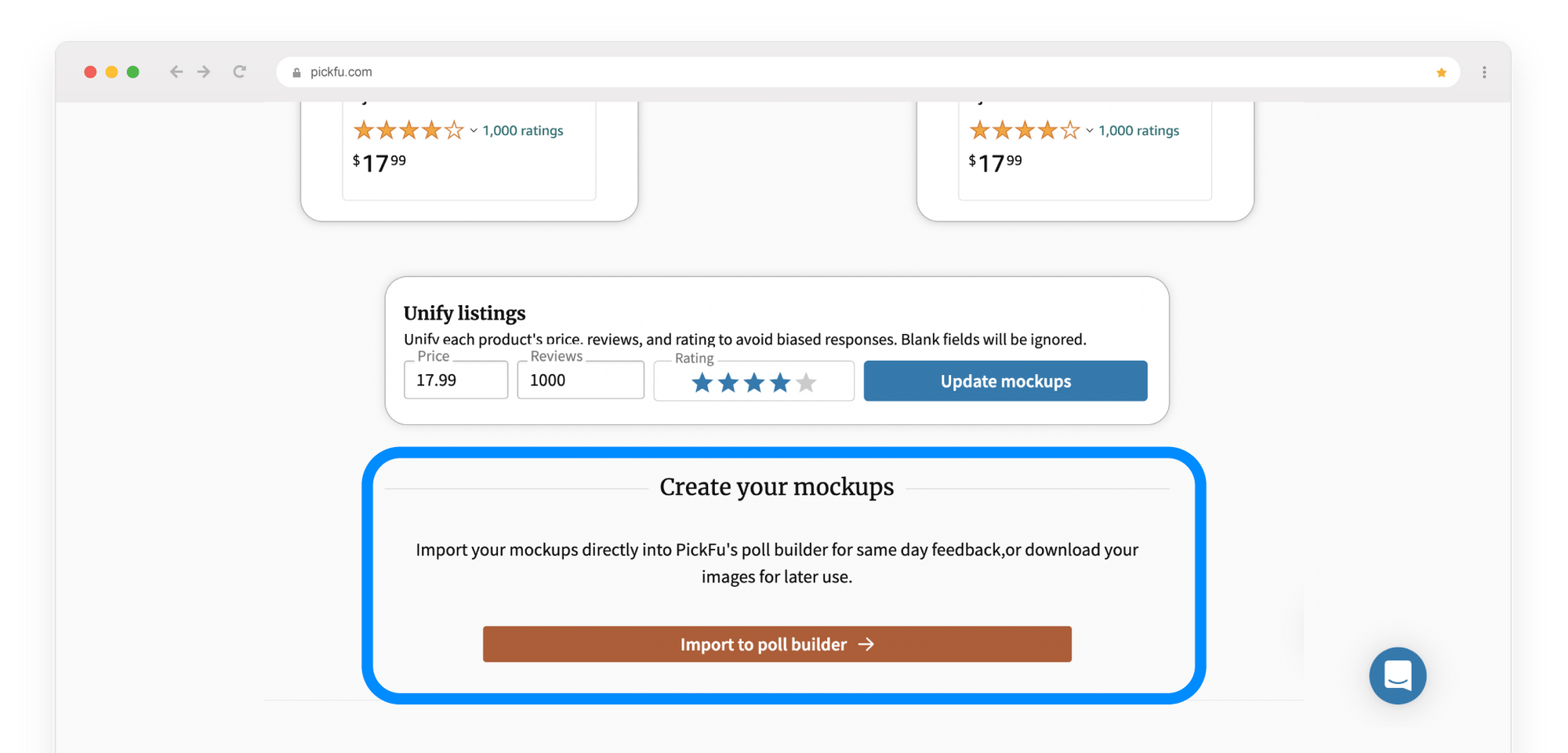
Competitive testing is one of the smartest things you can do as an Amazon seller. Many of our e-commerce customers use it to compare their Amazon listings, photos, and pricing with other sellers. But even our craftiest users know that creating high-quality mockups of listings to test can be a hassle.That’s why we’re excited today to unveil the PickFu Amazon Mockup Generator.With our new tool, you can now mock up Amazon product listings and launch a competitive test with your target customers from one spot. It’s quick, easy, and free to use.Why we made a mockup tool
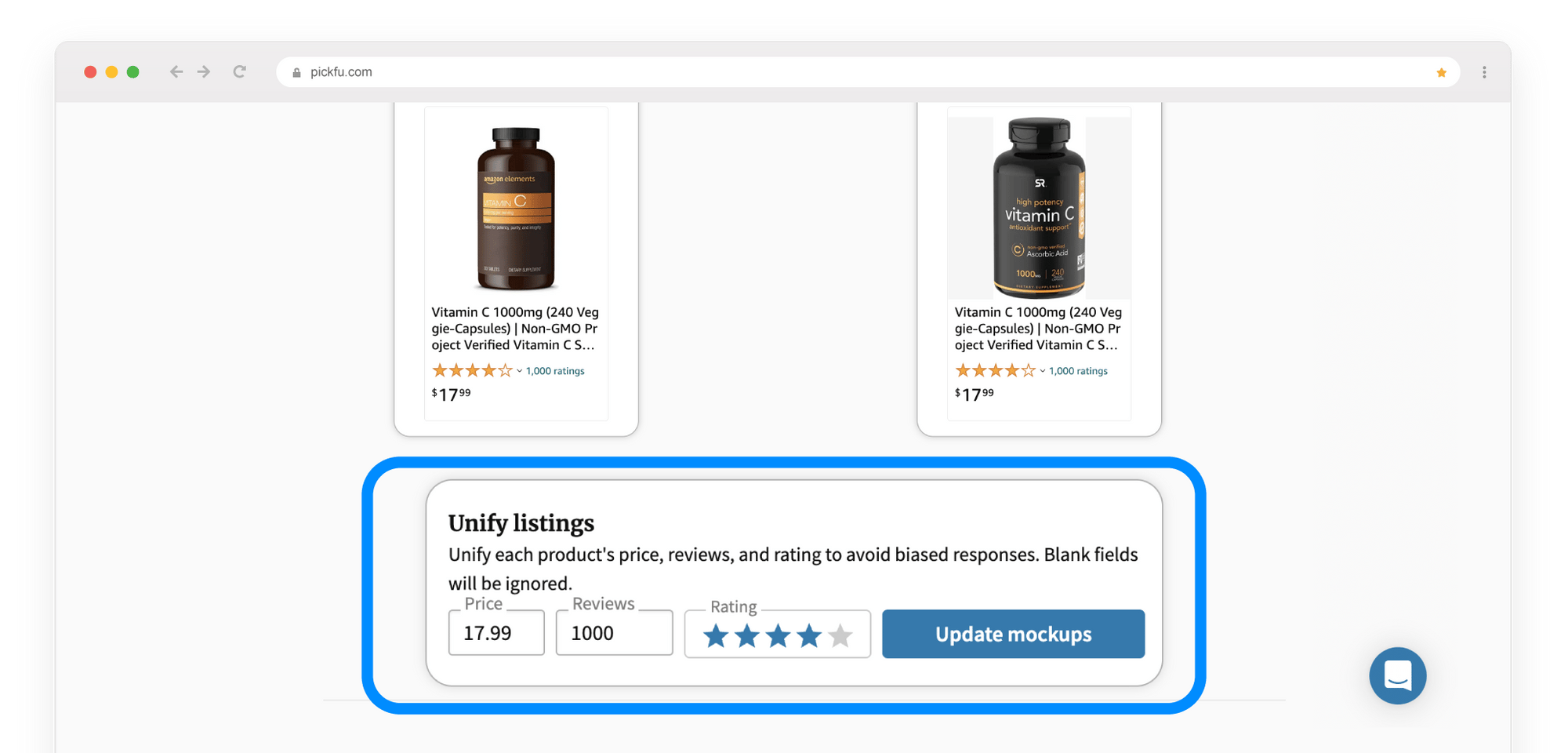
Creating mockups of product listings usually requires complex design and editing software and a fair amount of technical savvy.You need to clip and snip listings and swap out images. To run a fair comparison, you should also adjust details such as pricing and reviews to be consistent. Some sellers get stuck before they even start.We wanted to help sellers get over the hurdle of mockup creation so they can get on with the crucial step of competitive testing. We knew there had to be an easier way than futzing with Photoshop or crying over CSS.So, we built it.How to use the PickFu Amazon Mockup Generator
There are three ways to import Amazon listings into the Mockup Generator:- Type in, or copy and paste, the Amazon Standard Identification Number (ASIN) for the product or products you want to compare. You can enter up to 8 ASINs.
- Type a keyword into the “Add products” field. This pulls in listings for the top 8 results on Amazon.
- Enter a mix of ASINs and keywords, separated by commas, for a total of 8 listings.
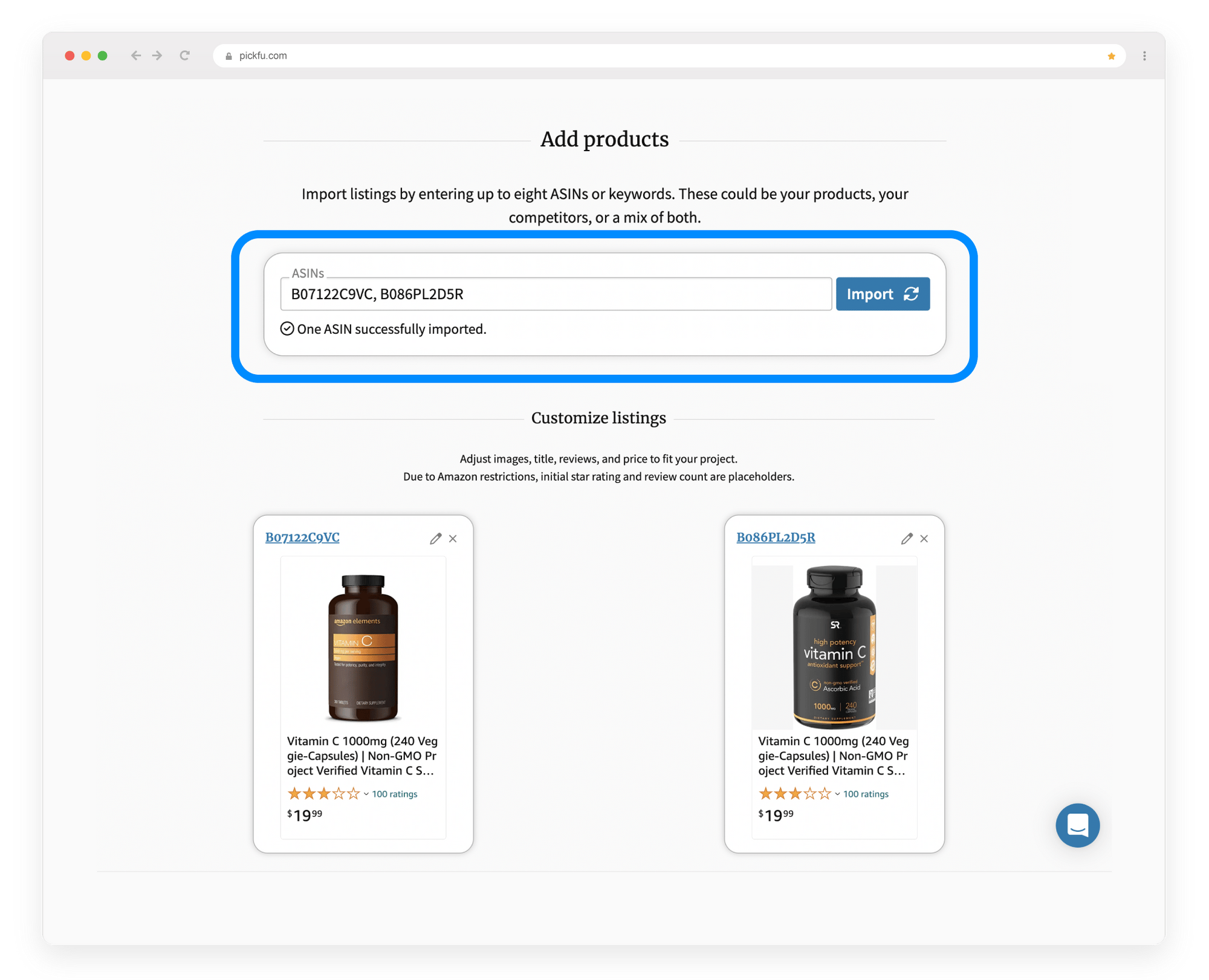
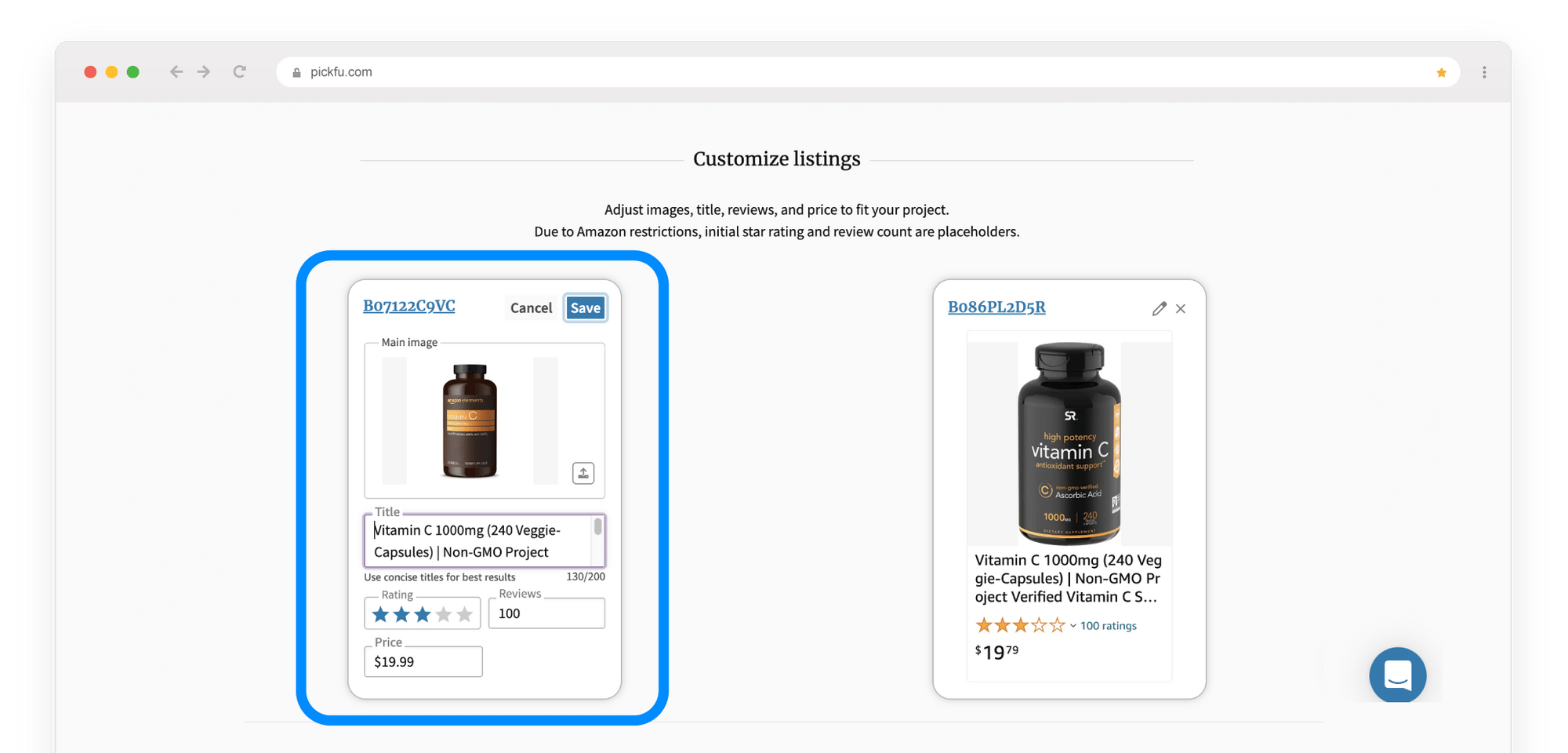
- Edit the product title
- Upload a new image
- Change the price, star rating, or number of reviews
Improve your listings with the Amazon Mockup Generator
Here’s how you can use mock Amazon listings in a competitive test on PickFu:- Test your product photo against alternative images
- Compare listings to see which one shoppers prefer, and why
- Test alternate product titles
- Experiment with pricing and check price sensitivity
- Evaluate the potential of a product you want to sell
2022ResultsInternational
Translate responses to Chinese
As our global user base grows, we want to make sure we’re meeting your needs in the language you prefer.To that end, the Chinese translation of poll comments is now available.If your browser language is set to Chinese, you’ll see a translation button near the top of your poll results page.Click the button and responses will automatically translate to Chinese. We’ll be rolling out more features for non-native English speakers, so stay tuned.2022Results
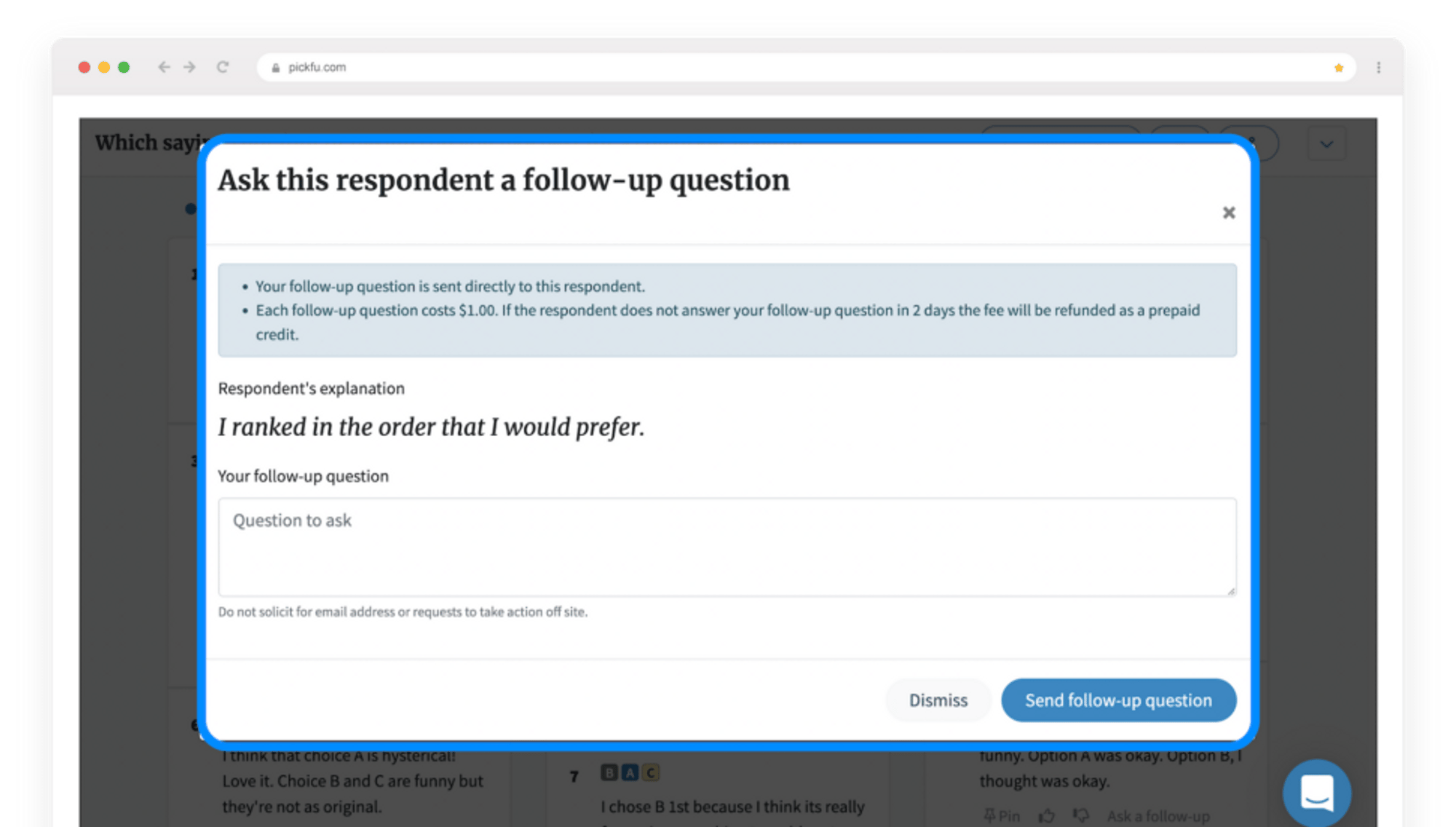
Follow up with multiple follow-up questions
Need to clarify a poll respondent’s comment or get more details? You can now ask as many follow-up questions as you want to get the answers you need. With no limit on the number of follow-ups you ask, you’re able to dig into respondents’ comments for deeper insights.