
Question type
Run a Screen Recording survey with PickFu
Watch real consumers interact with your content and hear exactly what they think as they explore it.
The world's top companies just PickFu it.






See your product through your customers eyes
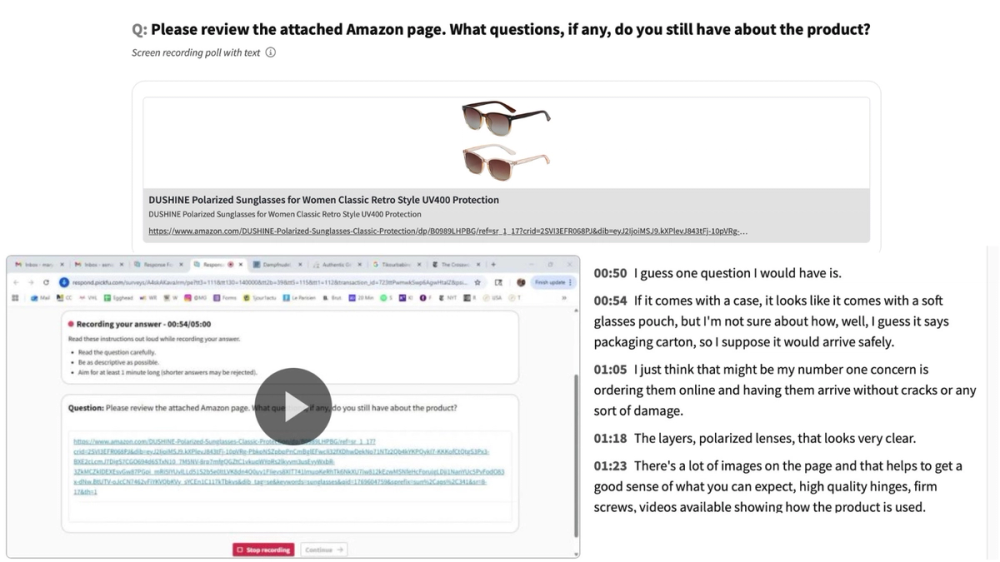
Written feedback tells you what people think. Screen Recording surveys show you what they actually do. Respondents record their screen as they interact with your website, app, prototype, or product listing, and narrate their experience in real time. You get 1-2 minute video responses with automatic transcripts, giving you rich behavioral context that no vote or rating can capture. Perfect for UX research, landing page reviews, onboarding flow testing, and any scenario where you need to watch real behavior unfold. Share a URL, image, or file, then ask respondents to walk you through their experience. Reach a targeted U.S. audience of 5-30 respondents within hours.
Screen Recording surveys reveal what other survey types can't
See both behavior and opinion in one test – not just what people say, but what they do.
Watch real interactions, not just reactions
Respondents narrate their experience live as they move through your content. See where they click, where they hesitate, and where they get confused, in their own words.
Catch friction before it costs you
Spot confusing copy, broken flows, and usability issues before launch. Screen recordings surface problems that written surveys and star ratings miss entirely.
Transcripts and AI analysis included
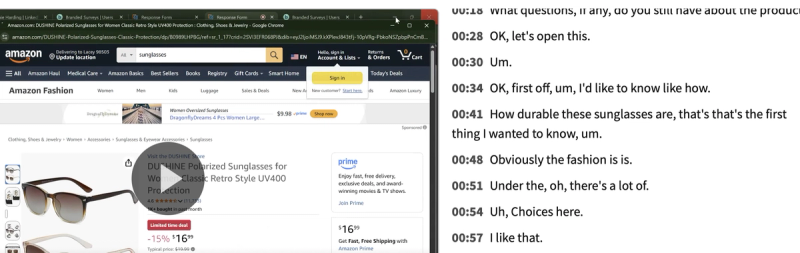
Every recording comes with an automatic transcript and AI-powered summaries – so you can scan themes quickly, search for keywords, and share highlights with your team without watching every video in full.
Frequently asked questions
How do Screen Recording surveys work?
Respondents record their screen as they interact with a URL, prototype, or uploaded asset you provide — and narrate their experience aloud as they go. You receive each video response (typically 1–2 minutes long) alongside an automatic transcript. There's no "winner" — instead, you get qualitative behavioral insights from every respondent, plus AI-powered summaries and thematic analysis.
What can I test with a Screen Recording survey?
Anything with a URL or shareable link: live websites, landing pages, app prototypes (Figma, InVision, etc.), product listings, and more. You can also share text, images, videos, or audio files. Add a question or task prompt to guide respondents on what to do or look for — for example, "Walk me through your first impressions of this landing page."
How many respondents can I get for a Screen Recording survey?
Screen Recording surveys support 5–30 respondents in increments of 5. This ensures you get focused, high-quality video feedback. Currently, Screen Recording surveys are available for U.S. audiences only. Learn more in our help center.
How is a Screen Recording survey different from an Open-Ended question?
Both collect qualitative feedback on one piece of content. Open-Ended questions collect written text responses, while Screen Recording surveys capture video of the respondent's screen and voice. Use Screen Recording when you need to see how people actually interact with your content — not just read their opinions about it.
How long do my results take to come in?
You'll start to get results within minutes. Surveys usually finish that same day, in a few hours or less. The larger and more targeted your audience, the longer it takes to collect all the responses.
How do I know I’ll get high-quality answers?
We hold our respondent panel and ourselves to the highest standards and constantly work on the back end to maintain them. Between human quality checkers, machine learning, and our built-in feedback system, we can ensure that you get the most reliable feedback. Learn more about our panel and our quality promise here.