





PickFu

Human insights. AI-accelerated.

Meet the PickFu Agent: your always-on research assistant.

The world's top companies just PickFu it.

HBO MaxKingWayfairChamberlainPatternLorealMary Ruth's

Meet the PickFu Agent

Real audience feedback, right where you already work

Generate with AI. Validate with humans. The PickFu Agent designs and runs your surveys, analyzes the results, and recommends what to test next – from your team's existing tools and workflows.

In your browser

PickFu Agent

How

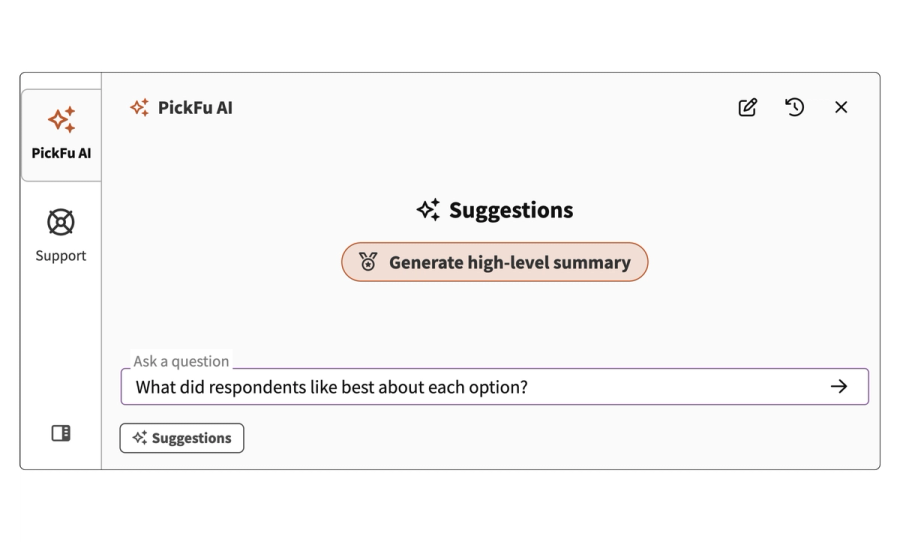
Chat with the Agent from your dashboard or the sidebar of the PickFu web app.

When

You're already inside PickFu. Get best-practice tips, have the Agent build surveys for you, and ask what your results really mean.

Log into PickFu
In Slack

PickFu Slack Agent

How

Tag @PickFu in any channel or thread to launch surveys and retrieve results without leaving Slack.

When

Your team lives in Slack. Settle internal debates by testing with your audience – then share the results where everyone can act on them.

Install the Slack app
For AI assistants

PickFu MCP

How

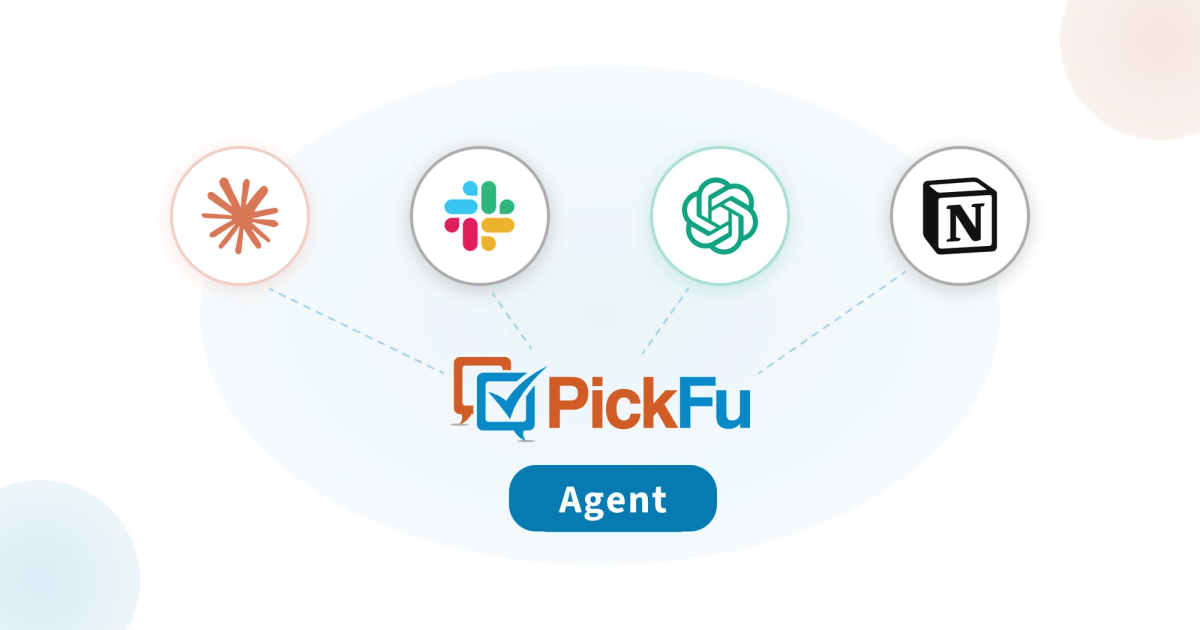
Connect PickFu to Claude, Cursor, ChatGPT, Notion, and other MCP-compatible tools.

When

You're working in AI tools. Generate options, test them with your target audience, then push results back into the tools your team already uses.

Set up the MCP

What customers say

What used to take days – or even weeks – can now be done in minutes. With PickFu’s MCP, I can go from idea to real audience feedback without ever leaving my workflow.
Adriana RangelAdriana RangelPickFu Brand Ambassador | Host of Serious Sellers Podcast en Español

More ways to connect to PickFu

CLI

Bring PickFu into your existing workflow. Our CLI lets you create surveys, retrieve results, and manage research directly from your terminal — no browser required. It supports structured output for scripting and fits naturally into CI/CD pipelines and automation.

Install the CLI →

OpenClaw

With our OpenClaw integration, autonomous agents can run your research loop end to end: generate creative assets, test them with real consumers, and iterate based on the results. (And check out the ready-made PickFu Market Research skill in ClawHub!)

Install the OpenClaw integration →

API

Build custom integrations with PickFu's API. Programmatically create surveys, retrieve results, manage targeting, and more. Authenticate with an API key or OAuth, and you're ready to go.

View our API reference docs →

AI-powered analysis, built into the PickFu app

PickFu Agent

Your always-on research assistant. Ask questions about your results, check recent team activity, and learn best practices. Available from your PickFu dashboard or in the sidebar.

AI Insights

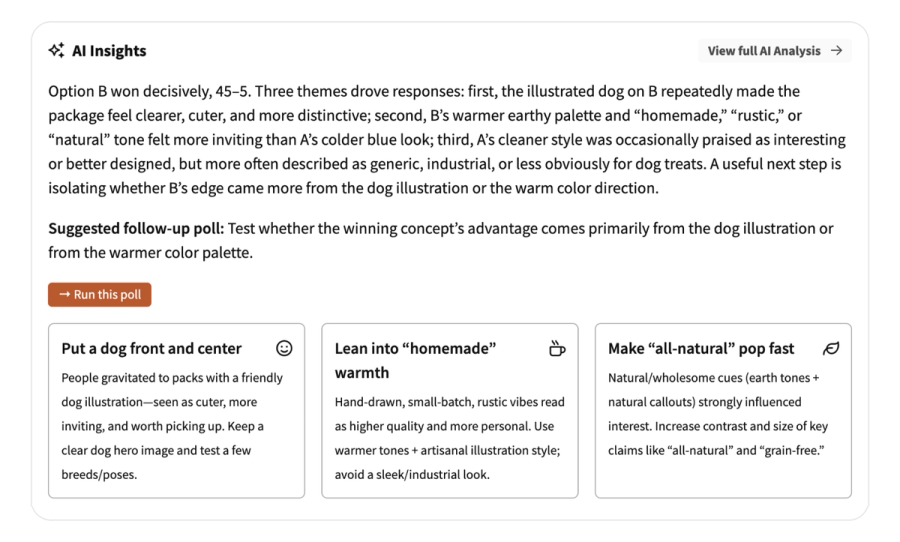
The AI Insights report appears on your results page with a concise overview, key callouts, and actionable recommendations – plus a suggested follow-up survey to run.

AI Highlights

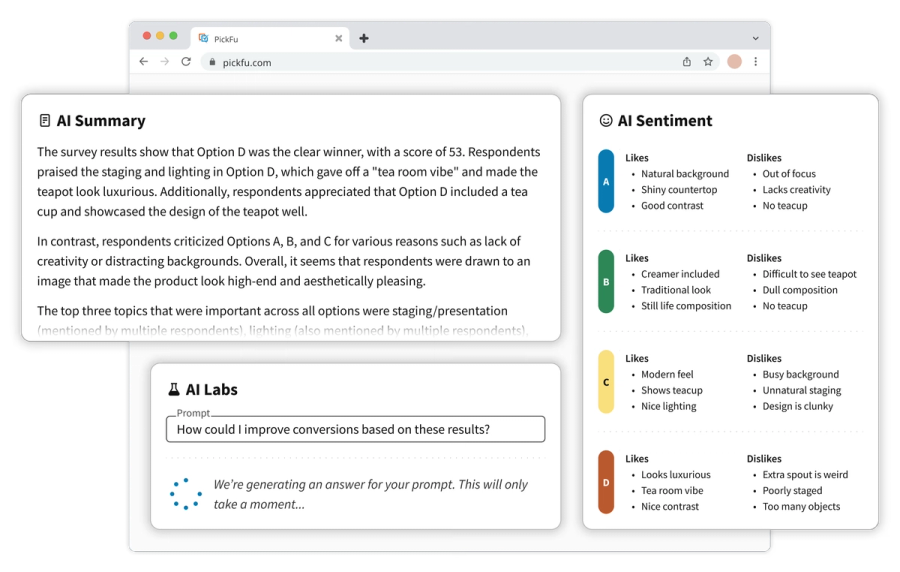
The AI Highlights report organizes audience feedback into clear patterns: what respondents liked and disliked, emerging trends, and hypotheses for future tests.

Frequently asked questions

What is the PickFu Agent?

The PickFu Agent is your team's agentic researcher: it knows survey best practices, builds and targets surveys for you, analyzes your results, and recommends what to test next.

It's the same Agent everywhere you meet it — in the PickFu web app, and in Claude, Cursor, ChatGPT, or other AI tools through the PickFu MCP.

How do I access the PickFu Agent?

You can access the PickFu Agent from your dashboard, or by clicking the 'PickFu AI' tab in the sidebar of the web app. The sidebar follows you to project pages, the Survey Builder, and your results pages.

Outside the app, connect through the PickFu MCP to use the Agent from your own AI tools.

Does the PickFu Agent cost extra?

No. The PickFu Agent is free for every user, along with AI Insights and AI Highlights — no subscription required. You pay only for the surveys you run.

What can the PickFu Agent do?

Ask it to build a survey and it drafts the question, options, and audience targeting for you. Ask about your results and it explains what respondents said and why, then suggests follow-up tests. It can also check your team's recent surveys and answer questions about research best practices.

Does using the PickFu Agent mean I'm getting AI answers instead of real people?

No. The Agent does the research work — writing the survey, targeting the audience, summarizing the results — but every answer comes from a real person in the PickFu panel. AI never writes, fills in, or pads your responses.

The one exception is deliberate and labeled: our synthetic research tools predict how real respondents would answer, and those results are always marked as synthetic so you can't mistake them for human feedback.

Can I use AI features without a subscription?

Yes. AI Insights, AI Highlights, and the PickFu Agent are free for every user — no subscription or add-on required.

You can access the PickFu Agent from your dashboard, or by clicking the 'PickFu AI' tab in the sidebar of the web app.

What do the AI analysis tools do?

Three features read and organize your results for you. AI Insights, on your survey results page, gives a short overview with key takeaways and a suggested follow-up test. The AI Highlights tab goes deeper with two reports: AI Analysis for patterns and trends, and AI Themes for what respondents liked and disliked about each option. For anything else, ask the PickFu Agent — from your dashboard, or the 'PickFu AI' tab in the sidebar.

Your data is never used to train AI models.

How can I access AI Highlights?

Open the AI Highlights tab on your survey results page. The reports start generating automatically as soon as your survey completes — there's nothing to turn on.

How does AI Highlights save me time?

It reads every response so you don't have to. AI Analysis summarizes the patterns across your results, and AI Themes sorts what respondents liked and disliked about each option, so you start from an organized read instead of a wall of open-ended text.

How much does AI Highlights cost?

Nothing. AI Highlights is free on every new survey, no subscription required. Support for older surveys is limited.

Does AI Highlights support multiple languages?

Yes. AI Highlights can analyze responses written in other languages. The reports it generates are currently English-only.

What does the PickFu MCP add to the Agent?

The MCP brings the PickFu Agent into the AI tools you already use — Claude, Cursor, ChatGPT, and any other MCP-compatible assistant. Draft and launch surveys, retrieve results, and organize projects without opening the PickFu app.

It has the same capabilities as the Agent in the web app, so nothing is lost by working from your own tools.

What is the PickFu MCP?

MCP stands for Model Context Protocol — an open standard that lets AI assistants interact with external tools and services. The PickFu MCP server is a bridge between your AI assistant and the PickFu platform. Once connected, you can create surveys, target specific audiences, launch them, and analyze results — all through natural conversation, without leaving your AI workflow.

What can I do with the PickFu MCP?

Basically everything you can do in the PickFu app, and then some. Create and launch any question type, browse audience targeting across 15 countries, retrieve results with written explanations and demographic breakdowns, and discover step-by-step research playbooks. You can also generate AI images directly in the conversation for rapid testing and iteration — something you can't do in PickFu alone.

How do I install PickFu's MCP?

It depends on your AI tool, but the basics are the same: add PickFu's server URL (https://mcp.pickfu.com/mcp) and sign in with your PickFu account when prompted. Visit pickfu.com/docs for step-by-step instructions for every supported tool.

Does the PickFu MCP cost extra?

No. The MCP is free and available to all PickFu accounts. You'll just need to pay for the surveys you launch, just like you would from the PickFu app.

Can I use the MCP to access surveys I've already created?

Yes. The PickFu MCP works with any survey in your account — past or present. You can retrieve results, resurface insights from old surveys, and ask your AI to analyze patterns across multiple surveys.

Which AI tools does the PickFu MCP work with?

Any tool that supports MCP, including Claude (web, desktop, and mobile), Claude Code, Cursor, ChatGPT (Plus, Pro, and Enterprise), Notion (Business and Enterprise), OpenClaw, and more. Any MCP-compatible client that supports Streamable HTTP transport can connect.

Start using PickFu with your favorite AI tools

Sign up for free