
When should I use branch logic?
Branch logic works best when a follow-up question only makes sense for some respondents. It’s ideal for:- Digging into a winning option – ask people who picked your favorite design what they would change about it
- Understanding rejection – ask people who gave a low star rating what would improve their opinion
- Segmenting by behavior – ask product-specific questions only to people who say they’ve bought in that category
- Keeping surveys short – skip questions that don’t apply, so respondents stay focused
Which questions can trigger branch logic?
The earlier question that controls whether a follow-up appears is called the source question. These question types can be source questions:
These question types can’t be source questions: Likert Scale, Open-ended, Click Test, 5-Second Test, Screen Recording, and Van Westendorp price test. You can still show any of them conditionally, based on a supported source question.
How to add branch logic to a question
- Build your survey – add the source question first, then add the follow-up question after it
- Open the Show if control – on the follow-up question, find the control labeled Show if: any answer. By default, every respondent sees every question.
- Select a source question – choose an earlier question from the Select a question menu. Only earlier questions of supported types appear.
- Select the answers – choose one or more answers from the Select answer(s) menu. You must select at least one answer.
- Review the summary – the builder shows which respondents will see the question. For example: “This question will only be shown to respondents who answer Logo B to Which of these logos do you prefer?”
- Preview and launch – preview your survey to confirm each path works as expected, then launch
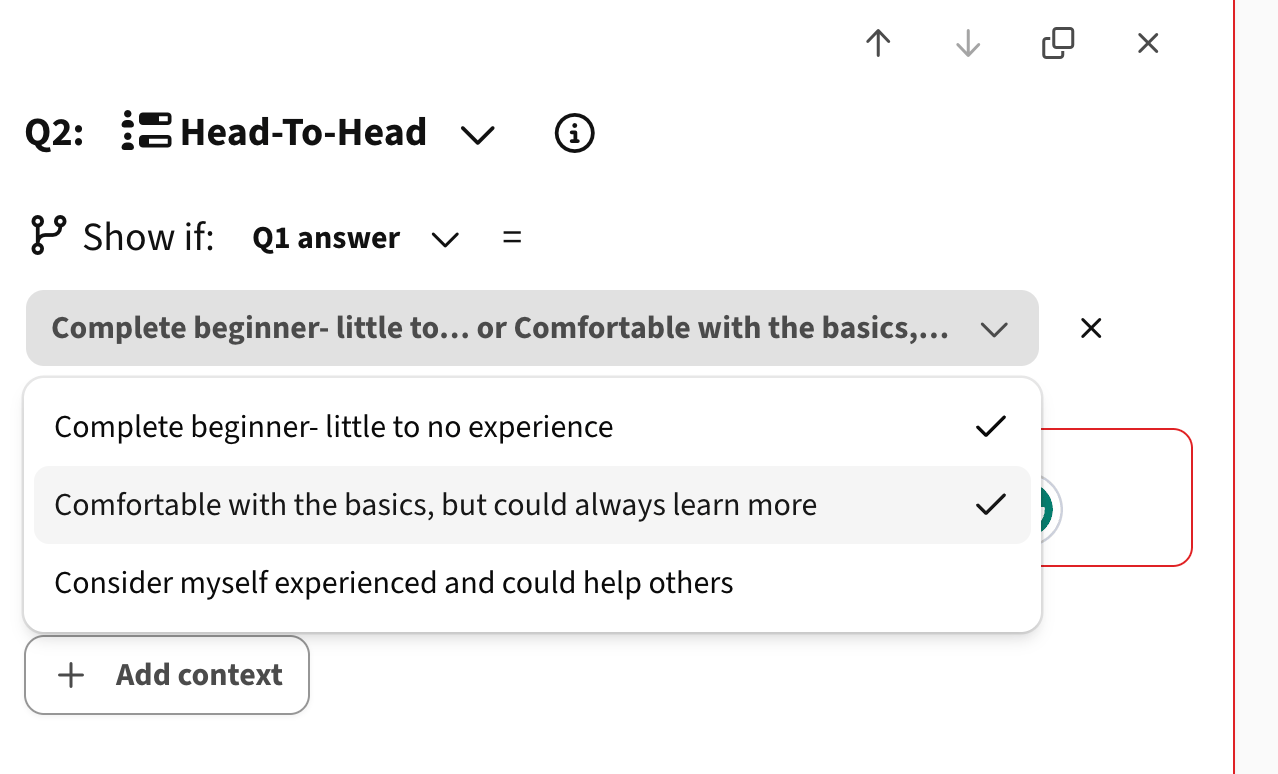
Editing or deleting a source question
If you change a source question after adding branch logic, the builder flags the condition with Selected question has changed. Update the condition before you launch. If you delete a source question, PickFu warns you which follow-up questions depend on it. After deletion, those follow-up questions show to everyone until you update their logic. You can check Also remove the condition to clear the conditions at the same time.Why don’t I see the Show if control?
Branch logic is available only when every question in your survey supports it. If your survey includes a question type or option format that doesn’t support branch logic, PickFu hides the Show if control. If no earlier question is a supported source type, the menu shows “No previous question can be used as a source.”How to read results with branch logic
On your results page, questions with branch logic display a Conditional label. These questions only include responses from respondents who met the condition. That means they usually have fewer responses than the rest of your survey. Keep this in mind when you compare results across questions. A follow-up question with 12 responses reflects only the 12 people who gave the qualifying answer.Frequently asked questions
Can a question depend on more than one earlier question?
No. Each question can have one condition based on one source question. You can select multiple answers from that source question.Can I branch on a later question?
No. A source question must come before the question you’re adding the condition to.Does branch logic change my sample size?
Your sample size applies to the survey as a whole. Conditional questions only collect answers from respondents who qualify, so they may have fewer responses than your sample size.Related Articles