
Running the survey isn’t the hard part. Turning the results into something your team or clients can actually act on is.
If you’ve run more than a handful of PickFu polls, you know the feeling: the votes are in, the open-ended comments are full of gold, and all of it is sitting in the platform waiting for someone to read through, find the patterns, and write it up. For an agency juggling dozens of clients — or a brand with a deep catalog — that synthesis step is where insights quietly go to die.
The PickFu MCP changes where that work happens. Instead of exporting a CSV and reading every comment by hand, you can pull your results straight into an AI chat, ask for the trends and themes across one poll or fifty, and turn the analysis into a polished report you can hand to a client — all in the same conversation.
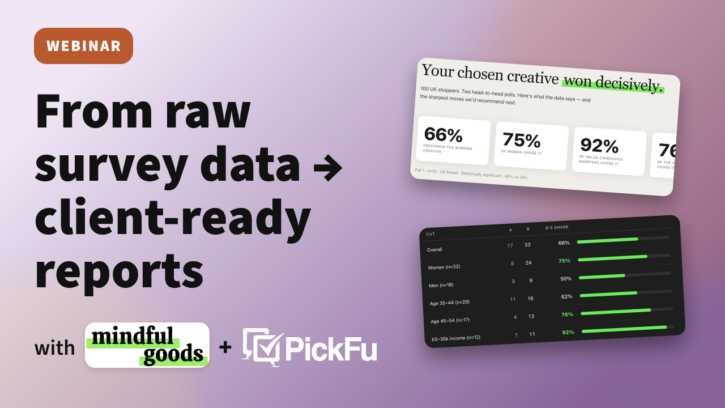
That’s the workflow PickFu co-founder Justin Chen and agency partner Daniela Bolzmann of Mindful Goods walked through in a recent webinar. Daniela’s agency has run thousands of polls across hundreds of Amazon brands over eight years, so this is a workflow built on proven, real-life client work.
Check out the full session recording or keep reading for a recap – including the prompts and best practices you can apply to your own work.
Why analysis is where PickFu pays off
The votes tell you which option won. The written responses tell you why — and that “why” is what you build your next design, your listing copy, and your client recommendation on.
The catch is that reading every comment by hand doesn’t scale. Daniela described how her team used to do it: read every response, manually code the themes in a spreadsheet, and search for how many times a word like “vegan” came up to gauge whether it mattered. That’s still worth doing for a single poll — reading your customers’ exact words is how you learn the language to use in your copy and on your packaging. But across dozens of polls, you need help spotting the macro patterns.
There’s a second reason this matters for anyone using AI to improve creative. Drop a design into an AI chat and ask “how can I make this better?” and it’ll happily give you 20 suggestions — every time, forever.
What’s missing is a source of truth. PickFu fills that gap: instead of guessing, the AI is working from real feedback from your actual shoppers, so its recommendations point at what’ll move the needle rather than at generic polish.
The workflow in four steps
- Retrieve. Pull your completed polls — one, a project, or a whole category — into the AI chat.
- Find the patterns. Ask for the winners, the vote splits, the themes in the comments, and the demographic breakdowns.
- Package it. Turn the analysis into a shareable visual report your team or client can read at a glance.
- Push it where your team works. Send the recap into Notion, or build a reusable skill so every future poll gets analyzed the same way.
What is the PickFu MCP?
MCP stands for Model Context Protocol — an open standard that lets AI assistants like Claude, Cursor, and ChatGPT talk directly to other tools without you having to copy and paste anything between tabs.
The PickFu MCP lets your AI assistant create surveys, target audiences, generate images, and pull results on your behalf. You just chat with AI in your own words, and it can help you access and work with PickFu without leaving the conversation.
The MCP works with any MCP-compatible client. We recommend Claude because it’s the easiest to set up and the most reliable for multi-step work like this — and because Claude’s connectors can take action for you, not just read data, which is what makes the “build it and push it back” part of this workflow possible.
Setup in Claude takes about a minute:
- Open Claude, then click Customize → Connectors.
- Click the + button → Add custom connector. Name it PickFu and paste in this URL:
mcp.pickfu.com/mcp. - Authorize with your PickFu account.
Heads up if you’ve gone looking for it: the PickFu MCP isn’t in Claude’s connector marketplace yet (we’re working on it), so you’ll need to add it as a custom connector for now. Full setup instructions are here. If you don’t have a PickFu account yet, sign up for free.
Step 1: Retrieve your results
Start by pulling the polls you want to analyze into the chat. If they’re already organized into projects or with tags in PickFu, you can grab a whole initiative at once instead of searching for polls one at a time.
Try this prompt:
“Pull the completed surveys from [project / tag] and summarize the results. Share key insights, interesting comments, and any patterns or demographic breakdowns to highlight.”
Step 2: Find the patterns
This is where the time savings show up. Ask Claude to consolidate what’s happening across the polls: the winners, the vote splits, the recurring themes in the open-ended comments, and any demographic splits worth a closer look. Then narrow in on whatever you care about most.
Two things to ask for that people often skip. First, point Claude at the language people use — it can flag whether comments skew positive, negative, or sensitive, and surface the exact phrases that come up again and again. That vocabulary is what you reuse in your listing copy and on your packaging. Second, ask not just what to change but what’s working and shouldn’t be touched, so an iteration doesn’t accidentally break the thing voters loved.

You can also bring your own data into the same chat. Upload a client’s demographic export, PPC reports, search query performance, or reviews and ask Claude to cross-reference them against the poll feedback. The recommendations get sharper because they’re tuned to that specific brand and audience.
Try this prompt:
“Focus on just the logo tests — what did people like most about the winning options? Pull the exact language they used, flag anything that’s working and shouldn’t change, and tell me what to test next.”
Step 3: Package it into a report
A text summary is useful, but most teams and clients take in information visually. In the webinar, Daniela showed how she turns the analysis into a visual report — an HTML landing page that lays out the headline numbers, the themes pulled from open-ended responses, the verbatim quotes from the panel, and the demographic breakdowns, all in one place. In Claude, that report comes back as an artifact (a self-contained web page) built in her agency’s own design style.
The key is to tell the AI what not to include. Daniela’s team caps the recommendations at the top three high-impact levers, on purpose — designers need to know what’ll move the needle, not 20 pieces of minutiae.

One practical limitation: a Claude artifact lives in your chat and isn’t hosted anywhere you can send a link to. To share it, download the HTML file and rebuild it in a tool like Lovable, which hosts the page at a URL you can hand to a client. (PickFu also integrates directly with Lovable, so you can run a similar analysis there if you prefer.)
Try this prompt:
“Build a visual report from these polls: the headline numbers, the top themes from the comments, a few verbatim quotes, and the demographic breakdown. Keep recommendations to the three highest-impact changes. Include the images from the polls.”

Step 4: Push it where your team works
The last step is making sure the analysis lands somewhere your team will actually see it. In the demo, Claude wrote a summary of the results straight back into the project’s Notion page, so anyone working in Notion could pick up the conclusions without ever opening the chat.
If you find yourself running the same analysis over and over, you can capture it once as a custom Claude skill. Daniela’s team built one that fires automatically every time they drop in a PickFu poll: it knows to analyze the results, build the report in their design style, and surface only the top three recommendations.
The way to build one is exactly how it sounds — iterate in the chat until the output is right, then ask Claude to turn that into a skill and add it under the “Customize” menu option. From then on, it’ll run when you input relevant questions or instructions in Claude.
Try this prompt:
“Add a summary of these results to [Notion page, Asana task, etc.]”

Why this works: real client results
The payoff isn’t theoretical. Mindful Goods analyzed their own track record and found that over 75% of their winning PickFu polls led to increased Amazon sales for clients — a direct line from pre-launch testing to real-world performance. One legacy client whose creative had plateaued saw a 719% Amazon sales lift after running the testing-and-analysis loop across their main image, copy, product images, and A+ content.
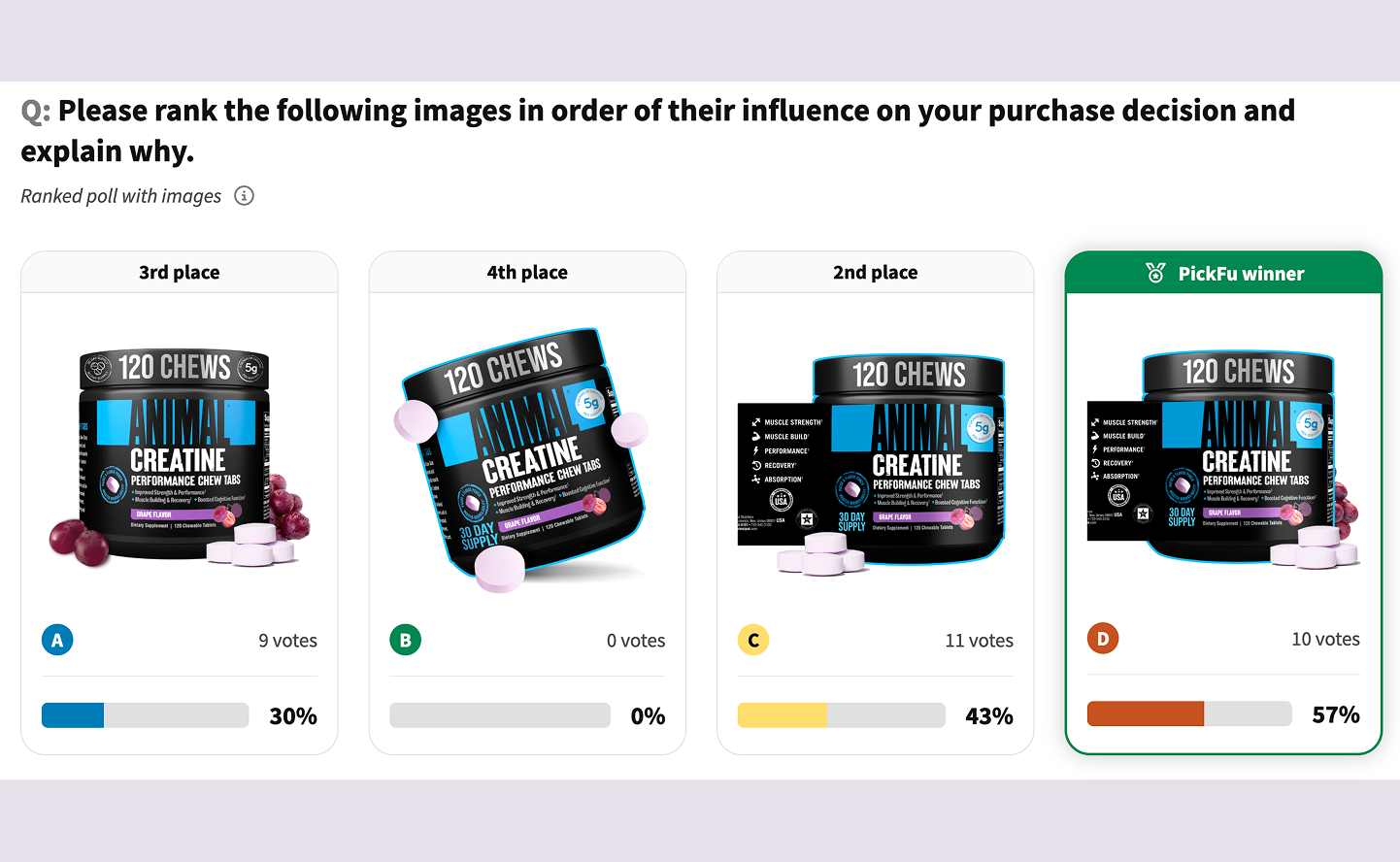
The pattern behind those numbers is the same one this workflow supports: test creative with real shoppers, read the why in the responses, iterate on what’s working, and validate before you go live. The MCP just makes the analysis step fast enough to do on every project.
Beyond main images
The analyze-and-act workflow applies anywhere you’re collecting feedback and need to turn it into a decision:
- Product images and A+ content. Run the same retrieve-analyze-report loop on secondary images, infographics, and A+ modules.
- Packaging and rebrands. Pull the themes across logo, color, and tagline tests to land on a direction before you commit to print.
- Cross-category research. Mine months of past polls across a whole product line or client roster to find the patterns that repeat.
- Client-ready deliverables. Package any of the above into a branded report your client can read in two minutes, instead of a raw results page.
Anywhere feedback piles up faster than you can read it, this workflow shortens the gap between data and decision.
FAQs
Claude told me to go grab the CSV (or images) from the poll myself. Do I have to? No — just push back. Tell Claude “you can extract the CSV” or “you can extract the images from the PickFu poll, you do it,” and it will. It’s a good general AI habit: when the assistant suggests you do a manual step, ask it to try first.
Can I analyze polls across multiple products or clients at once? Yes. This is one of the most powerful uses for an agency or a brand with a big catalog. You can point Claude at dozens of polls in a category and have it surface the trends that hold across all of them — the kind of meta-analysis that was impractical to do by hand.
What should I test when my brand is already the category leader? Test to stay there. Even a best-selling main image gets copied the moment it starts winning, so leaders use testing to find the next direction before competitors catch up. Validate new concepts off to the side first, then roll the winner out with confidence rather than gambling on a live change.
Do I need a paid Claude plan or extra subscriptions? The PickFu MCP is included with every PickFu account, including free accounts — you only pay when you launch a poll, starting at $1 per response. Claude’s free tier supports custom connectors, though heavier multi-step sessions go more smoothly on a paid plan.
Try it on your own results
You can run this entire workflow today, on polls already sitting in your PickFu account. Pull them into the chat, ask for the patterns, and have a shareable report in minutes.
Start here for everything you need: free PickFu signup, MCP setup docs, prompt examples, and upcoming events.
We also run live workshops fairly regularly. If you want to catch the next one in this series — or any of the other AI-powered research workflows we’re sharing — check out our Luma page.